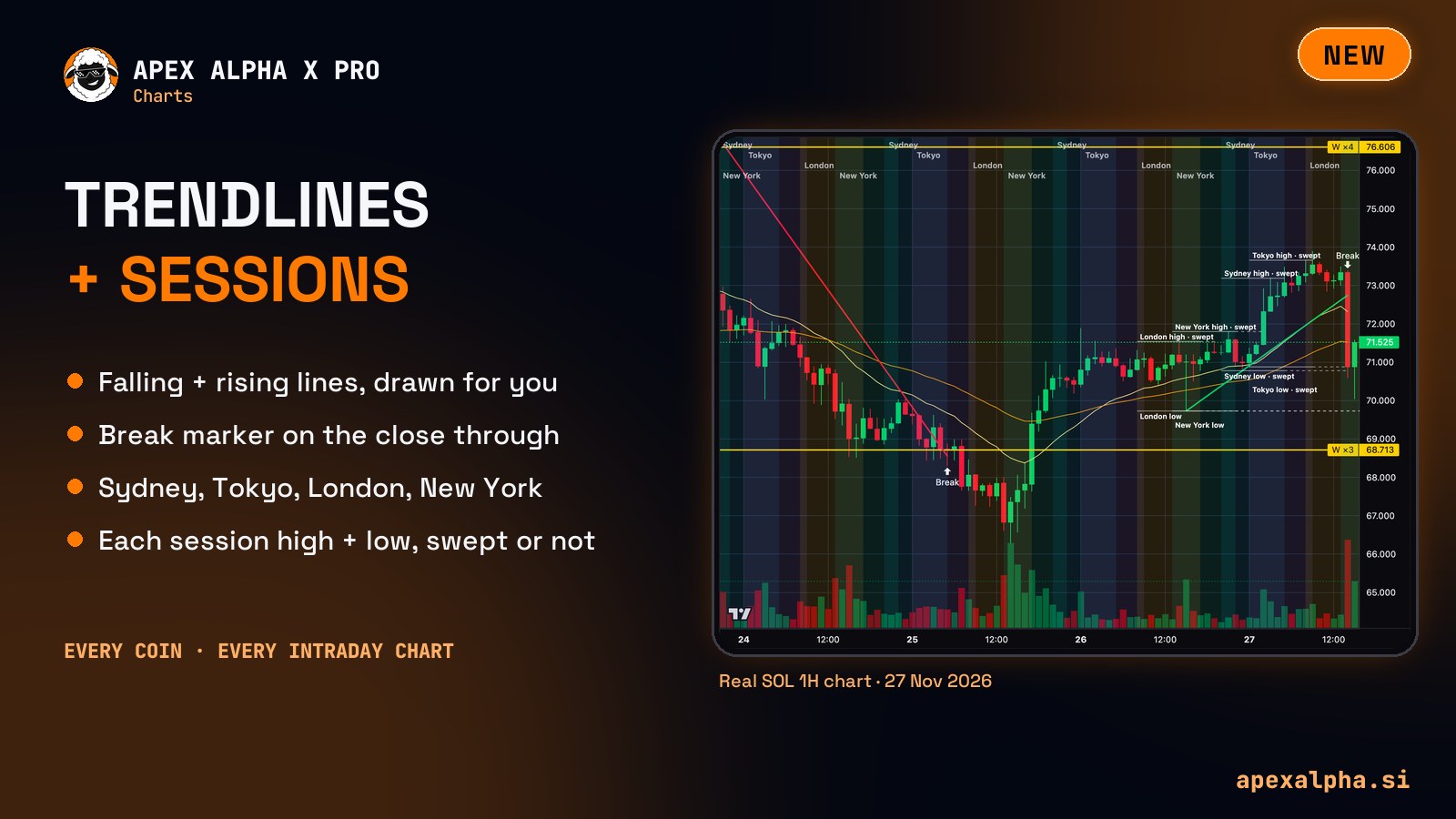
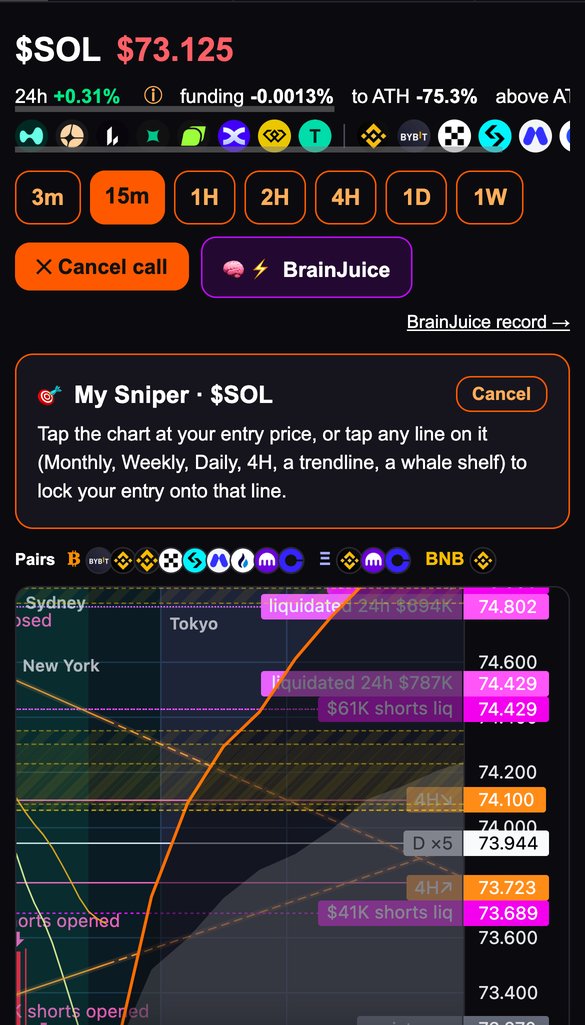
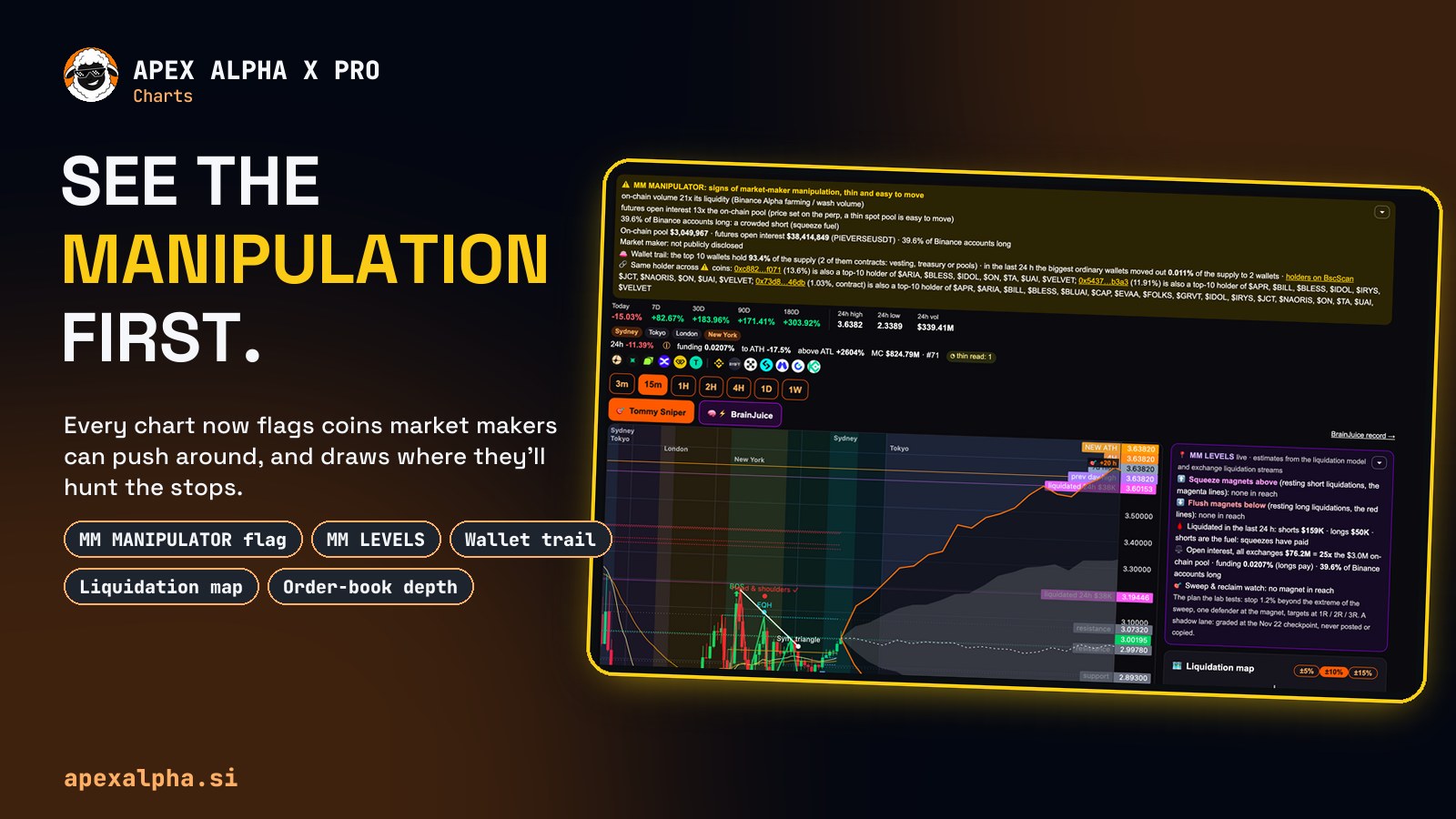
⚡️ Trendlines: the falling line through the last two swing highs and the rising line through the last two swing lows, drawn for you, with a Break marker on the first candle that CLOSES through the line
⚡️ Sessions: Sydney, Tokyo, London and New York, each with its own high and low, marked swept the moment price trades through
🧠 Open any chart and tap Trendlines
TRENDLINES WITH BREAKS
Apex finds the swing highs and swing lows (the highest or lowest candle with five candles either side). The falling resistance line runs through the last two swing highs, the rising support line through the last two swing lows, and both are extended to now.
The first candle that CLOSES through a line after its second swing is confirmed gets a white Break marker, and the line ends there. A wick through the line is not a break. Tap Trendlines beside Structure to turn it on or off. Your choice is remembered on that device.
EVERY SESSION'S HIGH AND LOW
On intraday charts the Sydney, Tokyo, London and New York sessions are shaded bands. The newest finished session of each kind now also draws its high and its low: solid across the session, dashed to the right until a later candle trades through it. Then the label reads swept.
These are the levels the crowd watches and the levels stops sit behind. When one gets swept and price snaps back, that is often the move.
CLEAN BY DESIGN
🧠 All lines and labels are pure white so they read on any background, and labels that land close together now step apart instead of printing on top of each other. Sessions can be switched off with the Sessions box above the chart.
The picture is a real SOL 1H chart from 27 November: a falling line broken upward on the 25th, a rising line broken downward on the 27th, and the Tokyo, Sydney, London and New York levels swept.
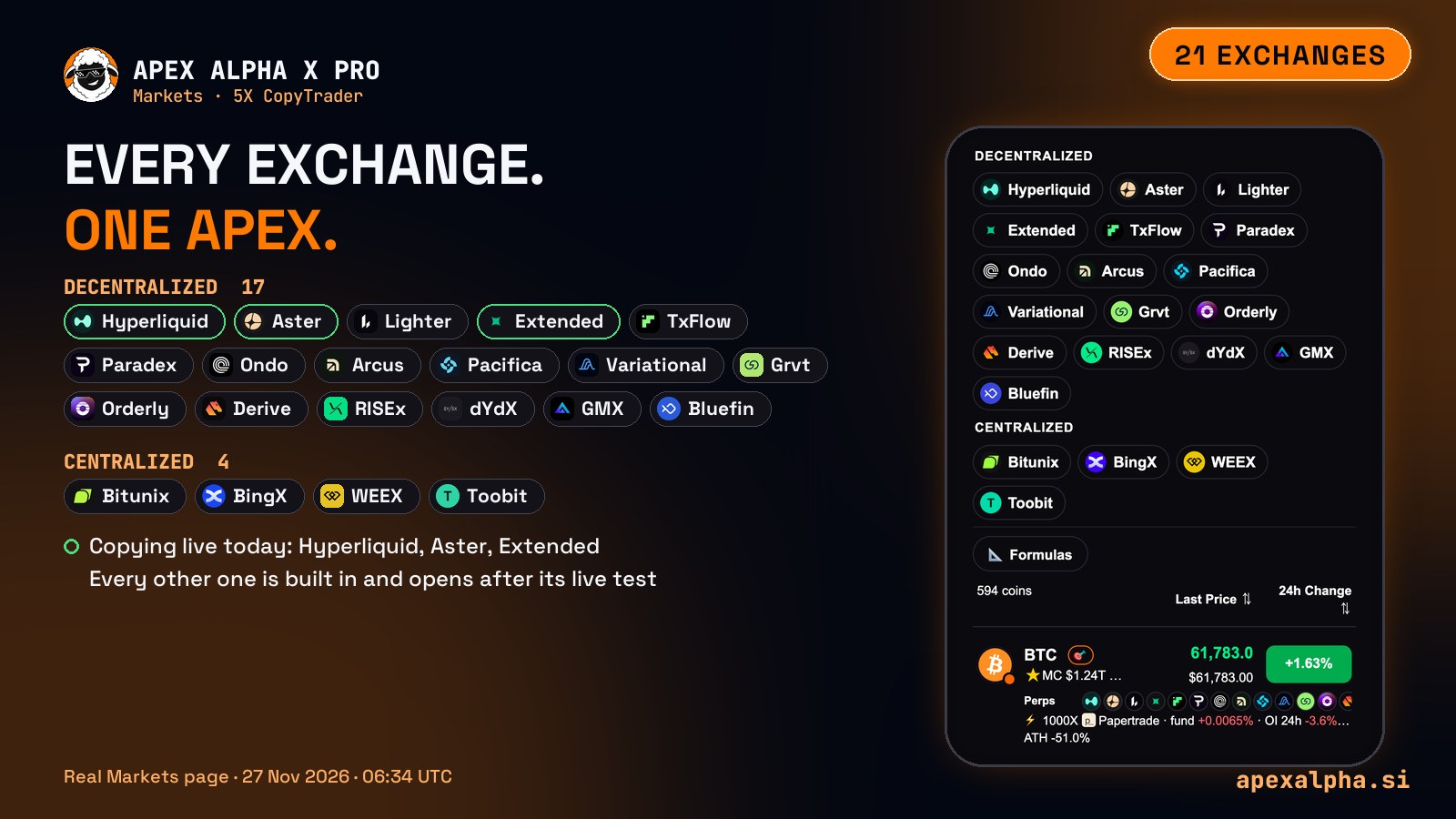
🧠 Tap any exchange on Markets to see only the coins it lists
WHAT'S NEW ON MARKETS
The Listed on chips are now two clean rows, Decentralized and Centralized, and every chip wears the exchange's own logo instead of a coloured dot. Tap one and the list shows only the coins that exchange lists. Tap it again for every coin.
Every coin's Perps row shows the logo of each exchange you can trade it on, so you see at a glance where a setup can be placed.
COPYING TODAY
⚡️ The 5X CopyTrader copies on Hyperliquid, Aster and Extended today.
⚡️ Every other exchange on the list is built into Apex and is tested live on Tommy's own account first. Each one opens on the Copy page the day its test passes, with its own announcement.
YOUR MONEY STAYS YOURS
🧠 Every exchange connects with a key that can trade and can never withdraw or move your money. On the centralized exchanges the key is made with withdrawals off and locked to the Apex server.
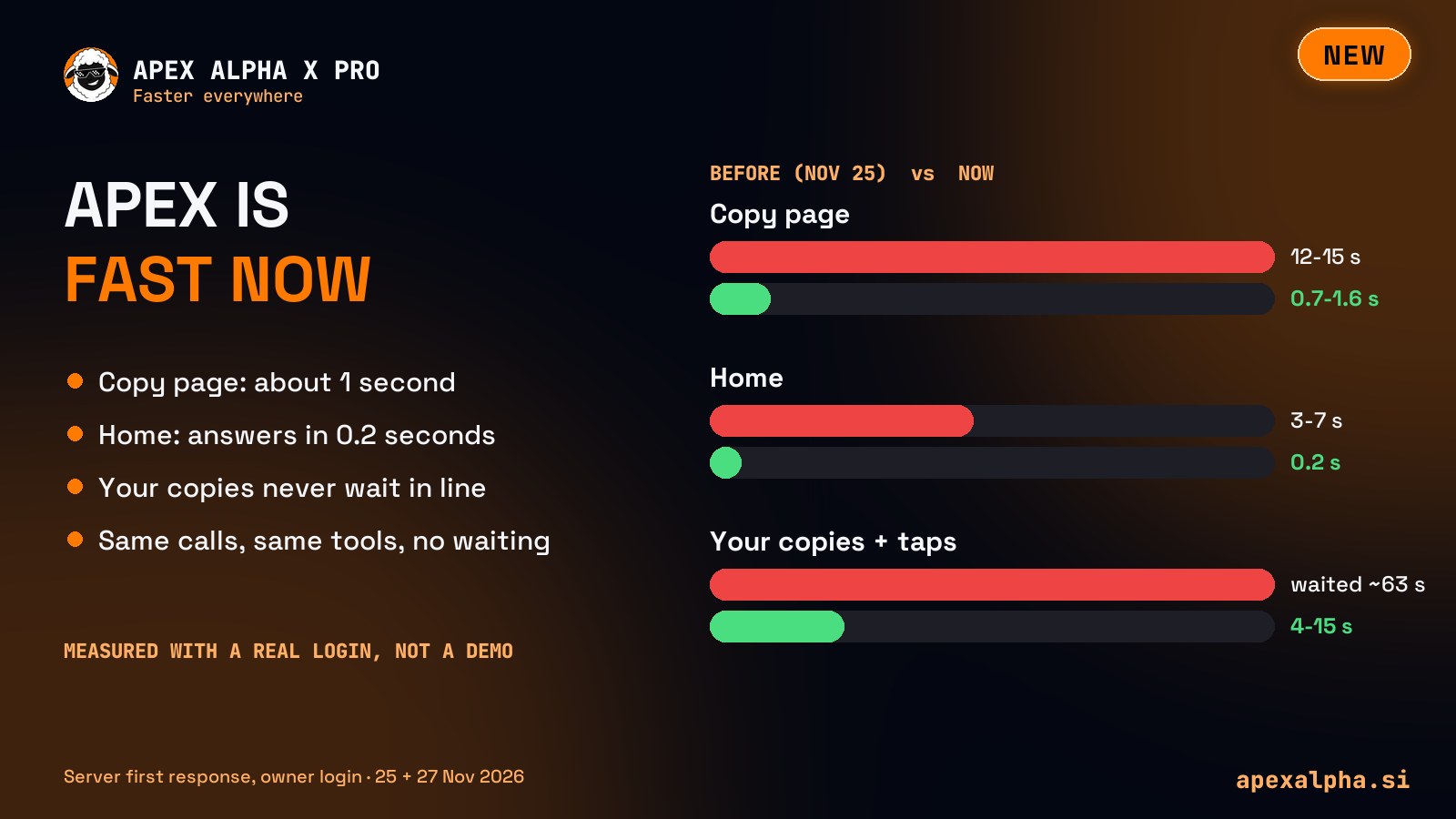
⚡️ Copy page: about 1 second (it took 12 to 15 seconds on Nov 25)
⚡️ Home: answers in 0.2 seconds (was 3 to 7)
🧠 Your copies and taps no longer wait in line behind bigger accounts
WHAT CHANGED
Pages no longer wait on the trading engine: every number you see is kept ready and refreshed in the background, so a page answers at once.
The sign-in check that ran on every single page now runs once an hour, away from the part of the server that answers you. That one change took the Copy page from 8 to 10 seconds down to about one.
YOUR COPIES
Every member's 5X CopyTrader now runs on its own. Before, each round waited for the biggest account to finish (about 63 seconds), so your taps, like Close, Trail or Exit at average, could sit in line. Now each account takes its own turn every few seconds.
HOW WE MEASURED
🧠 The server's first response with a real login, three loads per page: Nov 25 on a phone, Nov 27 in a browser after the changes. Same calls, same tools, nothing removed.
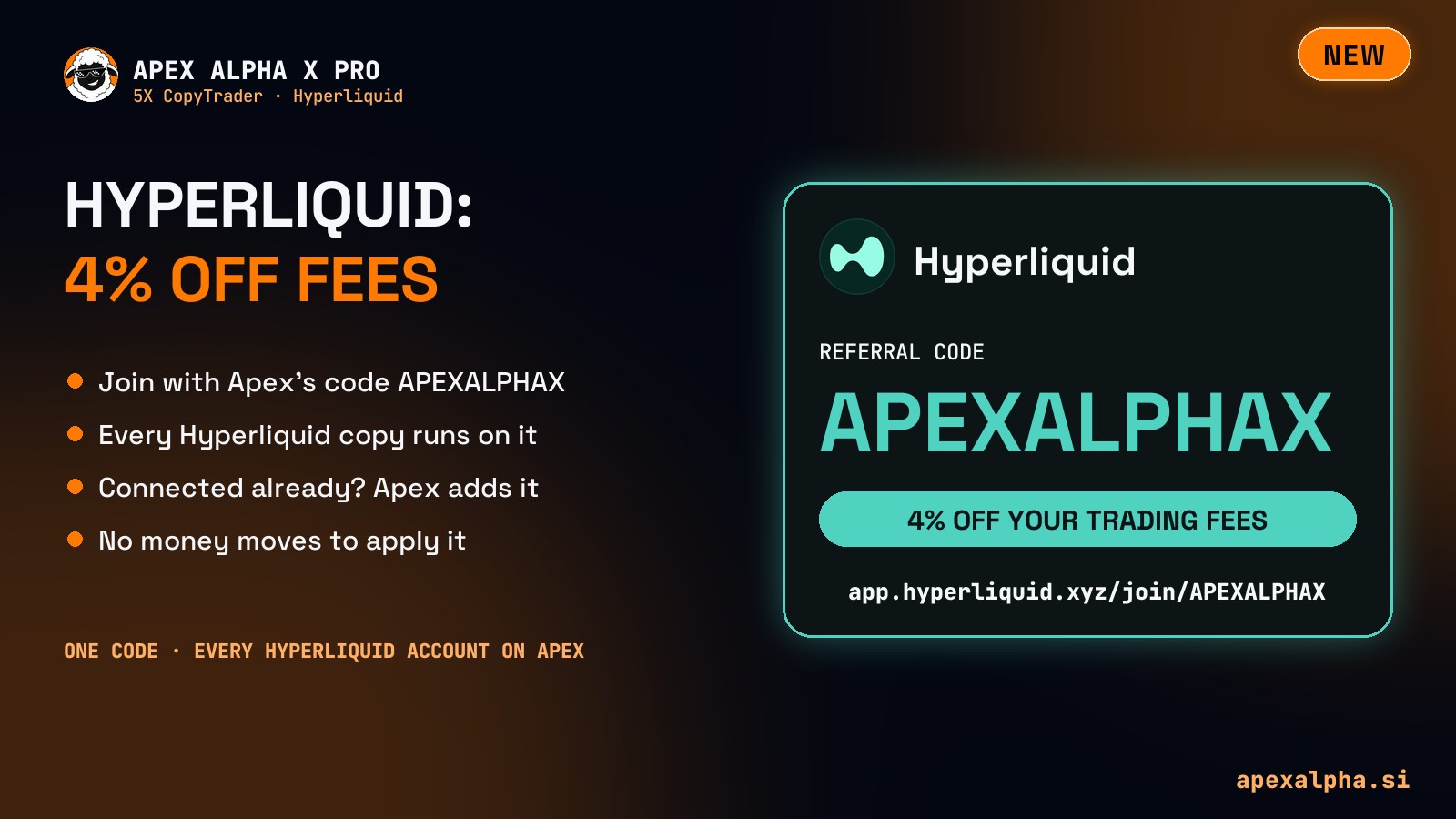
Apex Alpha X Pro now has its own Hyperliquid referral code: APEXALPHAX.
⚡️ 4% off your Hyperliquid trading fees
⚡️ Every 5X CopyTrader account on Hyperliquid runs on it
🧠 Already connected? Apex adds the code to your account for you. No money moves
app.hyperliquid.xyz/join/APEXALPHAX
NEW TO HYPERLIQUID
Open the link below, connect your wallet, deposit USDC, then connect Hyperliquid on the Copy page.
app.hyperliquid.xyz/join/APEXALPHAX
ALREADY ON HYPERLIQUID
Just connect it on the Copy page. If your account has no referrer yet, Apex adds APEXALPHAX with your trading key within a day (the key can trade, it can never move funds). Hyperliquid allows one referrer per account, so an account someone else already referred stays as it is.
WHY ONE CODE
Every member's CopyTrader runs on accounts opened under Apex's referral links, on every exchange. Hyperliquid now works the same way as Aster, Bitunix and the rest.
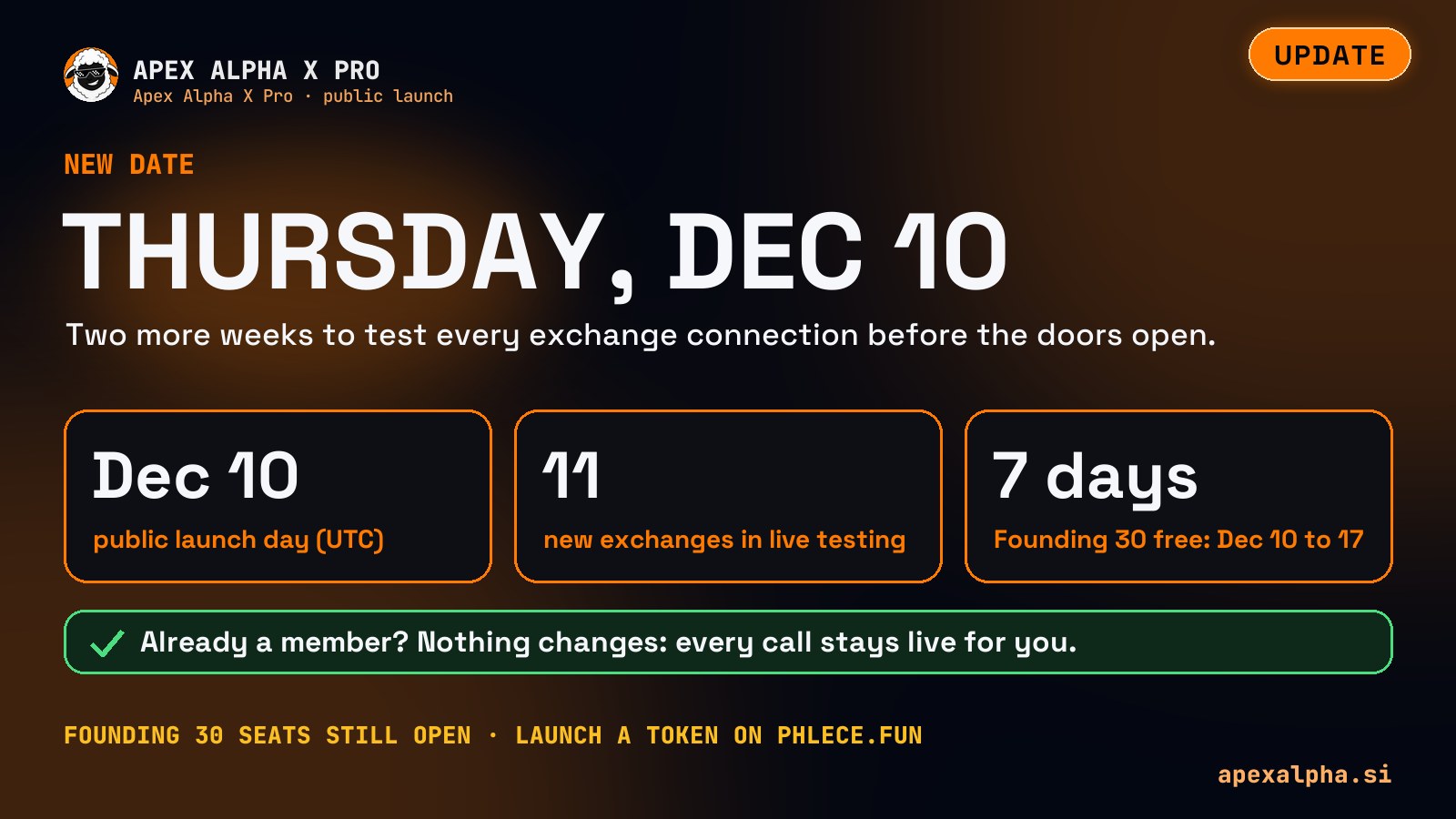
Apex Alpha X Pro's public launch moves to Thursday, December 10.
⚡️ Two more weeks to live-test every new exchange connection before the doors open
⚡️ Founding 30 seats are still open: 7 days free, now December 10 to 17
🧠 Already a member? Nothing changes: every call stays live for you
WHY THE NEW DATE
Eleven new exchanges are built for the 5X CopyTrader and each one gets a live test on a real account before members can use it. Two more weeks means every one of them is checked before launch day, not after.
WHAT CHANGES
⚡️ Public launch: Thursday, December 10 (00:00 UTC)
⚡️ Founding 30: the free week now runs December 10 to 17. Approved seats keep their place.
WHAT DOES NOT CHANGE
🧠 Members keep every call, the CopyTrader and every tool, today and every day until then.
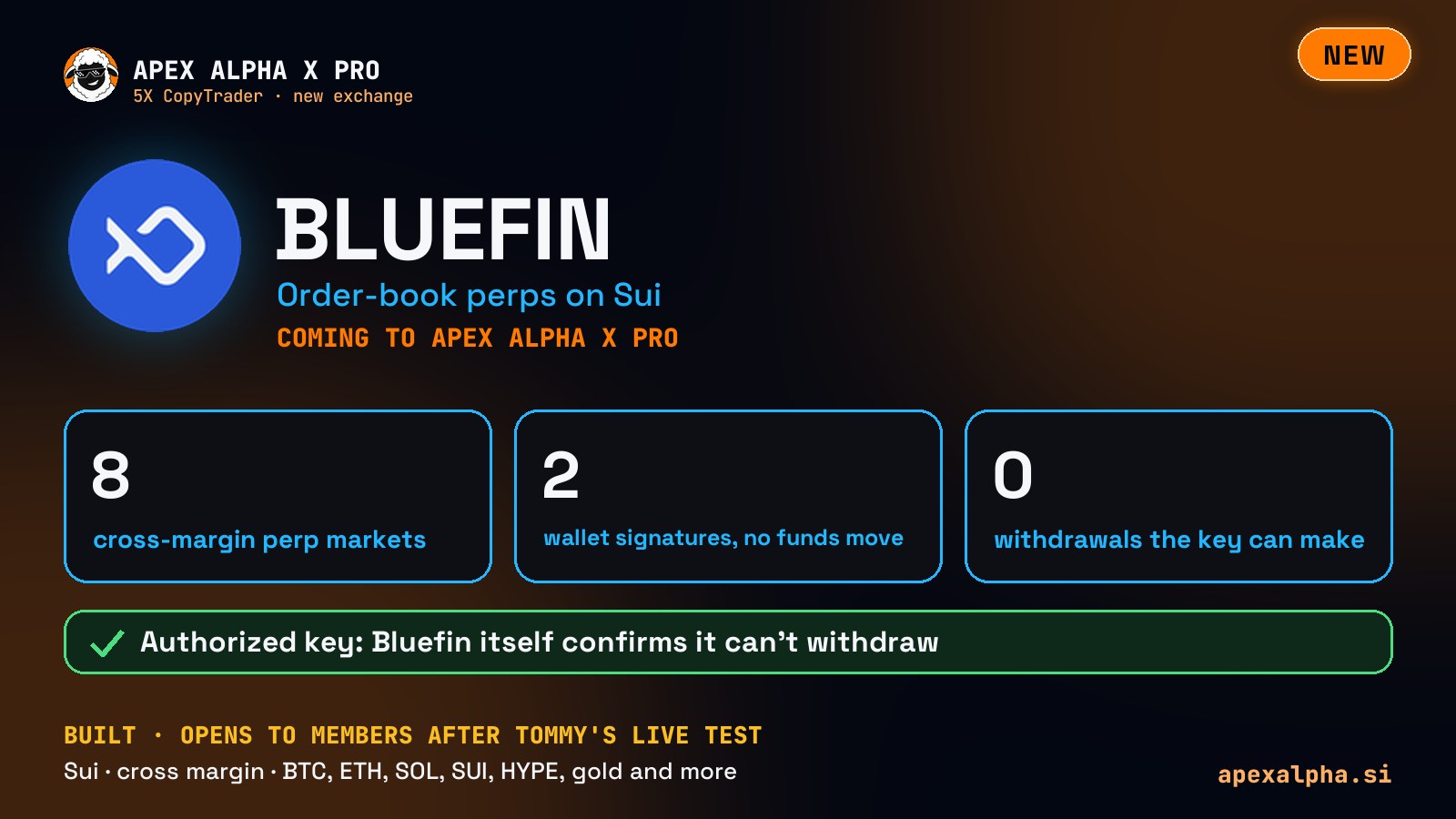
Bluefin runs an order-book perpetuals exchange on Sui, and its connector for the 5X CopyTrader is built.
⚡️ 8 cross-margin perpetual markets: BTC, ETH, SOL, SUI, HYPE, WAL, DEEP and gold
⚡️ Connect with your Sui wallet: two signatures, no funds move
⚡️ Bluefin itself confirms Apex's key can trade and can't withdraw
🧠 In live testing next, opening to members after
WHAT BLUEFIN IS
Bluefin is the largest perpetuals exchange on Sui, with an on-chain settled order book.
THE NUMBERS (2026-11-25, from Bluefin's own market list and Apex's coverage check)
⚡️ 8 cross-margin perpetual markets, gold included
⚡️ Lists the coins of 2% of the calls Apex posted in the last 30 days (BTC, ETH, SOL, SUI, HYPE, WAL): Bluefin is extra room for the big coins, one more account in your pass-along line when another exchange is full
HOW APEX CONNECTS, SAFELY
Press Connect Bluefin on the Copy page and sign twice with your Sui wallet: once to sign in to Bluefin, once to authorize Apex's trading key on your account. Bluefin's contract lets an authorized key trade, but only your own wallet can withdraw, and withdrawals only ever pay your own account. Before Apex keeps the key, it signs in as the key and Bluefin itself must answer that it can trade and can NOT withdraw. You can remove the key any time in Bluefin.
GOOD TO KNOW
⚡️ Fund your Bluefin account first (USDC on Sui)
⚡️ Copies go in at cross margin with the stop on every copy, like every other exchange
⚡️ Check Bluefin's terms for your country before you sign up
⚡️ Open your Bluefin account through Tommy's referral link: the CopyTrader only copies on accounts opened through his links
HOW TO CONNECT (once its card opens on your Copy page)
1. Open trade.bluefin.io with your Sui wallet (Slush, Suiet, Phantom…) and deposit USDC
2. On the Copy page's Bluefin card press Connect Bluefin and sign twice
3. Apex checks with Bluefin that the key can't withdraw, and the card turns green
STATUS
Built and checked against Bluefin's own SDK signatures and its live login. It opens on Tommy's own account first, then to every member after his live test. Your copies there are trades on your own account: Apex never holds your money.
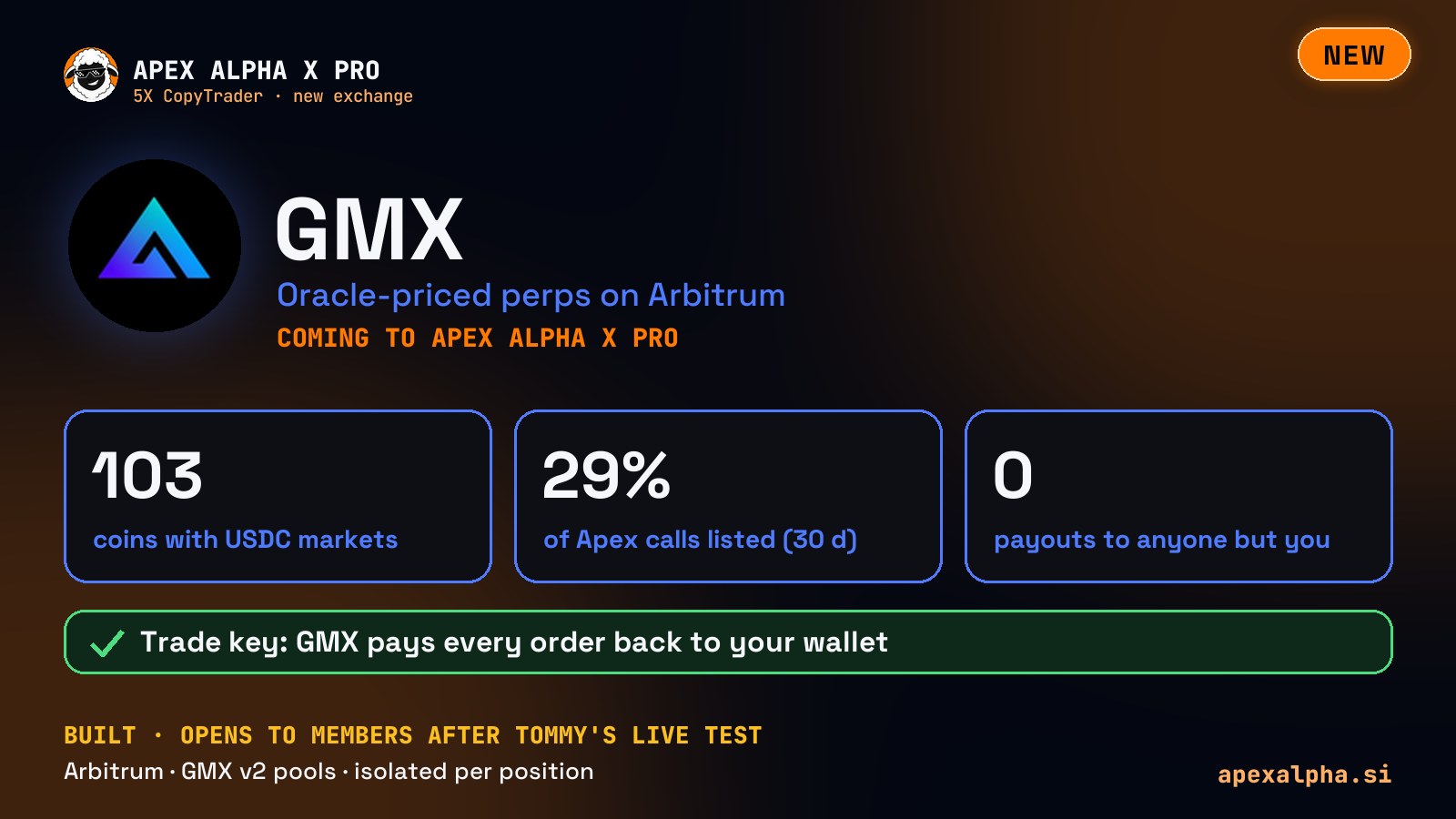
GMX runs oracle-priced perpetuals on Arbitrum, and its connector for the 5X CopyTrader is built.
⚡️ 103 coins with USDC markets, listing the coins of 29% of Apex calls
⚡️ Connect with your own wallet: one approval for the Apex trade key
⚡️ GMX itself pays every order the key places back to your wallet, and only your wallet
🧠 In live testing next, opening to members after
WHAT GMX IS
GMX is one of the longest-running decentralized perpetuals exchanges. Trades fill from GMX's liquidity pools at oracle prices, so there's no order book to slip through, and your money stays in your own wallet until a trade opens.
THE NUMBERS (2026-11-25, from GMX's own market list and Apex's coverage check)
⚡️ 103 coins with USDC markets on Arbitrum
⚡️ Lists the coins of 29% of the calls Apex posted in the last 30 days
HOW APEX CONNECTS, SAFELY
Press Connect GMX on the Copy page. Apex makes a trade key, and your wallet approves it once on GMX's own SubaccountRouter. GMX's contracts only let that key place, change and cancel orders, and they refuse any order whose payout or refund goes anywhere except your wallet: it can't withdraw and it can't send your money to anyone. The approval expires in a year, and you can revoke it in GMX any time. Apex adds no fee to your GMX trades.
GOOD TO KNOW
⚡️ GMX has no cross margin: each position keeps its own collateral, taken from the USDC in your wallet as each order goes in
⚡️ Every GMX order pays GMX's keepers a small fee in ETH (about $0.30). It comes from the trade key, so send it about 0.01 ETH on Arbitrum when you connect: that covers about 50 orders
⚡️ Check GMX's terms for your country before you trade
⚡️ The CopyTrader only copies on accounts under Tommy's referral: on GMX, his referral code goes on your wallet with your first copy (if your wallet already has another code, switch it to his in GMX's Referrals page)
HOW TO CONNECT (once its card opens on your Copy page)
1. Put USDC on Arbitrum in the wallet you'll trade from
2. On the Copy page's GMX card press Connect GMX, then approve in your wallet: the Apex trade key, USDC for GMX's Router (first time only) and 0.01 ETH for gas
3. Apex checks GMX shows the approval, and the card turns green
STATUS
Built and checked against GMX's live contracts. It opens on Tommy's own account first, then to every member after his live test. Your copies there are trades on your own wallet: Apex never holds your money.
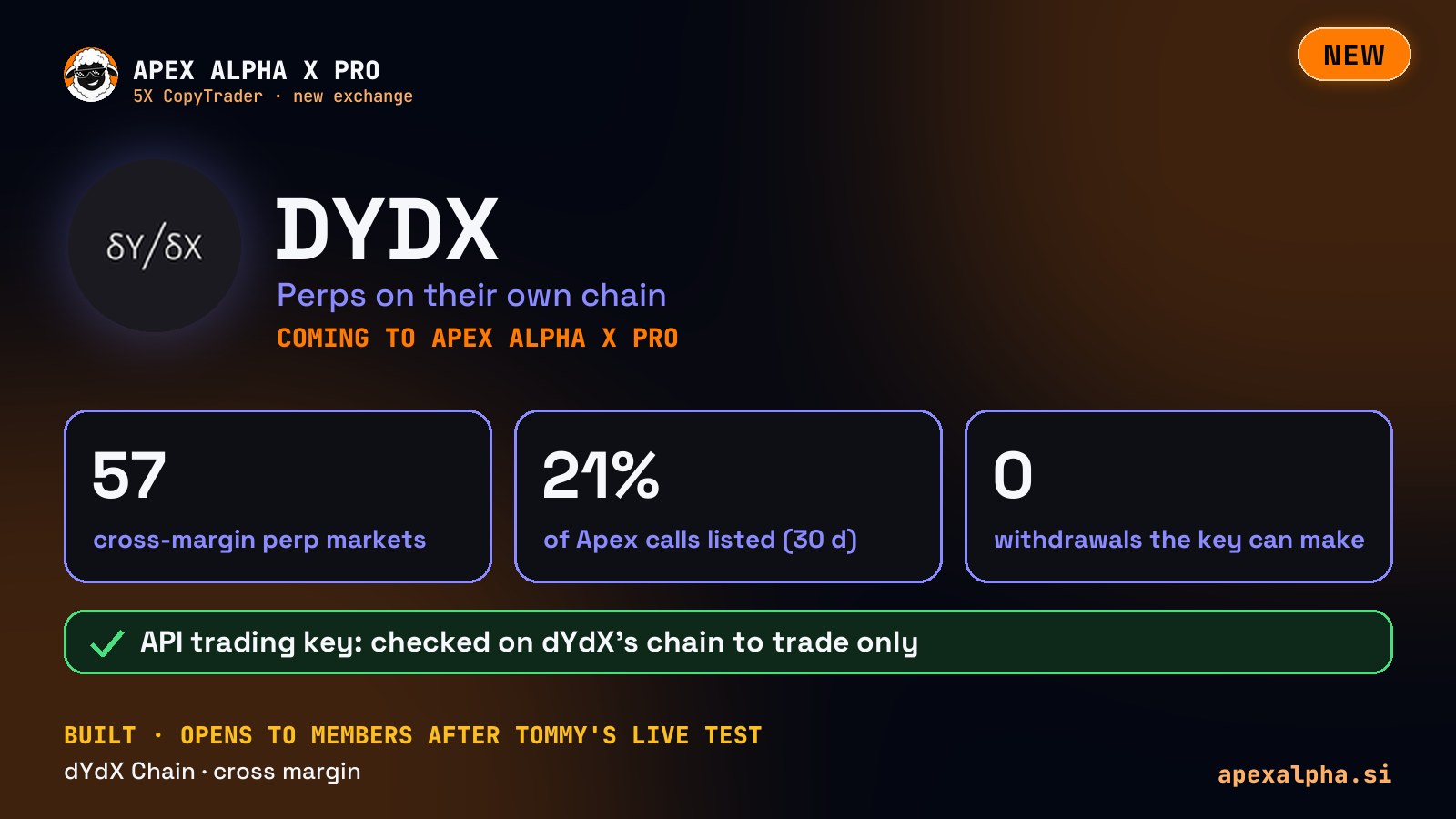
dYdX runs perpetuals on its own chain, and its connector for the 5X CopyTrader is built.
⚡️ 57 cross-margin perpetual markets, listing the coins of 21% of Apex calls
⚡️ Connect with a dYdX API trading key
⚡️ Apex checks on dYdX's own chain that the key can only place and cancel orders
🧠 In live testing next, opening to members after
WHAT DYDX IS
dYdX is one of the longest-running decentralized perpetuals exchanges. Its order book runs on its own blockchain, and every account's permissions live on that chain.
THE NUMBERS (2026-11-25, from dYdX's own market list and Apex's coverage check)
⚡️ 57 cross-margin perpetual markets
⚡️ Lists the coins of 21% of the calls Apex posted in the last 30 days
HOW APEX CONNECTS, SAFELY
In dYdX's app you generate an API trading key and authorize it, then paste the key, your dYdX address and the key's authenticator id once on the Copy page. Before Apex keeps it, Apex reads your address's permissions on dYdX's chain and refuses any key that could do more than place and cancel orders: no withdrawals, no transfers. The key is stored encrypted and never shown again. Copies go in at cross margin with the stop on every copy, like every other exchange.
GOOD TO KNOW
⚡️ Check dYdX's terms for your country before you sign up
⚡️ Open your dYdX account through Tommy's referral link: the CopyTrader only copies on accounts opened through his links
HOW TO CONNECT (once its card opens on your Copy page)
1. On dydx.trade, sign in, then More, API Trading Keys, Generate New API Key, and authorize it
2. Copy the private key (shown once), your dYdX address and the authenticator id
Built and tested against dYdX's official client. It opens on Tommy's own account first, then to every member after his live test. Your copies there are trades on your own account: Apex never holds your money.
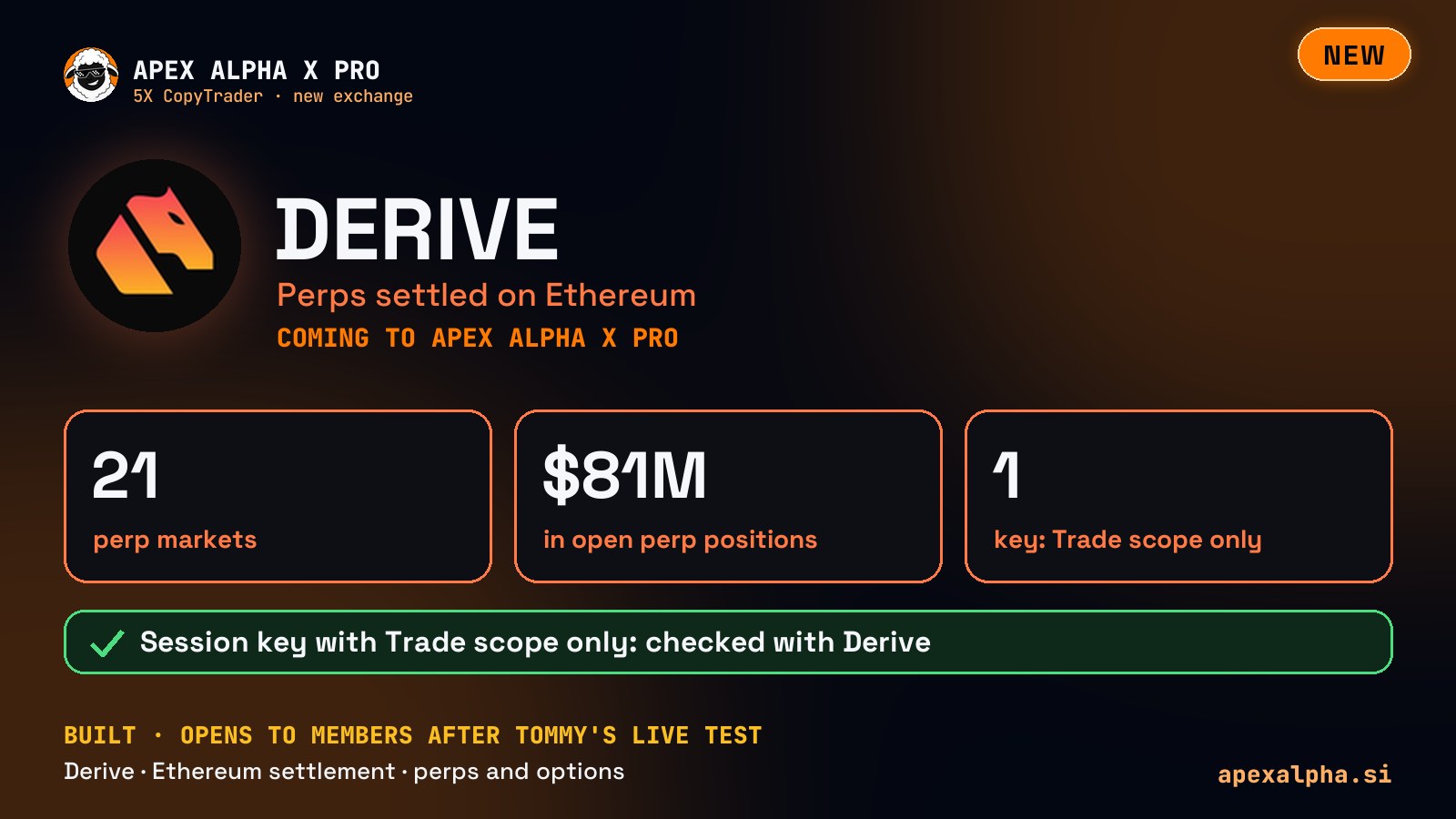
Derive is a perpetuals and options exchange that settles on Ethereum, and its connector for the 5X CopyTrader is built.
⚡️ 21 perpetual markets, about $81M in open perp positions
⚡️ Connect with a session key that has the Trade scope only
⚡️ Apex checks the key's scopes with Derive itself before keeping it
🧠 In live testing now, opening to members next
WHAT DERIVE IS
Derive runs perpetual futures and options on its own order book, with every account action signed and settled on Ethereum.
THE NUMBERS (2026-11-25, from Derive's own market list and DefiLlama)
⚡️ 21 perpetual markets: BTC, ETH and the big coins
⚡️ About $81M in open perp positions
HOW APEX CONNECTS, SAFELY
You make a session key in Derive's app with the Trade scope only and paste your wallet address, the subaccount id and the key's private key once on the Copy page. Before Apex keeps it, Apex asks Derive which scopes the key holds and refuses any key that can transfer, withdraw or create other keys. Derive itself re-checks the scope on every action it settles, so a trade-only key can never move your money. It's stored encrypted and never shown again. Copies go in with the stop on every copy, like every other exchange.
GOOD TO KNOW
⚡️ Only the subaccount you connect is used for copies
⚡️ Check Derive's terms for your country before you sign up
⚡️ Open your Derive account through Tommy's referral link: the CopyTrader only copies on accounts opened through his links
HOW TO CONNECT (once its card opens on your Copy page)
1. Open Derive with your wallet and pick the subaccount you'll copy into
2. Create a session key with the Trade scope only and copy its private key
3. Paste your wallet address, the subaccount id and the key on the Copy page's Derive card
STATUS
In live testing on Tommy's own account first. The moment its live test passes, the card opens to every member on the Copy page and we post it here. Your copies there are trades on your own account: Apex never holds your money.
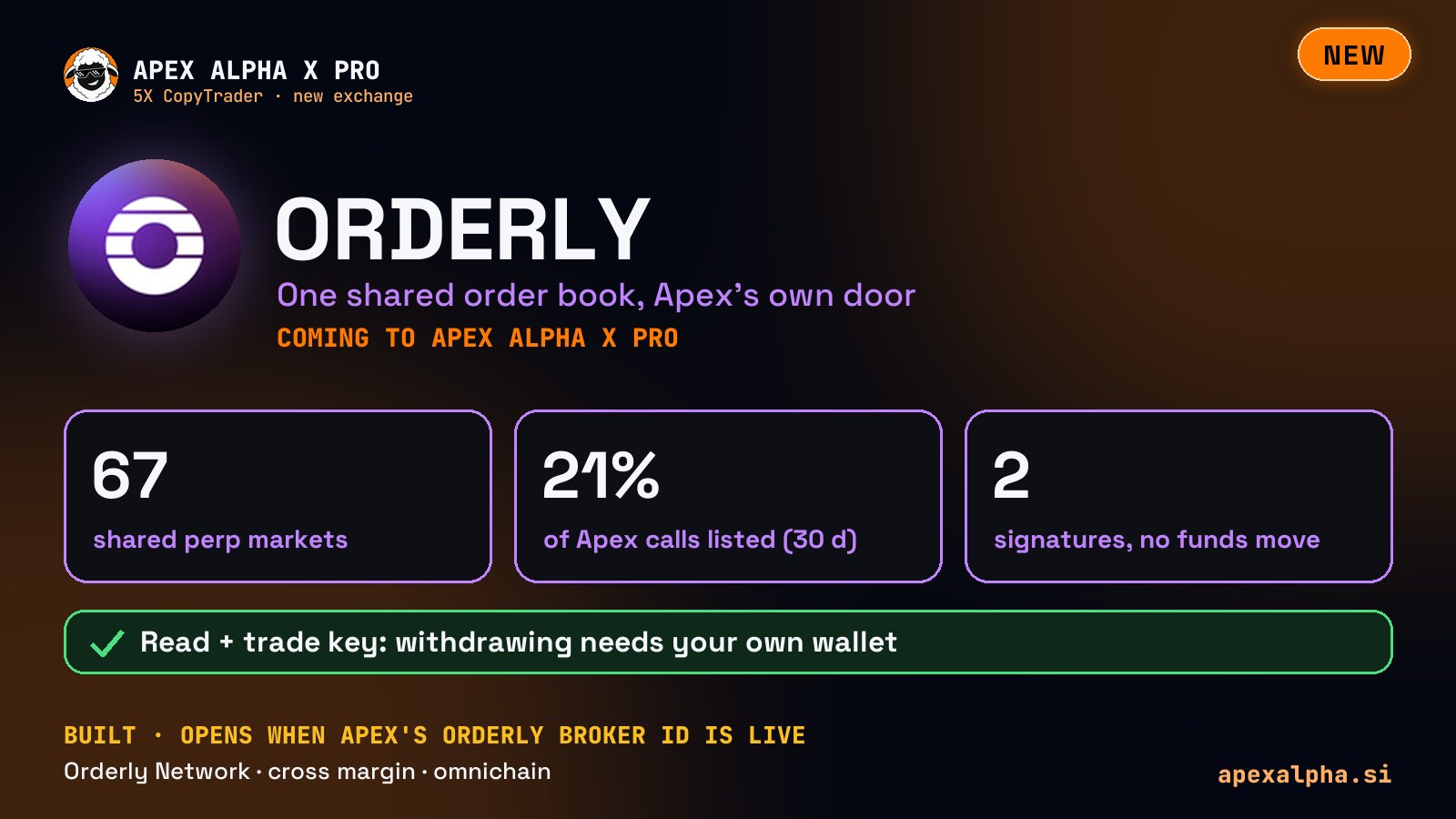
Orderly is one shared order book that many decentralized exchanges trade on. Apex is getting its own door to it, and the 5X CopyTrader's connector is built.
⚡️ 67 shared perpetual markets, listing the coins of 21% of Apex calls
⚡️ Connect with two wallet signatures: no funds move, no API key to copy
⚡️ Apex's key can read and trade only: withdrawing needs your own wallet
🧠 Opens as soon as Apex's Orderly broker id is live
WHAT ORDERLY IS
Orderly runs one perpetuals order book that many exchanges plug into, each with its own look. Apex is registering as its own Orderly builder, so members trade the same shared book through Apex directly.
THE NUMBERS (2026-11-25, from Orderly's own market list, DefiLlama and Apex's coverage check)
⚡️ 67 shared perpetual markets
⚡️ About $45M traded in 24 hours, $1.7B in 30 days
⚡️ Lists the coins of 21% of the calls Apex posted in the last 30 days
HOW APEX CONNECTS, SAFELY
On the Copy page you press Connect Orderly and sign twice in your own wallet, and no funds move. The first signature opens your Orderly account under Apex; the second adds a trading key that Apex made, with Orderly's read and trading permissions only. By Orderly's rules a withdrawal needs your wallet's own signature and always goes back to your own wallet, so the key can never take your money out. Copies go in at cross margin with the stop on every copy, like every other exchange.
GOOD TO KNOW
⚡️ Your account sits under Apex itself, so there's no referral code to enter
⚡️ Apex's key lasts up to a year: after that, press Connect Orderly again to sign a new one
HOW TO CONNECT (once its card opens on your Copy page)
Built and tested against Orderly's published API. It opens on Tommy's own account first as soon as Apex's Orderly broker id is live, then to every member after his live test. Your copies there are trades on your own account: Apex never holds your money.
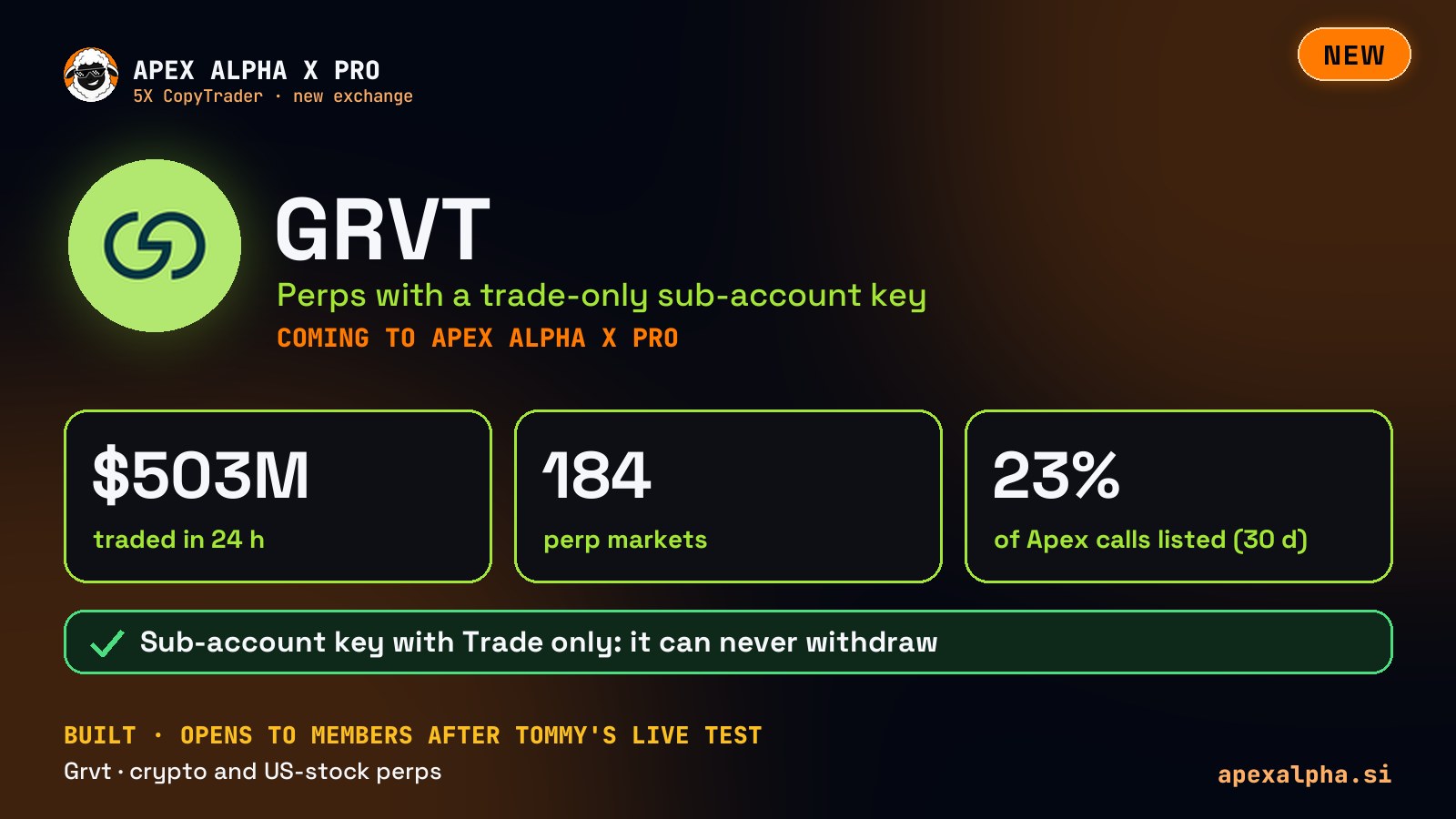
Grvt is a perpetuals exchange with an order book and its own chain, and its connector for the 5X CopyTrader is built.
⚡️ About $503M traded a day, $312M in open positions
⚡️ 184 perpetual markets: crypto plus US stocks like AAPL, AMD and AMZN
⚡️ Connect with a sub-account key that has Trade only: it can never withdraw
🧠 In live testing now, opening to members next
WHAT GRVT IS
Grvt runs perpetual futures on an order book, with sub-accounts that each keep their own money, positions and API keys. Next to the big coins it lists US stocks and other assets.
THE NUMBERS (2026-11-24, from DefiLlama and Grvt's own market list)
⚡️ About $503M traded in 24 hours, $15.6B in 30 days
⚡️ About $312M in open positions
⚡️ 184 perpetual markets
⚡️ Lists the coins of 23% of the calls Apex posted in the last 30 days
HOW APEX CONNECTS, SAFELY
You make an API key for one Grvt sub-account with the Trade permission only, and paste the key, its signing private key and the sub-account id once on the Copy page. By Grvt's own rules a sub-account key can only hold Trade (placing and cancelling orders) and, if you tick it, Transfer to your own funding account; withdrawing and sending money to other accounts are main-account permissions it can never have. Before Apex keeps the key, Grvt must log it in, show that sub-account and accept a test cancel. It's stored encrypted and never shown again. Copies go in with the stop on every copy, like every other exchange.
GOOD TO KNOW
⚡️ Only the money in the sub-account you connect is used for copies
⚡️ Check Grvt's terms for your country before you sign up
⚡️ Open your Grvt account through Tommy's referral link: the CopyTrader only copies on accounts opened through his links
HOW TO CONNECT (once its card opens on your Copy page)
1. On Grvt, pick or create the sub-account you'll copy into and move your copy money there
2. Create an API key for that sub-account with Trade only and let the browser generate the key pair
3. Copy the API key, the signing private key (shown once) and the sub-account id
In live testing on Tommy's own account first. The moment its live test passes, the card opens to every member on the Copy page and we post it here. Your copies there are trades on your own account: Apex never holds your money.
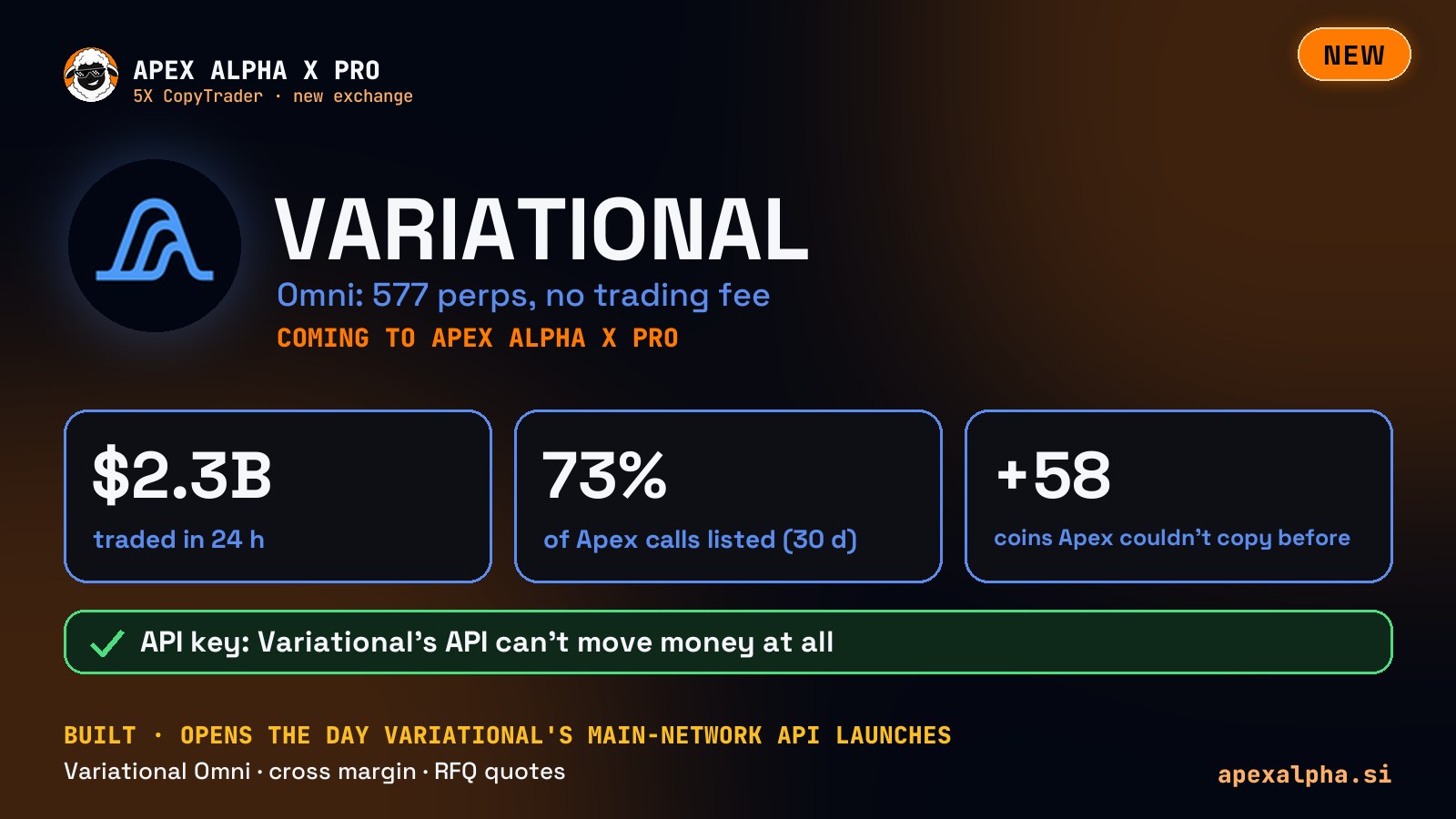
Variational Omni is one of the biggest decentralized perpetuals exchanges, and the 5X CopyTrader's connector for it is built.
⚡️ About $2.3B traded a day across 577 perpetual markets
⚡️ It lists the coins of 73% of Apex calls, including 58 coins Apex couldn't copy on Hyperliquid, Aster or Extended
⚡️ Its API key can't move money at all: no transfer, no withdrawal
🧠 Opens the day Variational's main-network trading API launches
WHAT VARIATIONAL IS
Variational Omni trades perpetual futures through quotes from its own liquidity provider (RFQ) instead of a public order book: crypto from BTC and ETH down to small caps, plus stocks, gold and pre-IPO markets. Cross margin is the default, and Omni charges no trading fee.
THE NUMBERS (2026-11-24, from Variational's own public market data and Apex's coverage check)
⚡️ About $2.3B traded in 24 hours
⚡️ 577 perpetual markets
⚡️ Lists the coins of 73% of the calls Apex posted in the last 30 days
⚡️ 58 of those coins aren't on Hyperliquid, Aster or Extended
HOW APEX CONNECTS, SAFELY
You make an API key in Omni's own app with the Read and Trade permissions and paste its private key once on the Copy page. Before Apex keeps it, Variational must show your account with that key and accept a test cancel, so Apex knows it can trade; it's stored encrypted and never shown again. Variational's API has no transfer and no withdrawal at all, so the key can only place and cancel orders. Copies go in at 5X CROSS with the stop on every copy, like every other exchange.
WHY IT MATTERS
Connect up to 5 accounts on every exchange and each new call goes to the first account that lists the coin and has room; a full account passes it to the next. Variational adds a deep list of coins to that line.
GOOD TO KNOW
⚡️ Variational's terms don't accept US or Canadian persons, or residents of Taiwan and the sanctioned regions on its Restricted Persons list
⚡️ Open your Variational account through Tommy's referral link: the CopyTrader only copies on accounts opened through his links
HOW TO CONNECT (once its card opens on your Copy page)
1. Open Variational Omni with your wallet, then Settings, API keys
2. Create a key with Read and Trade ticked and copy its private key (shown once)
3. Set your leverage on Omni to 5x or more
4. Paste the key on the Copy page's Variational card
STATUS
Built and tested against Variational's published API. Its trading API is in early access on its test network today; Apex checks every hour, and the day its main network opens the card goes live on Tommy's account first, then to every member after his live test. Your copies there are trades on your own account: Apex never holds your money.
Insiders don't always dump. Some sell in small pieces so no single move looks big.
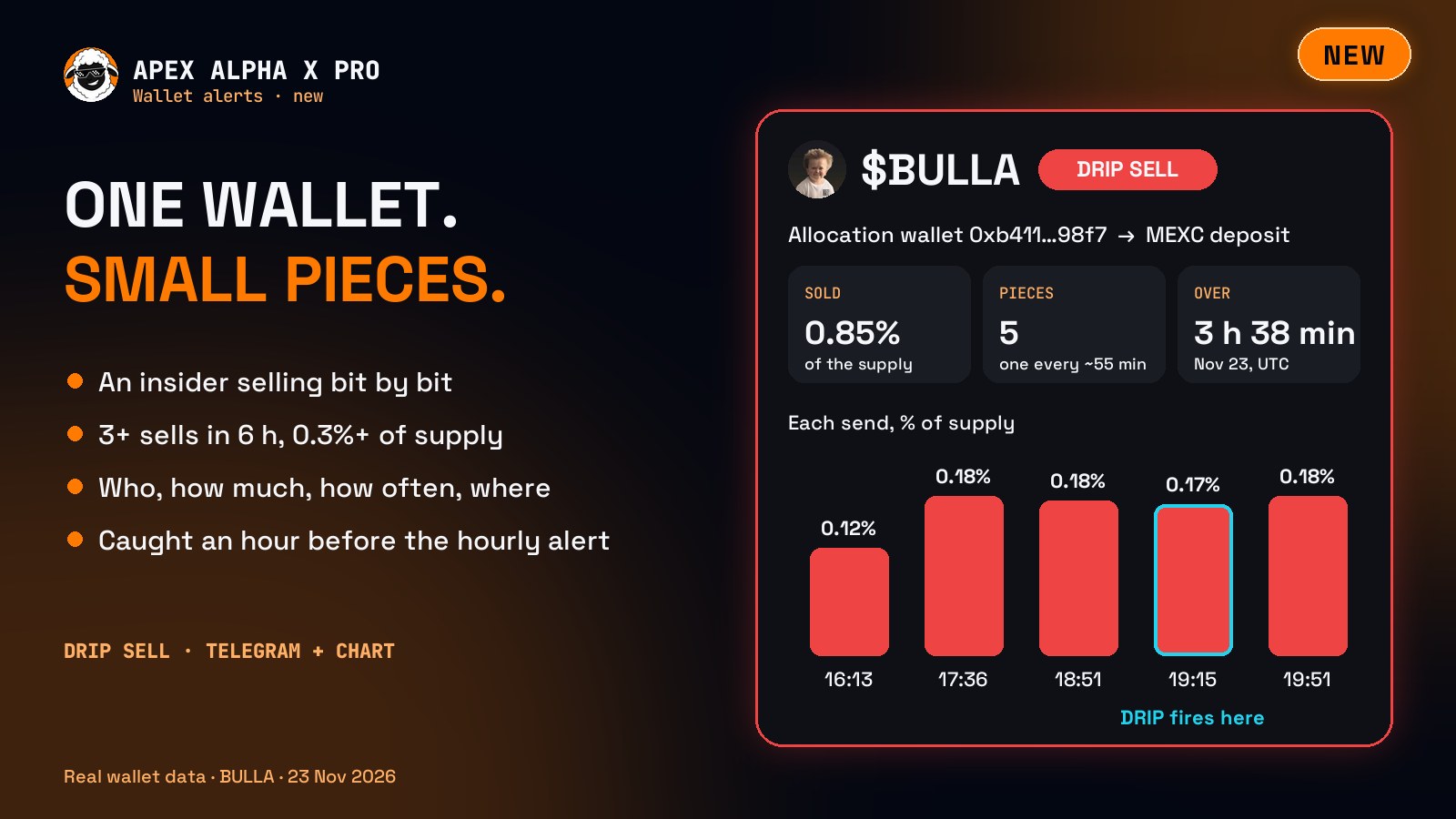
⚡️ New wallet alert: one insider or market-maker wallet selling a coin in 3+ pieces within 6 hours, adding up to 0.3%+ of the supply
⚡️ It says who, how much, how many pieces, how often, where to, and how the price moved meanwhile
⚡️ Every MM coin, on BNB Chain, Ethereum and Base
🧠 Real case: $BULLA, Nov 23
THE CASE THAT STARTED IT
On Nov 23 a $BULLA allocation wallet (0xb411…98f7) sent about 0.18% of the supply at a time to its MEXC deposit address: 16:13, 17:36, 18:51, 19:15 and 19:51 UTC. That's 0.85% of the supply in five sends over three and a half hours, one every ~55 minutes. No single hour crossed the 0.3% bar of the 🚨 MM MOVE alert, so that alert only fired at 20:14, four hours in.
💧 DRIP SELL would have fired at 19:15, the wallet's third recorded sale: an hour earlier.
HOW IT WORKS
Apex watches the wallets of every MM coin every 2 minutes: team and allocation wallets, whales, vesting contracts, market makers and the fresh wallets they load. When ONE of those wallets sells into exchanges or pools 3 or more times within 6 hours, and the pieces add up to 0.3% of the supply or more, you get the 💧 DRIP SELL alert on Telegram and on the coin's chart. Once per wallet per 12 hours, so it never spams.
WHAT IT TELLS YOU
⚡️ Who: the wallet, by name when we know it
⚡️ How much and how often: the total, the number of pieces, the time between them
⚡️ Where: the exchange deposit or pool it's feeding
⚡️ The price during the drip
WHY IT MATTERS
A wallet that sells in steady pieces is a seller that isn't done. It keeps supply landing on the exchange, which tends to cap bounces. On an MM coin that's a reason to wait before a long, or to look at the short magnets.
A trade in the red doesn't have to be closed at a loss.
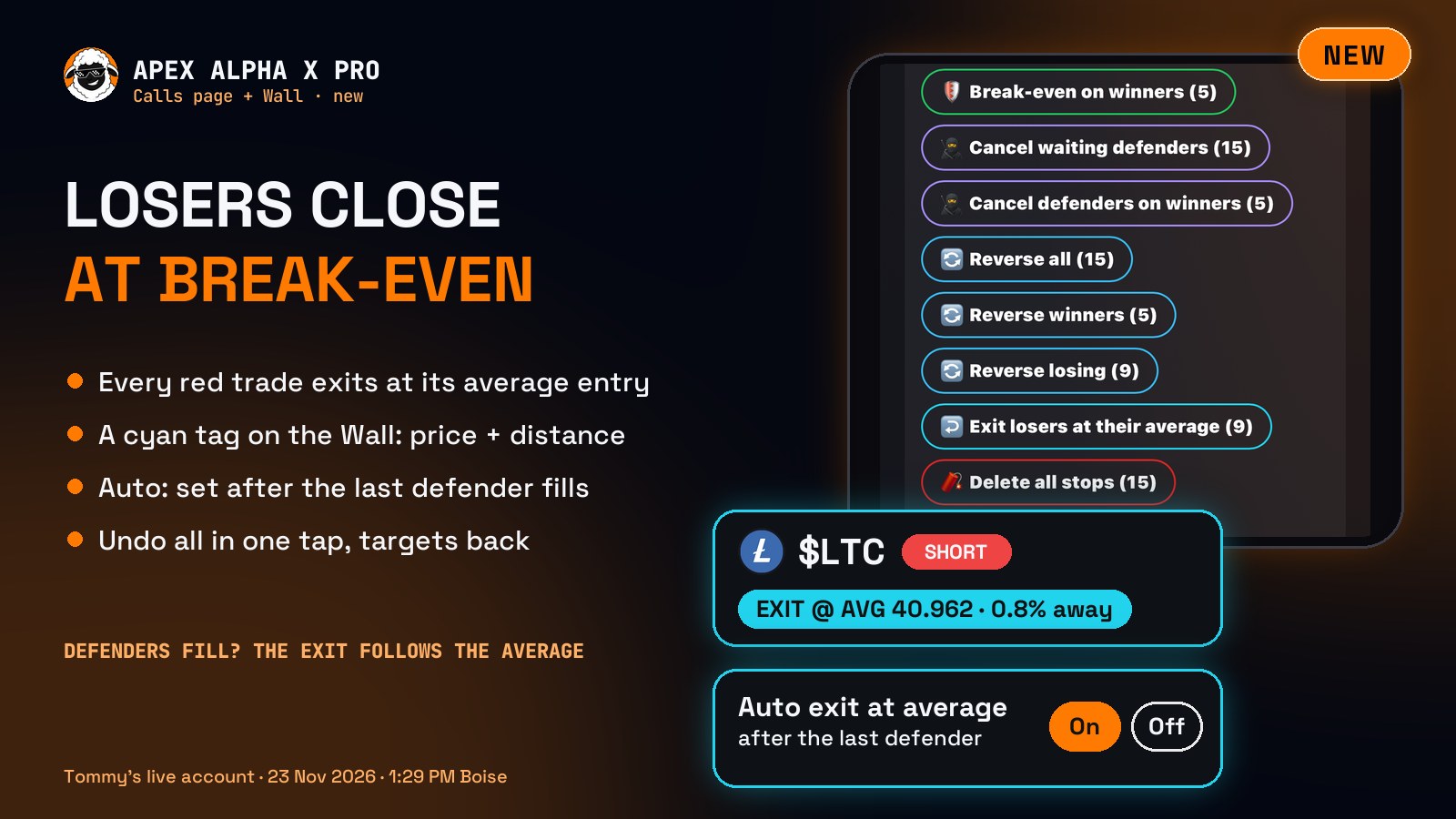
⚡️ One tap: every losing trade closes at its own average entry, the moment the price gets back there
⚡️ A defender fills? The exit follows the new average by itself
⚡️ Or switch on Auto: it's set the moment a trade's last defender fills
🧠 Cyan tags on the Wall show each exit and how far away it is
HOW IT WORKS
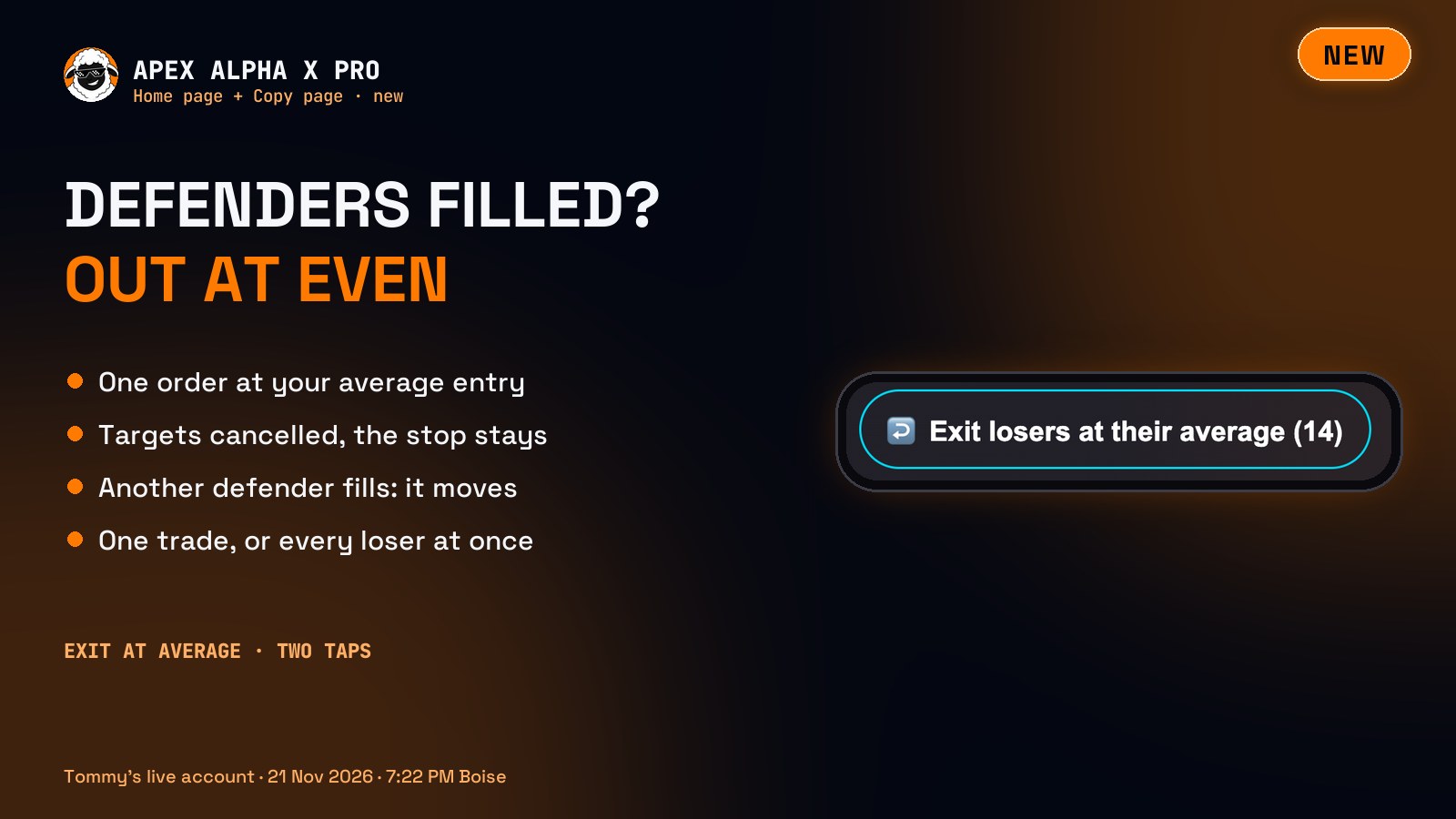
When defenders fill, your average entry gets better than the call's entry. ↩️ Close losers at their average entry puts ONE closing order on each losing trade, for the whole position, at that trade's own average entry (plus a hair for fees). Nothing closes right away: each trade closes at even the moment the price comes back to it. The targets step aside, the stop stays. If another defender fills, the exit moves to the new average by itself.
On Tommy's live account (Nov 23, 1:24 PM Boise) two taps set it on 10 losing trades across Hyperliquid, Aster and Bitunix. $ADA on Aster came back to its average 2 minutes later and closed at +$0.06 instead of a loss.
YOU CAN SEE IT
⚡️ The Wall: each trade wears a cyan ↩️ EXIT @ AVG tag with the price and how far away it is (e.g. 0.8% away), next to the orange 📉 TRAIL tag, and a banner pops up the moment it switches on
⚡️ The Copy page: the trade's card says ↩️ EXIT AT AVERAGE ON with the price
⚡️ The Calls page: Risk & quick actions lists every trade waiting to close and its price
🤖 AUTO EXIT AT AVERAGE
The moment a trade's LAST defender fills, the plan has added all the size it will, so its average can't get any better. With 🤖 Auto exit at average on, Apex sets the exit right then, by itself (checked every 30 seconds, once per trade), and sends you a Telegram message. Trades in profit and trades you opened yourself are never touched.
UNDO
🔁 Cancel exits at average, targets back (N) cancels every exit at once and puts the targets back. The stop stays.
MEMBERS WHO FOLLOW TOMMY
With 🐑 Clone Tommy on, when Tommy sets exits at average on his trades, the same happens on your open copies of those coins, with a Telegram message.
HOW TO USE IT
1. Open the Calls page, tap 🛡 Risk & quick actions
2. Tap ↩️ Close losers at their average entry (N), then tap again to confirm
3. Want it automatic? Next to 🤖 Auto exit at average after the last defender, tap On
4. Changed your mind? Tap 🔁 Cancel exits at average, targets back
The picture is Tommy's own live account at 1:29 PM Boise on Nov 23, 2026.
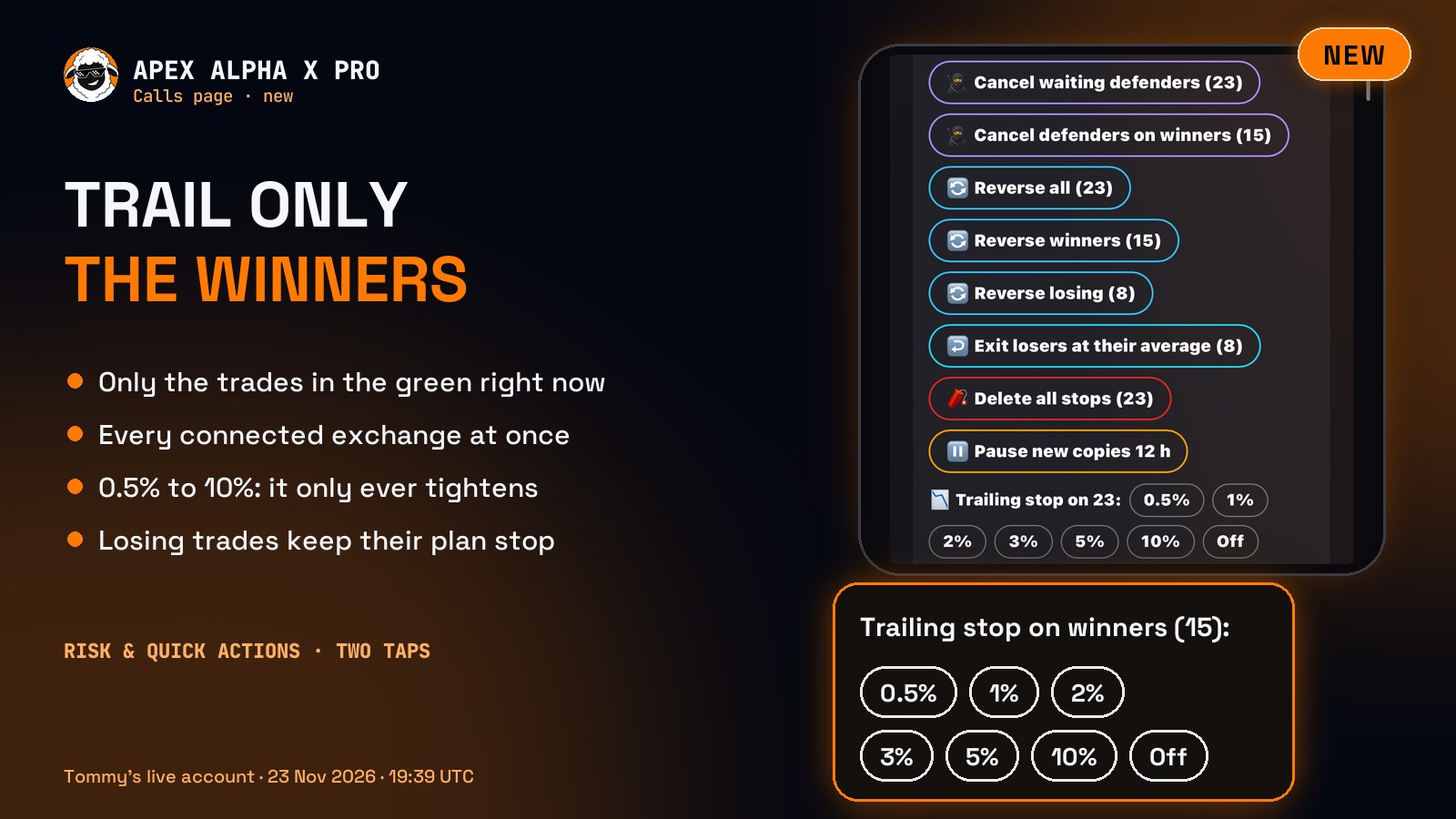
⚡️ One row sets a trailing stop on only the trades in profit right now
⚡️ Every connected exchange at once, or just one
⚡️ 0.5% to 10%: it only ever tightens and rests on the exchange
🧠 On the Calls page and the Copy page now
HOW IT WORKS
Risk & quick actions already had 📉 Trailing stop on every open Apex copy. Right under it is now 📉 Trailing stop on winners (N): the same 0.5%, 1%, 2%, 3%, 5% and 10% trail (or Off), sent only to the copies that are in profit at that moment. A winner's stop then follows the best price by your %, only ever tightens, and sits on the exchange, so it protects the gain even if Apex or your phone is off. Losing trades are not touched: they keep their plan stop and their defenders.
On Tommy's live account when he asked for it (Nov 23, 12:39 PM Boise): 23 open copies, 15 in profit. One row, two taps, the 15 get the trail; the 8 losers stay as they are.
It works on every exchange you connected at once. Pick an exchange chip first to do it on one exchange only. The Copy page has the same row under 🚨 Every exchange at once, next to 🛡 Break-even on winners. Trades you opened yourself on the exchange are never touched.
MEMBERS WHO FOLLOW TOMMY
With 🐑 Clone Tommy or 🤝 Let Tommy manage my trades on, your copies follow it, as with every quick action.
HOW TO USE IT
1. Open the Calls page, tap 🛡 Risk & quick actions
2. Optional: tap an exchange chip to act on one exchange only
3. Next to 📉 Trailing stop on winners, tap a % (0.5% locks the gain in tight, 2% to 5% leaves room to run)
4. Tap it again to confirm. Tap Off (twice) to put the plan stops back
Want it to happen by itself? 🎯 Auto trail, a few rows down, trails each trade the first time it's up your chosen %.
The picture is Tommy's own live account at 12:39 PM Boise on Nov 23, 2026.
MM coins don't live on one chain, so Apex doesn't watch just one.
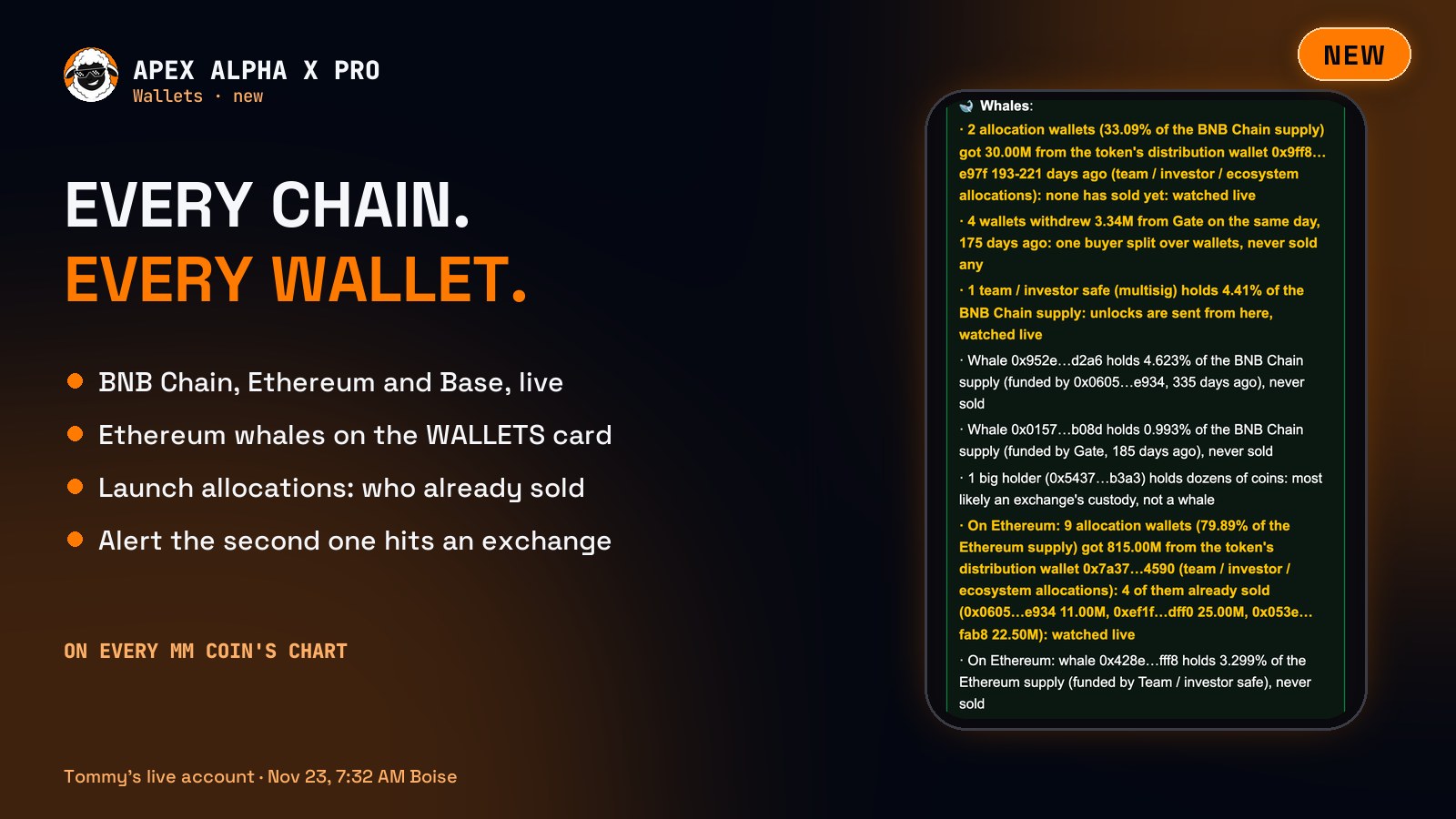
⚡️ BNB Chain, Ethereum and Base wallets, watched live every 2 minutes
⚡️ Each coin's Ethereum whales on its 🏦 WALLETS card, beside the BNB Chain ones
⚡️ Launch allocations found: team, investor and ecosystem wallets from one distribution wallet
⚡️ 🔀 Follow the money: when insiders split supply into fresh wallets, you get a STAGING alert and the new wallets are watched
⚡️ Every whale, safe and allocation wallet is watched: the moment one sends to an exchange, you get the alert
⚡️ Every alert comes with a picture: exchange, DEX pool or market maker, the 24 h move and the market cap
🧠 On every MM coin's chart
WHAT'S NEW
$PIEVERSE, $JCT, $CAP and $FOLKS also live on Ethereum. Their Ethereum transfers are now read every 2 minutes, the same as BNB Chain and Base, and sized against the same supply, so a 1% move means the same thing on every chain.
🐋 ETHEREUM WHALES
The 🏦 WALLETS card now lists each coin's biggest Ethereum holders, marked "On Ethereum", with who funded them and whether they ever sold.
$PIEVERSE on Ethereum: 9 wallets hold 80% of its Ethereum supply. All 9 got their coins from ONE wallet, 815 million PIEVERSE, 386 days ago. That's the token's launch distribution: team, investor and ecosystem allocations. 4 of them have already moved 88.5 million out to other wallets, none straight to an exchange yet; 5 have never moved one. Apex now watches the wallets they handed the coins to as well: those are the ones that sell next.
When 5 or more wallets (or 30%+ of the supply) come from the same funder, Apex calls them allocation wallets, not "one owner".
🔴 WATCHED LIVE
🔀 FOLLOW THE MONEY
When a whale, team safe or allocation wallet hands 0.1%+ of the supply to a wallet nobody has named, that wallet is watched from that moment. When insiders split 0.5%+ of the supply into fresh wallets within 6 hours, you get a 🔀 STAGING alert: it is usually the step before a sale. $JCT, Nov 23: 500M JCT left an Ethereum allocation wallet, crossed to BNB Chain, and was split into four brand-new wallets holding 2% of the supply.
Every whale, team safe, allocation wallet and distribution wallet Apex finds, on both chains, is now registered as an insider of its coin: 450 wallets across 40 MM coins. The moment one sends the coin to an exchange or a DEX pool, the alert goes out.
📸 THE ALERT PICTURE
Each wallet alert says in plain words where the coins went (a centralized exchange, a DEX pool for on-chain swaps, or a market maker), how much of the supply moved, the coin's 24 h move and its market cap.
HOW TO SEE IT
1. Open any coin marked ⚠️ MM MANIPULATOR
2. Ethereum whales sit in the 🏦 WALLETS card, under "On Ethereum"
The picture is Tommy's own live account, Nov 23, 7:32 AM Boise.
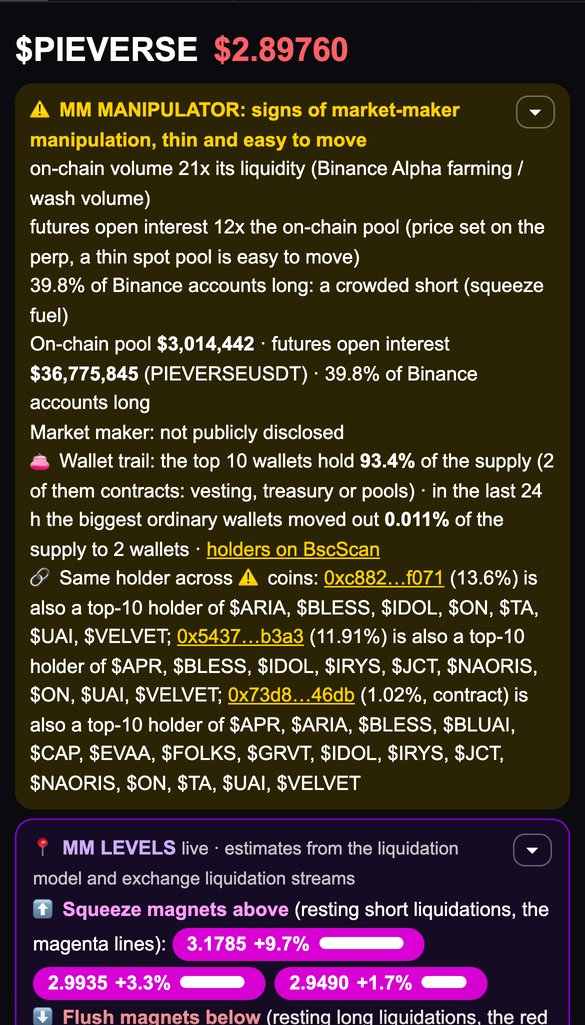
Open the chart of a manipulated coin and see who really holds it.
⚡️ Whales funded by the same wallet, found and grouped: one owner, many wallets
⚡️ Wallets that withdrew from the same exchange on the same day: one buyer split up
⚡️ Whether they have ever sold a single coin
⚡️ Team and investor safes, where unlocks come from, watched live
⚡️ 👻 Liquidation magnets seen in the last hour stay on your chart
🧠 On every MM coin's chart
HOW IT WORKS
Every day Apex reads the 50 biggest holders of every ⚠️ MM coin, on BNB Chain and Ethereum, and traces where each whale's coins came from, months back.
🐋 WHALES (on the 🏦 WALLETS card)
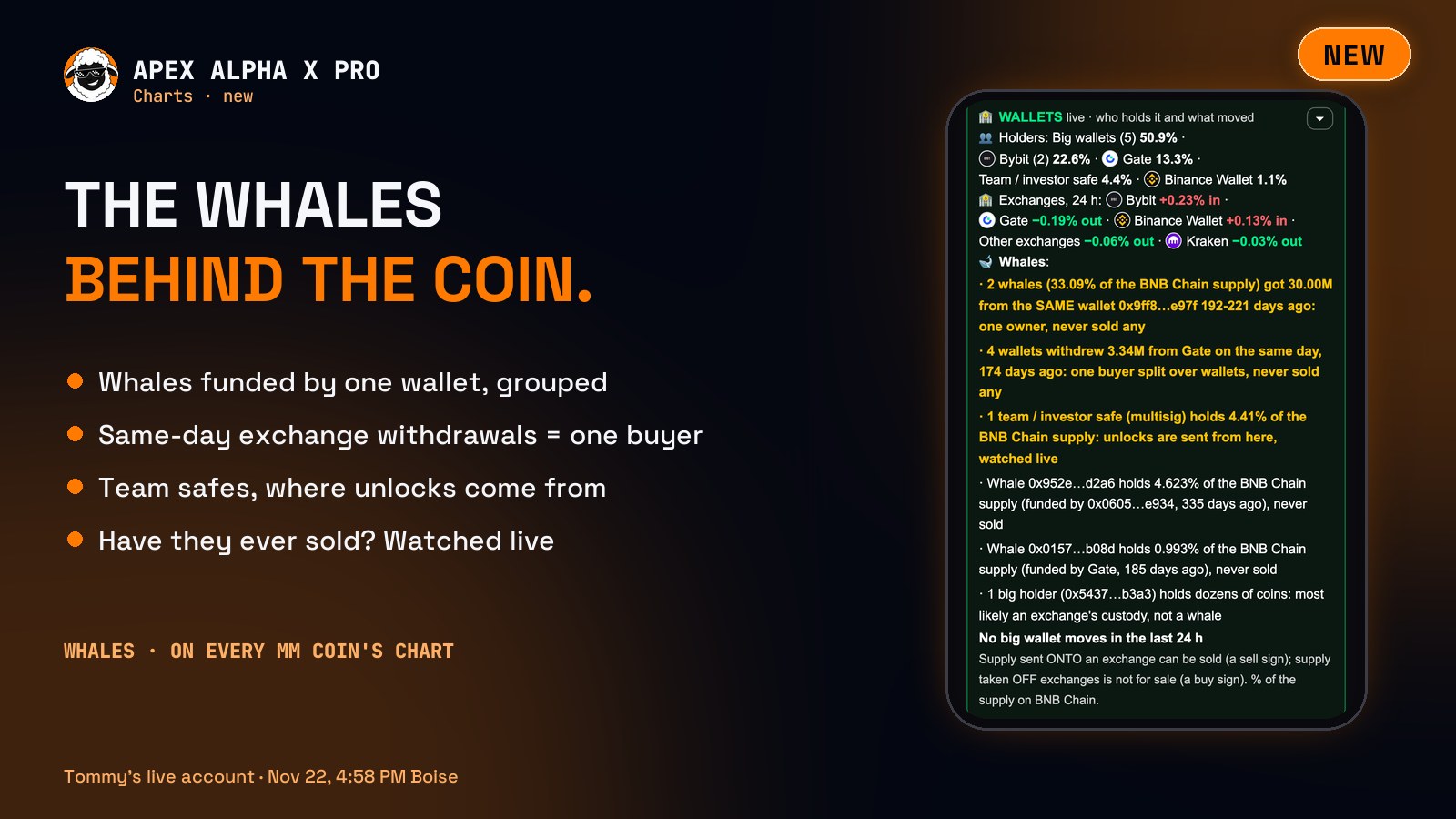
Whales funded by the SAME wallet are one owner, whatever the explorer shows. $PIEVERSE: two whales each got exactly 15,000,000 from one wallet, and have never sold one.
Three or more wallets that withdrew the coin from the same exchange within a day, and still hold it, are one buyer split over wallets. $PIEVERSE: five wallets out of Gate on the same day.
Each line says whether they have ever sold. The day they start sending to an exchange is the day that matters, and Apex watches every one of them live.
🔐 TEAM SAFES
Team and investor multisig wallets (Gnosis Safes) hold the locked supply, and unlocks are sent from them. $JCT: six safes hold 14% of its BNB Chain supply. They are watched live too.
Wallets that hold dozens of coins are flagged as an exchange's custody, never counted as whales.
👻 MAGNETS SEEN IN THE LAST HOUR
The liquidation map moves as positions open and close, so a level can fall out of the top three minutes before price reaches it. $PIEVERSE's map showed short magnets at 5.3184 and 5.3718 at 09:33; the top came at 5.3679 at 10:12, then -49%. Now the biggest magnets of the last hour stay on the 📍 MM LEVELS card and on the chart as dashed lines.
HOW TO SEE IT
1. Open any coin marked ⚠️ MM MANIPULATOR
2. 🐋 Whales sit in the 🏦 WALLETS card, 👻 magnets in 📍 MM LEVELS
The picture is Tommy's own live account, Nov 22, 4:58 PM Boise.
Open the chart of a manipulated coin and see who is really behind it.
⚡️ Who holds the supply: exchanges, team wallets, market makers, with their logos
⚡️ What moved onto and off exchanges in the last 24 h
⚡️ Market makers on the coin, named, and a red flag when one known to dump sends it to an exchange
🧠 On every MM coin's chart
HOW IT WORKS
Apex keeps its own wallet book: more than 129,000 named wallets on BNB Chain and Ethereum (exchanges and their deposit addresses, pools, team and investor wallets, and the wallets of market makers like DWF Labs, Wintermute, GSR, Jump and Galaxy). Every transfer of the MM coins is watched live, every 2 minutes.
On a ⚠️ MM coin's chart, the 🏦 WALLETS card shows:
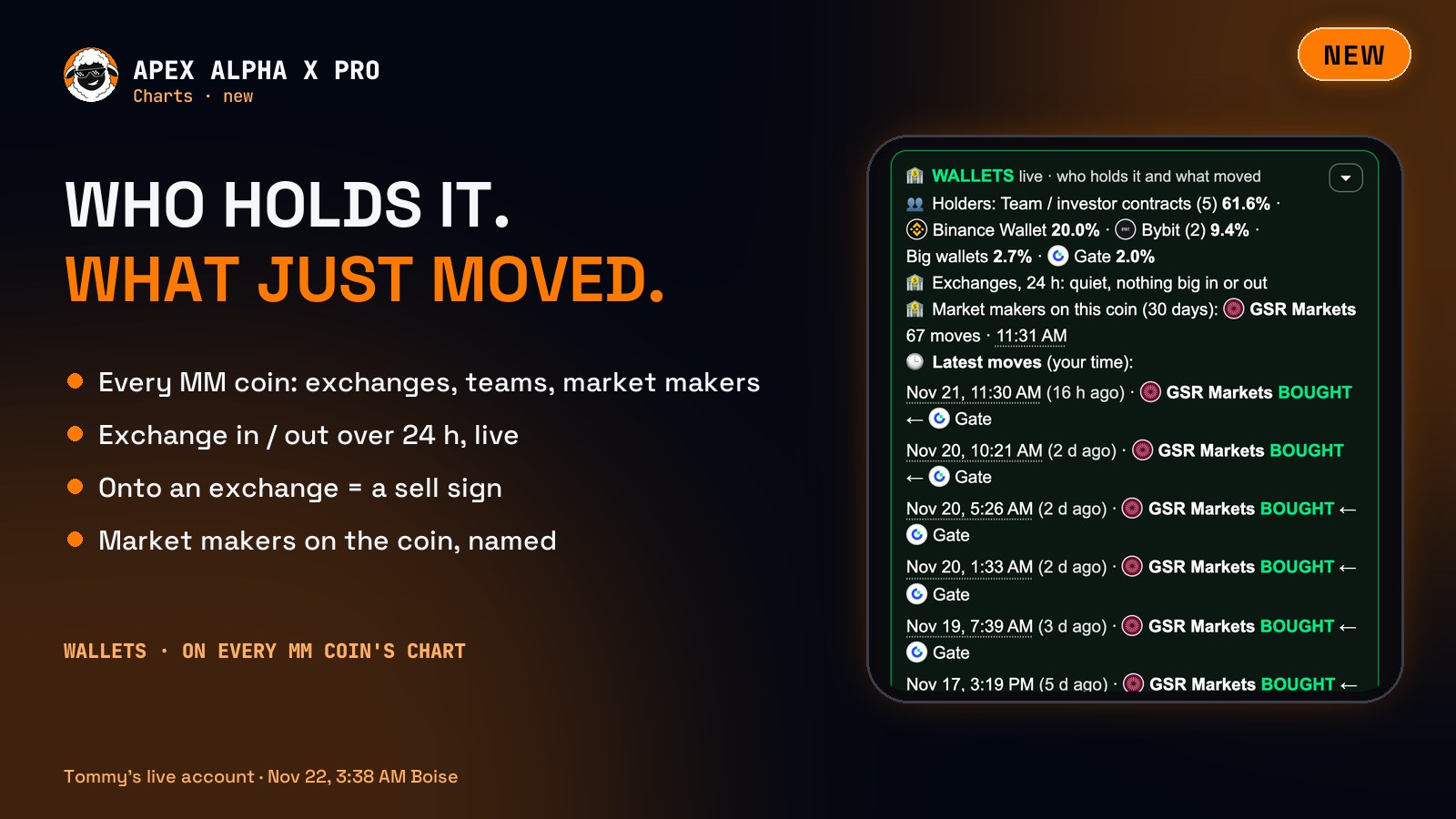
👥 Holders: who holds the supply, grouped (an exchange's many wallets count as the exchange)
🏦 Exchanges, 24 h: how much of the supply went ONTO each exchange (red, supply that can be sold) or OFF it (green, taken off the market)
🏦 Market makers on this coin: which firms moved it in the last 30 days, and whether they sold or bought
A plain line at the bottom says what it means.
THE RED FLAG
Some market makers' sends to exchanges have come before drops in the past (today: Jump Trading, 3.6% lower 3 days later on average, in both halves of its record). When one of them sends a coin to an exchange, the coin carries a 🔴 pill on Calls and Markets and a caution line on its chart for 48 h.
HOW TO SEE IT
1. Open any coin marked ⚠️ MM MANIPULATOR
2. The 🏦 WALLETS card sits beside 📍 MM LEVELS (tap ▾ to fold it)
The picture is Tommy's own live account, Nov 22, 3:38 AM Boise.
A trade went against you and its defenders filled? Get out at even the moment it comes back.
⚡️ One order for the whole trade at your average entry
⚡️ Targets cancelled, the stop stays
⚡️ Another defender fills: the exit moves to the new average by itself
🧠 On every trade, and for every loser at once
HOW IT WORKS
When a defender fills, your average entry gets better than the call's entry: a long bought lower, a short sold higher. ↩️ Exit at average cancels that trade's targets and puts ONE reduce-only order for the whole position at your average entry, plus 0.1% so the fees are covered too. The moment the price gets back there, the trade closes at even instead of hoping for TP1. The stop stays where it was. If another defender fills first, the exit moves to the new, better average by itself. 🔁 Re-arm brings the targets back and drops the exit.
WHEN TO USE IT
A bounce back to your average is far more common than a run all the way to TP1 after a trade went deep against you. It turns a red trade into a flat one and frees the money for the next call.
MEMBERS WHO FOLLOW TOMMY
With 🐑 Clone Tommy or 🤝 Let Tommy manage my trades on, Tommy's ↩️ exits are repeated on your copies of the same trade.
HOW TO USE IT
1. One trade: Copy page (or the Wall's 🧠⚡️ BrainJuice panel), tap ↩️ Exit at my average entry on the trade, then confirm
2. Every red trade at once: home page, 🛡 Risk & quick actions, tap ↩️ Exit losers at their average, then confirm. Pick an exchange first to do one exchange only
3. Changed your mind: 🔁 Re-arm on the trade
The picture is Tommy's own live account at 7:22 PM Boise on Nov 21.
Your trades, your call: remove a stop loss when you want to hold through the wick.
⚡️ One trade, one exchange, or every trade at once
⚡️ Stays deleted when a defender or target fills
⚡️ ⚠️ Trades with no stop are flagged on your home card
🧠 Two taps each, put it back anytime
HOW IT WORKS
🧨 Delete the stop cancels the stop loss order on the exchange and tells your copier to leave it off: when a defender or a target fills later, the stop is NOT put back. The trade's defenders and targets keep working.
KNOW THE RISK
A trade with no stop has no limit on its loss. On cross margin a big move can pull the whole exchange account toward liquidation, so your home card shows ⚠️ on every trade that has no stop, and the copier's message says so too.
PUT IT BACK
🔁 Re-arm on one trade, or 🛡 Put stops back on the home card, places the stop again at the trade's stop price. A break-even, a trailing stop or 🎯 Auto trail also puts a stop on.
MEMBERS WHO FOLLOW TOMMY
Deleting stops is never repeated on the accounts of members who follow Tommy. Your stops stay unless you delete them yourself.
HOW TO USE IT
1. One trade: Copy page (or the Wall's 🧠⚡️ BrainJuice panel), tap 🧨 Delete the stop, then confirm
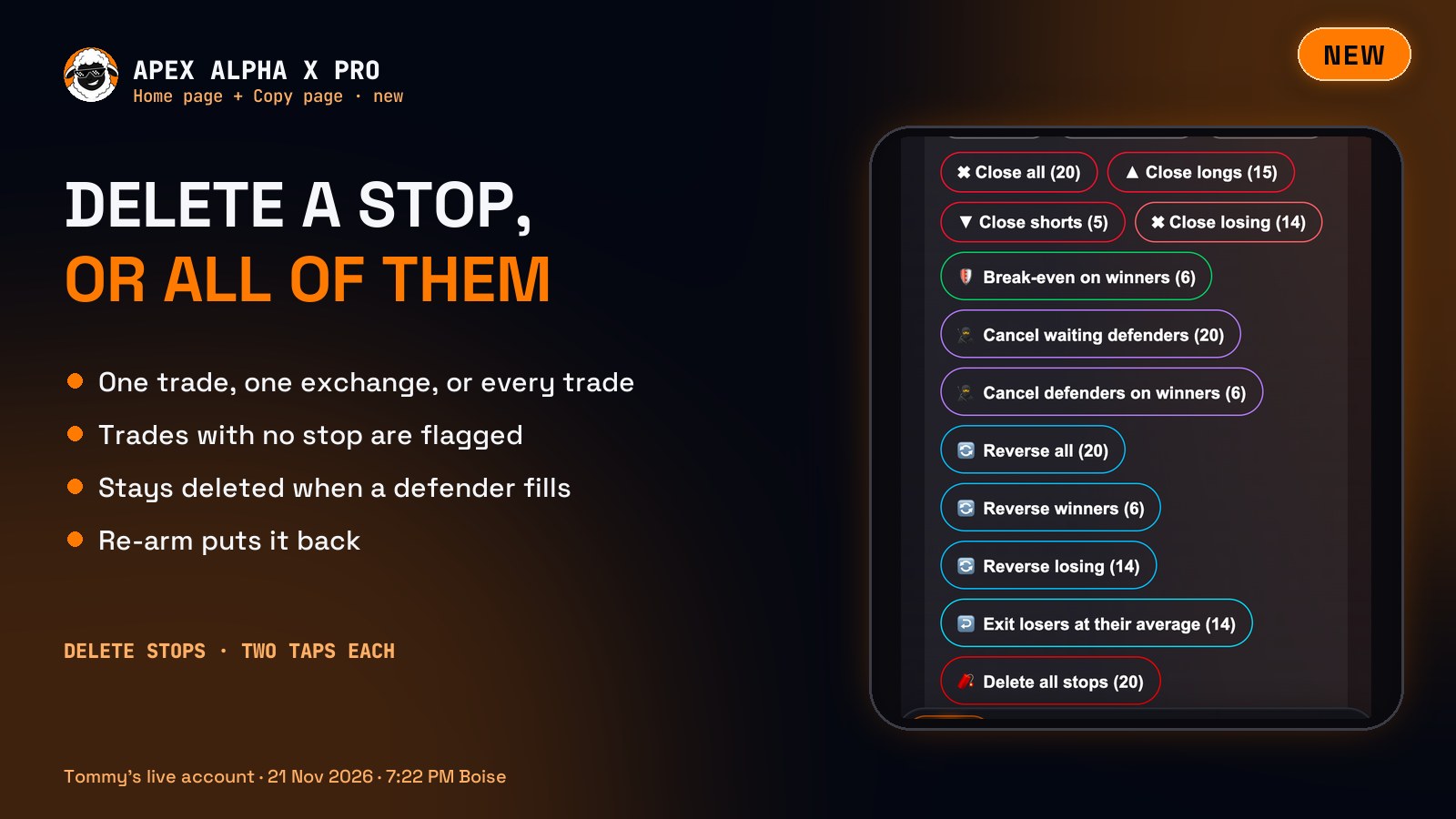
2. One exchange or all: home page, 🛡 Risk & quick actions, pick the exchange (or All), tap 🧨 Delete all stops, then confirm
The picture is Tommy's own live account at 7:22 PM Boise on Nov 21.
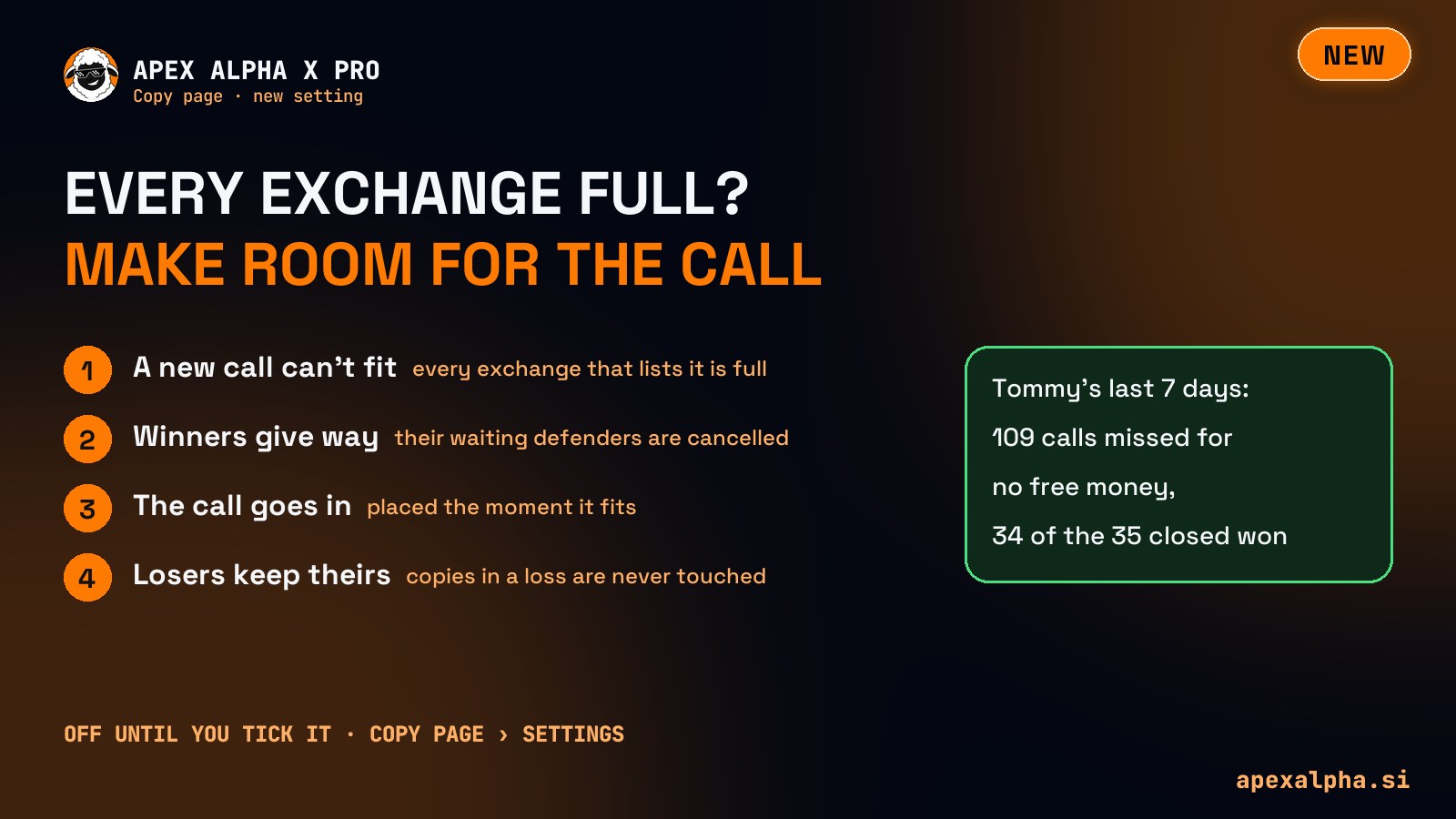
Every exchange full when a new call fires? Your copier can make room for it.
⚡️ Your winning copies give up their waiting defenders
⚡️ The new call goes in the moment it fits
⚡️ Copies in a loss keep every defender
🧠 One tick on the Copy page
WHY
Every Apex copy keeps money aside for its waiting defenders. When every exchange that lists a new call is full, that call is skipped as "no free money". In the last 7 days Tommy's own account missed 109 calls that way; 35 of them have closed, and 34 of those won.
HOW IT WORKS
With 🪄 Make room on, when a new call can't fit on any of your exchanges that list it, your copier first cancels the waiting defenders of your copies that are already in profit on those exchanges (a trade in profit rarely needs them), then checks again and places the new call if it fits. Copies in a loss keep their defenders. Nothing is closed and no stop moves. If it still doesn't fit, the call is skipped as before.
HOW TO USE IT
1. Open the Copy page, then your copier settings
2. Tick 🪄 Make room
3. Save. It's Off until you tick it
To free money by hand instead: home page, 🛡 Risk & quick actions, 🥷 Cancel defenders on winners.
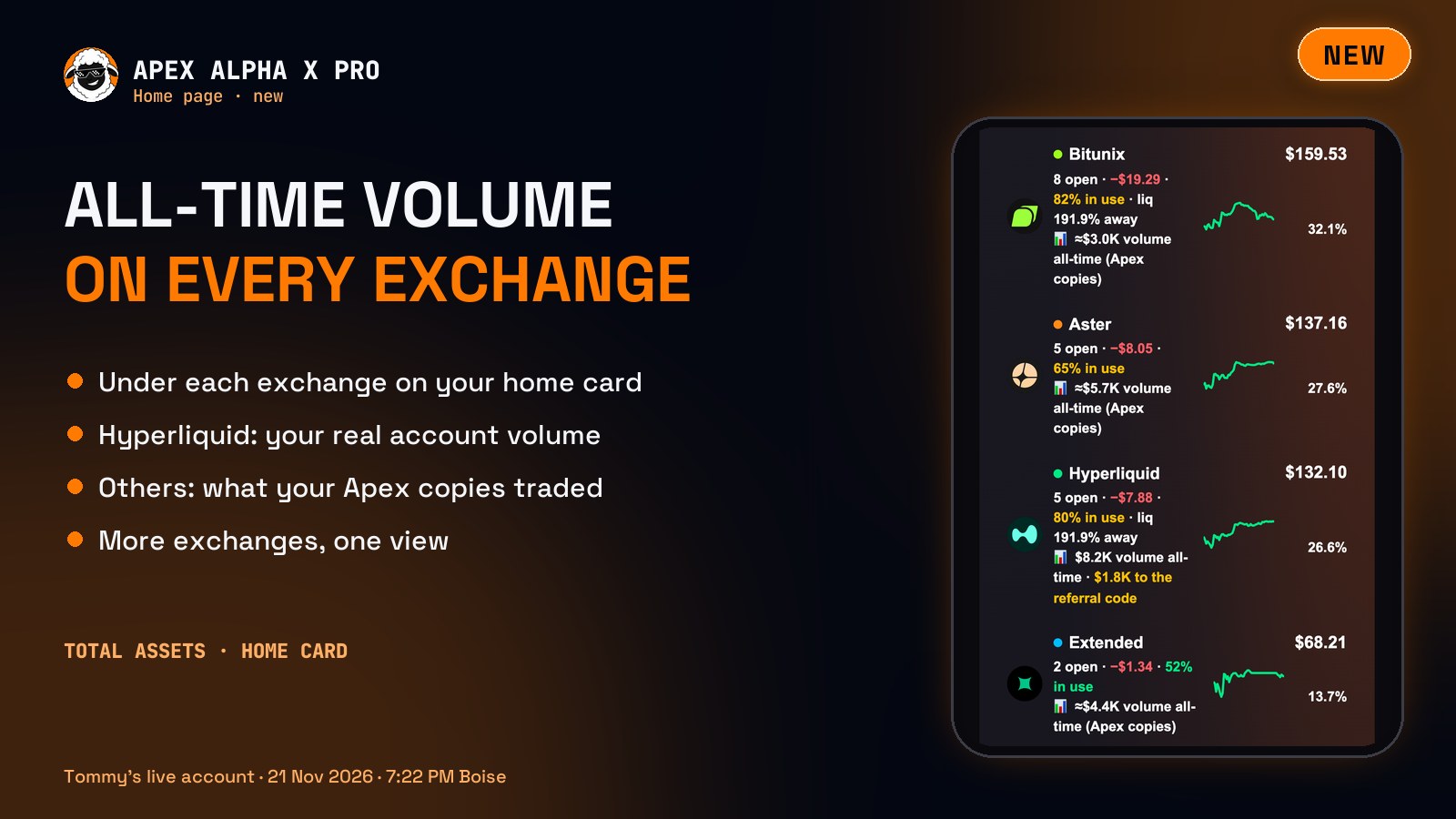
See how much you've traded on each exchange, right on your home card.
⚡️ All-time volume under every exchange you connected
⚡️ Hyperliquid: your real account volume, and how far you are from your own referral code
⚡️ Other exchanges: what your Apex copies traded there
🧠 More exchanges coming, one view
HOW IT WORKS
Under each exchange in 💰 Total assets, the 📊 line shows its all-time volume. On Hyperliquid it's the account's real volume, straight from Hyperliquid, plus how much more you need to reach $10K and unlock your own Hyperliquid referral code. On the other exchanges it's what your Apex copies traded there (size × leverage for every copy, marked ≈), since those exchanges don't share it.
As more exchanges and decentralized exchanges open on the 5X CopyTrader, each one gets its own line.
HOW TO SEE IT
1. Open the home page
2. Look under each exchange's name in 💰 Total assets
The picture is Tommy's own live account at 7:22 PM Boise on Nov 21.
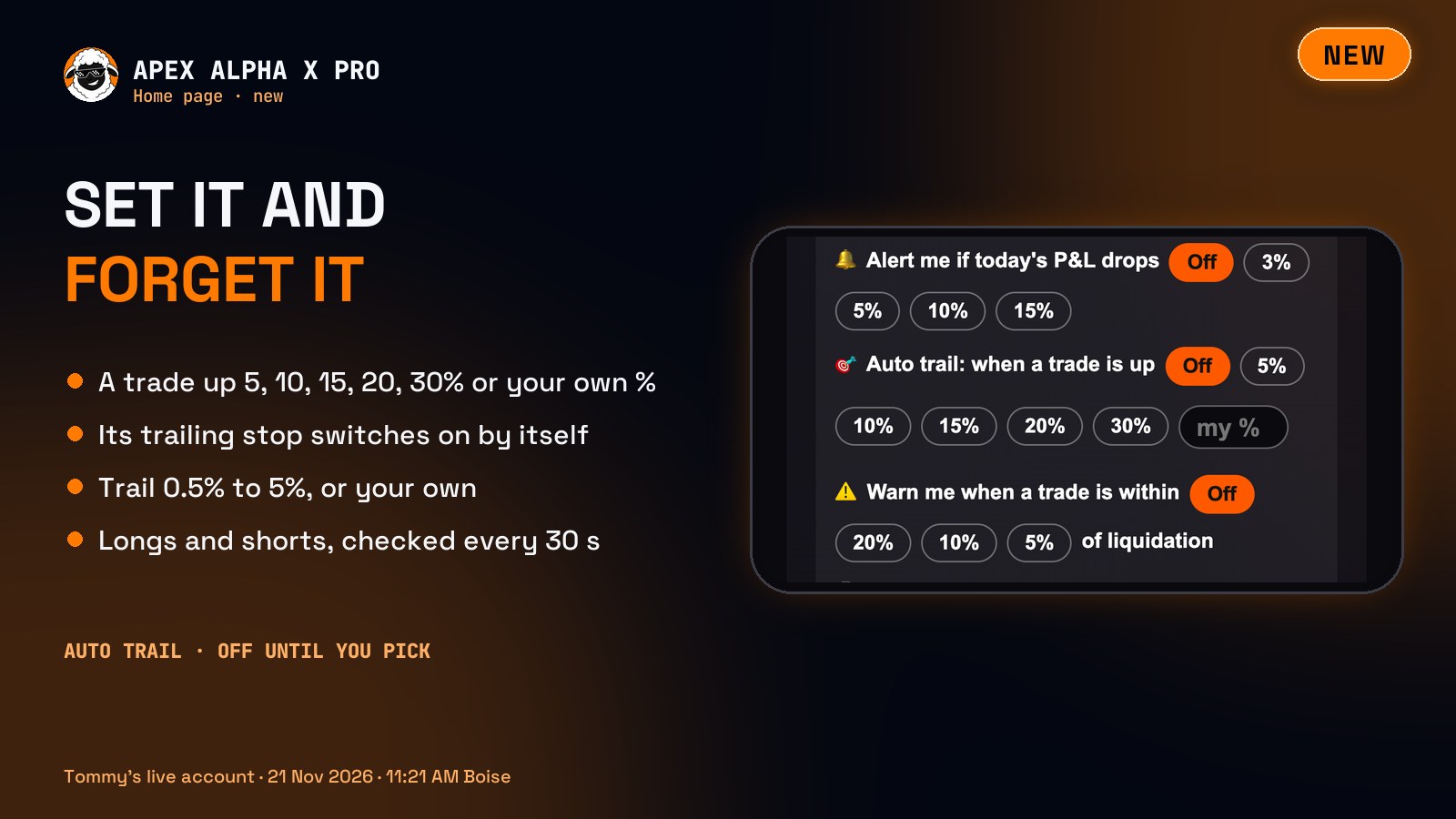
⚡️ Pick when it starts: a trade up 5%, 10%, 15%, 20%, 30%, or type your own %
⚡️ Its trailing stop switches on by itself: 0.5% to 5%, or your own
⚡️ Longs and shorts, every open Apex copy, checked every 30 seconds
🧠 On the home card now
HOW IT WORKS
Every 30 seconds Apex checks how far each of your open Apex copies has moved your way from its average entry. The first time one passes your start %, it gets a trailing stop: the stop follows the best price by your trail %, only ever tightens, and rests on the exchange, so it protects the trade even between checks. A long that's up 10% with a 0.5% trail closes on the first 0.5% pullback from its best price; a short works the same way as price falls. Each trade gets it once. Trades you opened by hand, and trades you already trailed yourself, are left alone. You get a Telegram message when it switches on.
A tight trail (0.5%) works like taking the profit right there; 1% to 3% leaves room for a bigger move.
ON YOUR OWN TRADES
Every night Apex replays your own closed copies from the last 21 days on real 15-minute candles under every Auto trail setting. The Auto trail row on your home card then says what your chosen setting would have changed on YOUR trades (or the best setting while it's Off). On Tommy's own 210 copies (Nov 21), starting at 10% and trailing 0.5% would have changed his result by +$177.50 (fired on 53 trades); the best setting, 3% / 0.5%, by +$308.52 (83 trades better, 50 worse).
MEMBERS WHO FOLLOW TOMMY
With 🐑 Clone Tommy or 🤝 Let Tommy manage my trades on, your copies follow Tommy's Auto trail unless you pick your own setting (Off included).
HOW TO USE IT
1. Open the home page, tap 🛡 Risk & quick actions
2. Next to 🎯 Auto trail, tap when it starts (5%, 10%, 15%, 20%, 30%) or type your own % in the box
3. Pick the trail: 0.5%, 1%, 2%, 3%, 5%, or type your own
4. Done. Tap Off to stop it
The picture is Tommy's own live account at 11:21 AM Boise on Nov 21, with Auto trail still Off.
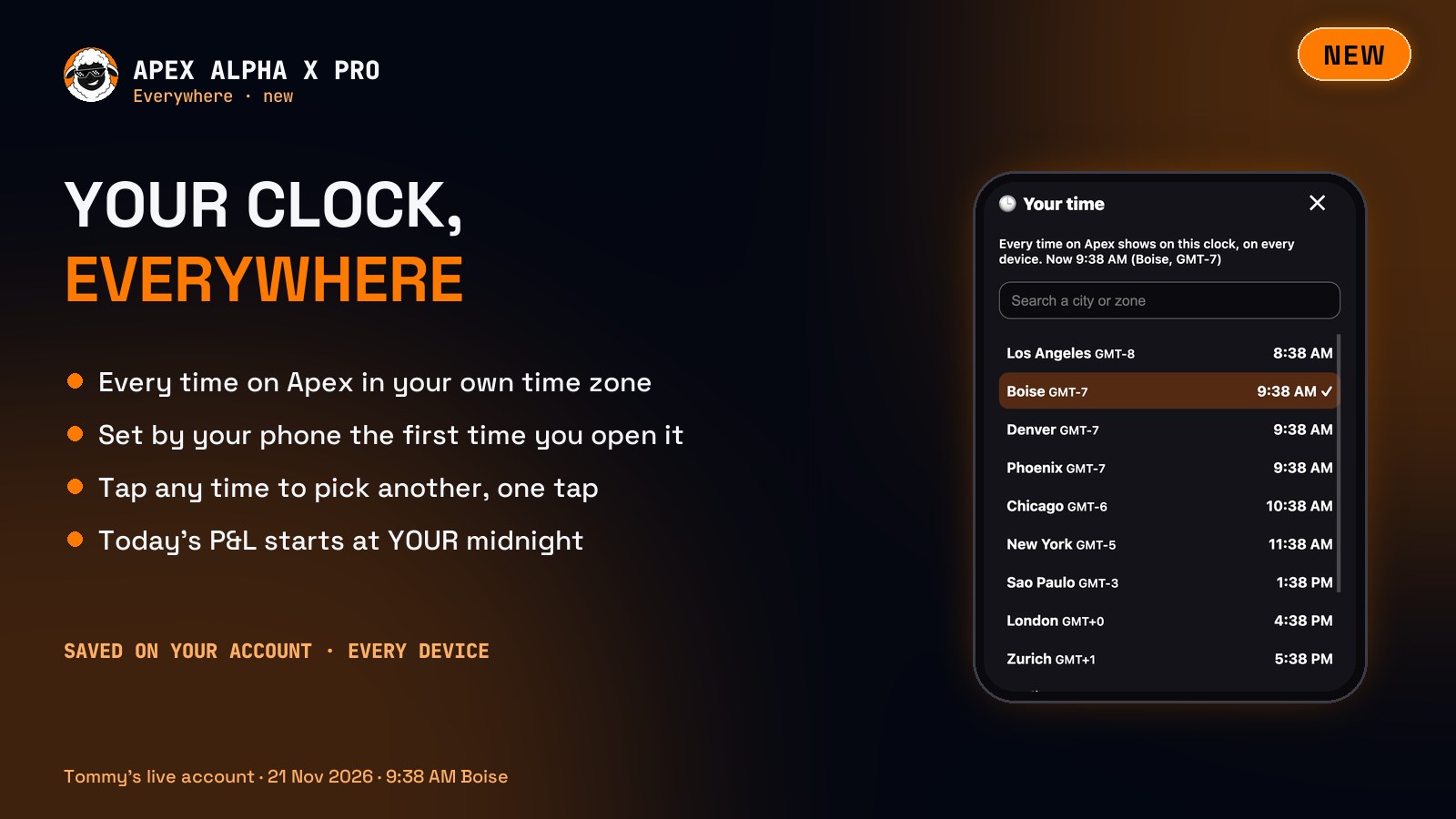
Every time on Apex now shows in your own time zone.
⚡️ Set by your phone the first time you open Apex, nothing to do
⚡️ Tap any time to pick another zone: saved on your account, every device
⚡️ Today's P&L, Closed today and Calls since start at your own midnight
🧠 Live on every page
HOW IT WORKS
Your account keeps one time zone. The first time you open Apex it takes your phone's, so calls, the Wall, your copy log and the home card all read in your time. Times you can tap have a dotted underline. "Today" on the home card starts at midnight on your clock, not on London's.
HOW TO CHANGE IT
1. Tap any underlined time, like "Calls since 12:00 AM" on the home card
2. Pick your zone from the list (each shows its time right now), search a city, or tap "Use this phone's time"
3. Done: it's saved on your account and every page and device follows it
The picture is Tommy's own account at 9:38 AM Boise on Nov 21.
See what your copier did with today's calls, right on the home card.
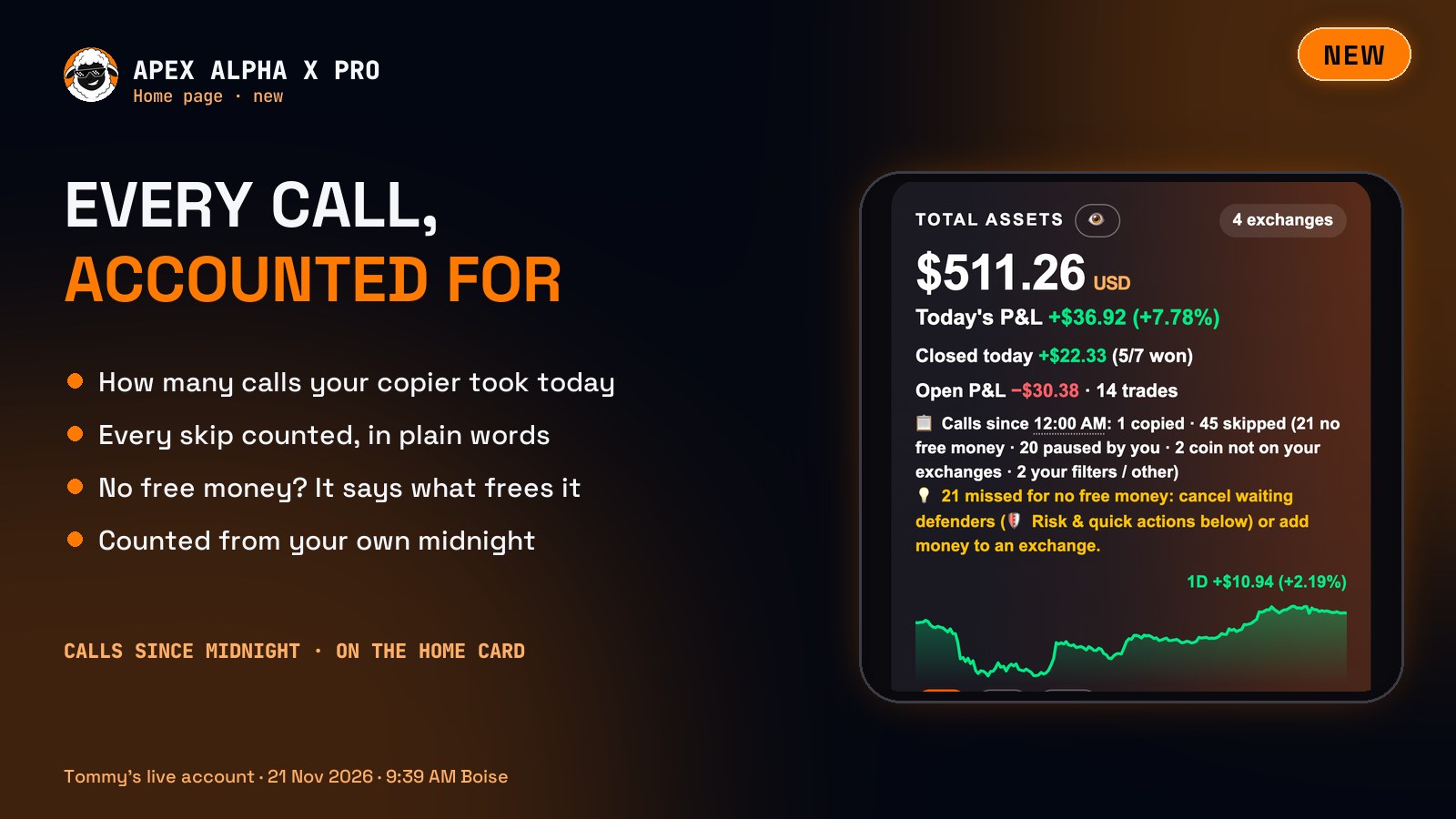
⚡️ How many calls were copied since your midnight
⚡️ Every skip counted, in plain words: no free money, paused by you, coin not on your exchanges
⚡️ Ran out of money? It tells you what frees it
🧠 On the home card now
HOW IT WORKS
Under Today's P&L, the line 📋 Calls since 12:00 AM counts every call your copier saw today: how many it copied and how many it skipped, grouped by reason. When calls were missed because the entry and all its defenders didn't fit in your free money, a tip says how to free it: cancel waiting defenders in 🛡 Risk & quick actions, or add money to an exchange. The Copy page still lists each skipped call with its exact reason.
HOW TO USE IT
1. Open the home page
2. Read the 📋 line under Today's P&L
3. Most skips for no free money? Open 🛡 Risk & quick actions and cancel waiting defenders on winners
The picture is Tommy's own live account at 9:39 AM Boise on Nov 21: 1 call copied, 45 skipped, 21 of them for no free money.
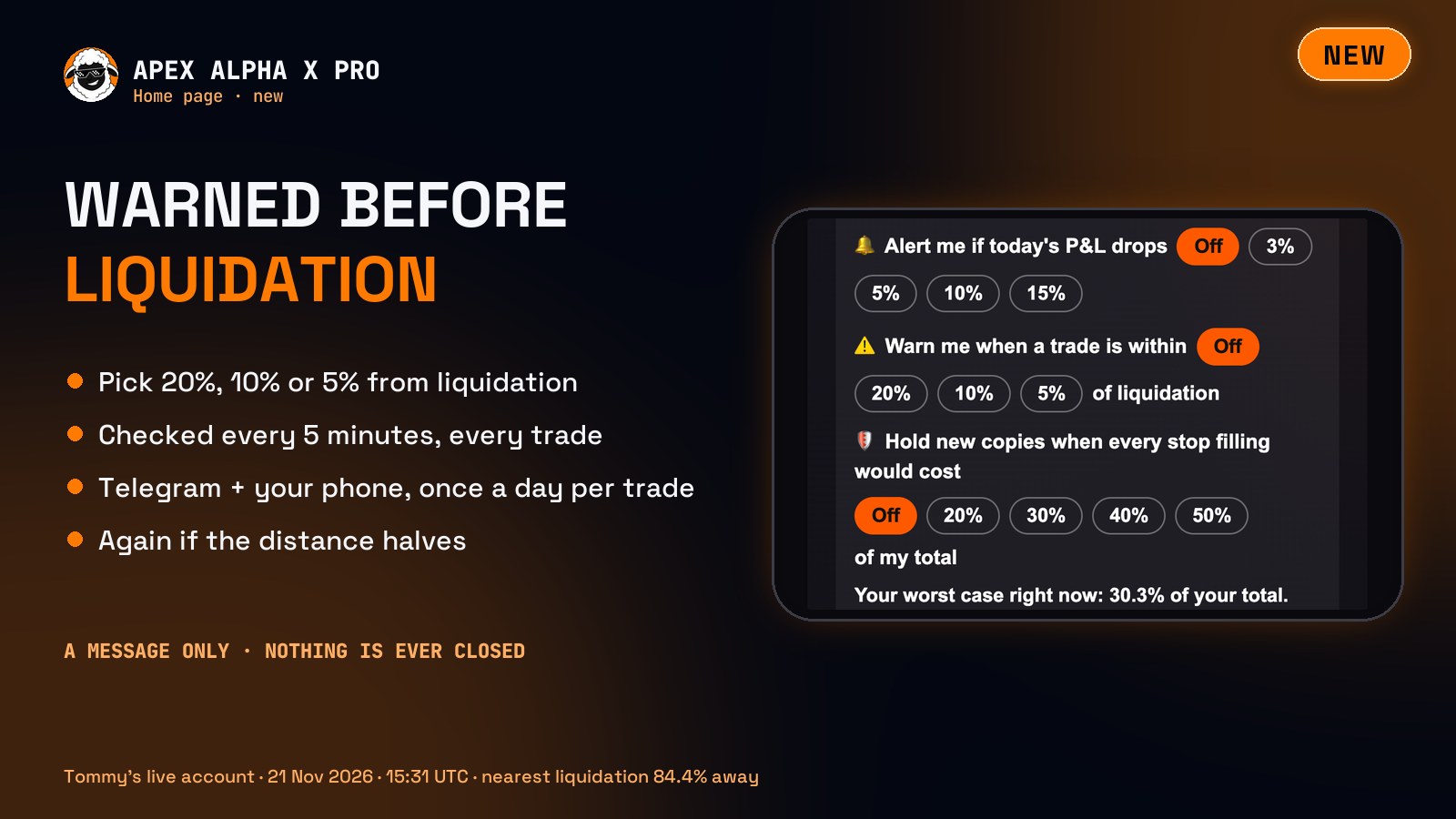
⚡️ Every 5 minutes Apex checks every open trade, on every connected exchange
⚡️ A message on Telegram and your phone: once a day per trade, again if the distance halves
🧠 A message only. Nothing is ever closed
HOW IT WORKS
Each exchange reports a liquidation price for your open trades. Every 5 minutes Apex measures how far the price is from it. When a trade is inside your limit, you get one message naming the coin, the exchange, the distance, the price, the liquidation price and how much money is free on that exchange. If it gets to half your limit (10% then 5%), you're told again. A trade an exchange reports no liquidation for is left out, never guessed.
On cross margin every trade on an exchange shares its money, so a loss on one moves them all closer. Adding money there, or cancelling waiting defenders or closing a trade from the home card, moves liquidation further away.
HOW TO USE IT
1. Open the home page, tap 🛡 Risk & quick actions
2. Next to ⚠️ Warn me when a trade is within, pick 20%, 10% or 5% (Off until you choose)
3. Link Telegram on My account (and allow notifications) so the message reaches you
The picture is Tommy's own live account at 15:31 UTC on Nov 21. His nearest liquidation was 84.4% away.
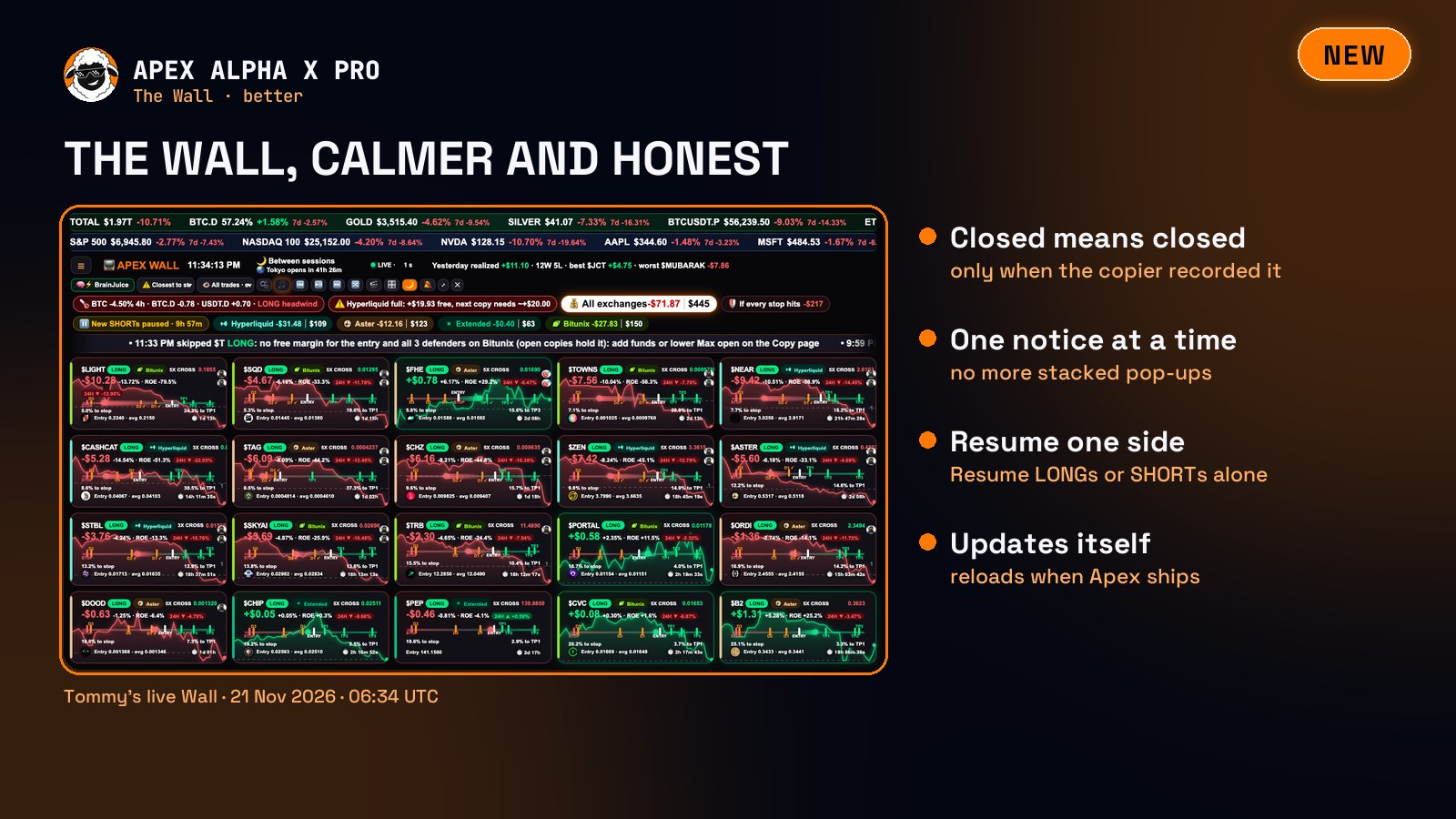
⚡️ Closed means closed: the Wall says Closed only when the copier really recorded the close, with its real result
⚡️ One notice at a time, no stacked pop-ups
⚡️ ▶ Resume LONGs or SHORTs on their own
⚡️ It reloads itself when Apex ships an update
WHAT CHANGED
⚡️ A tile that goes missing for a moment (an exchange answering slowly, the site restarting) no longer reads as a close. Closed shows only when the copier recorded it, with its result; a missing tile waits quietly and says nothing when it comes back
⚡️ While the copier works, a one-line pill sits at the bottom; results get one banner at a time
⚡️ In BrainJuice, a paused side's button is now ▶ Resume LONGs, ▶ Resume SHORTs or ▶ Resume everything: it undoes just that side
⚡️ A TV left on all day picks up a new version by itself
The picture is Tommy's own live Wall at 06:34 UTC on Nov 21.
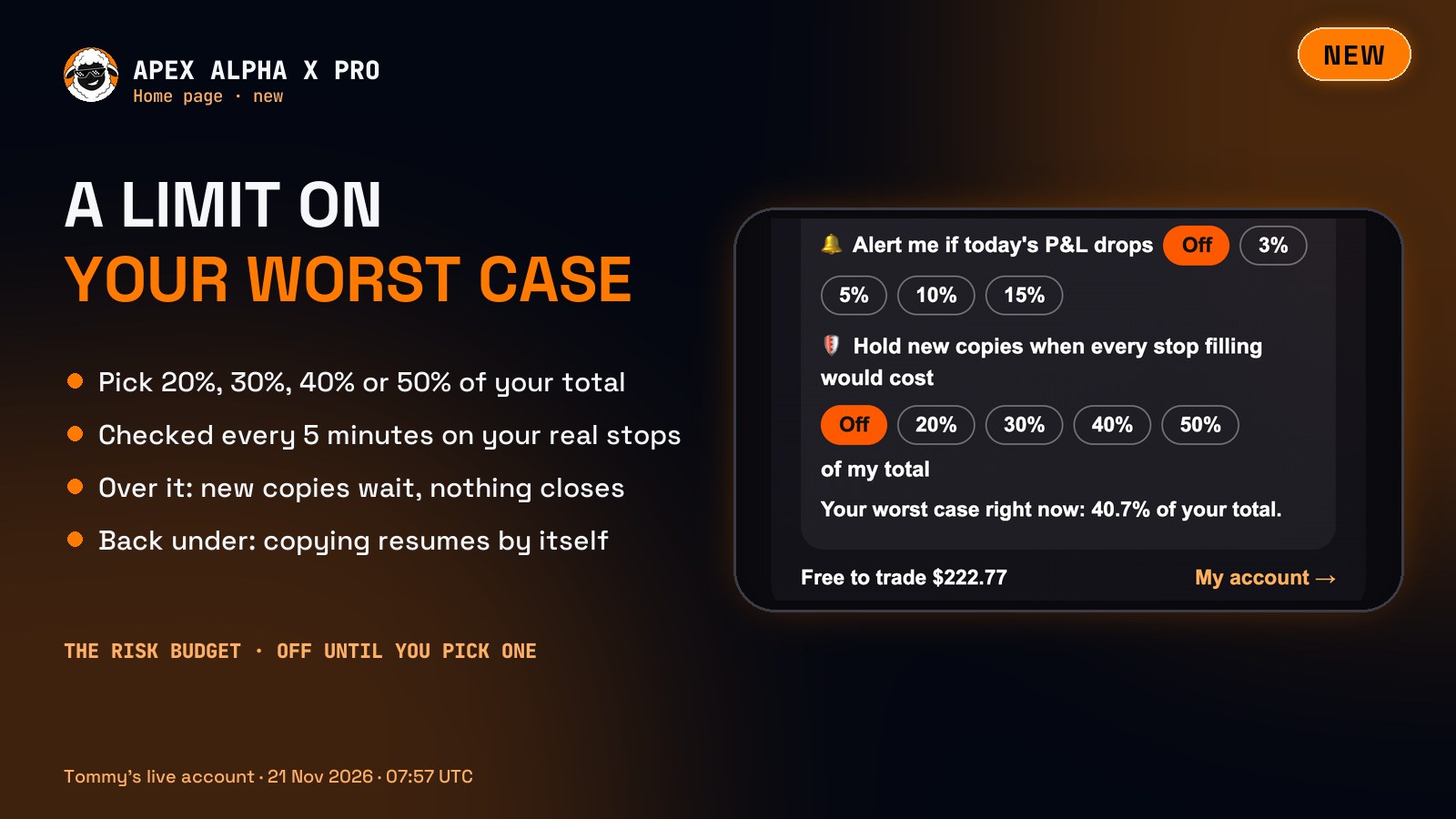
Decide how much your open trades are ever allowed to put at risk.
⚡️ Pick 20%, 30%, 40% or 50% of your total
⚡️ Every 5 minutes Apex works out what you'd lose if every stop filled right now, on your real positions
⚡️ Over your limit: new copies wait. Nothing is ever closed
🧠 On the home card now
HOW IT WORKS
Your worst case is what your open trades would lose if each one's current stop filled right now, with the size open now. The home card shows it as a percent of your total. With a budget set, while your worst case is at or over it, your copier holds NEW copies. Open trades keep their stops, defenders and targets, and copying resumes by itself once you're back under.
HOW TO USE IT
1. Open the home page, tap 🛡 Risk & quick actions
2. Next to 🛡 Hold new copies, pick 20%, 30%, 40% or 50% (Off until you choose)
3. The line under it says whether you're under your budget or holding, and by how much
The picture is Tommy's own live account at 07:57 UTC on Nov 21: his worst case was 40.7% of his total.
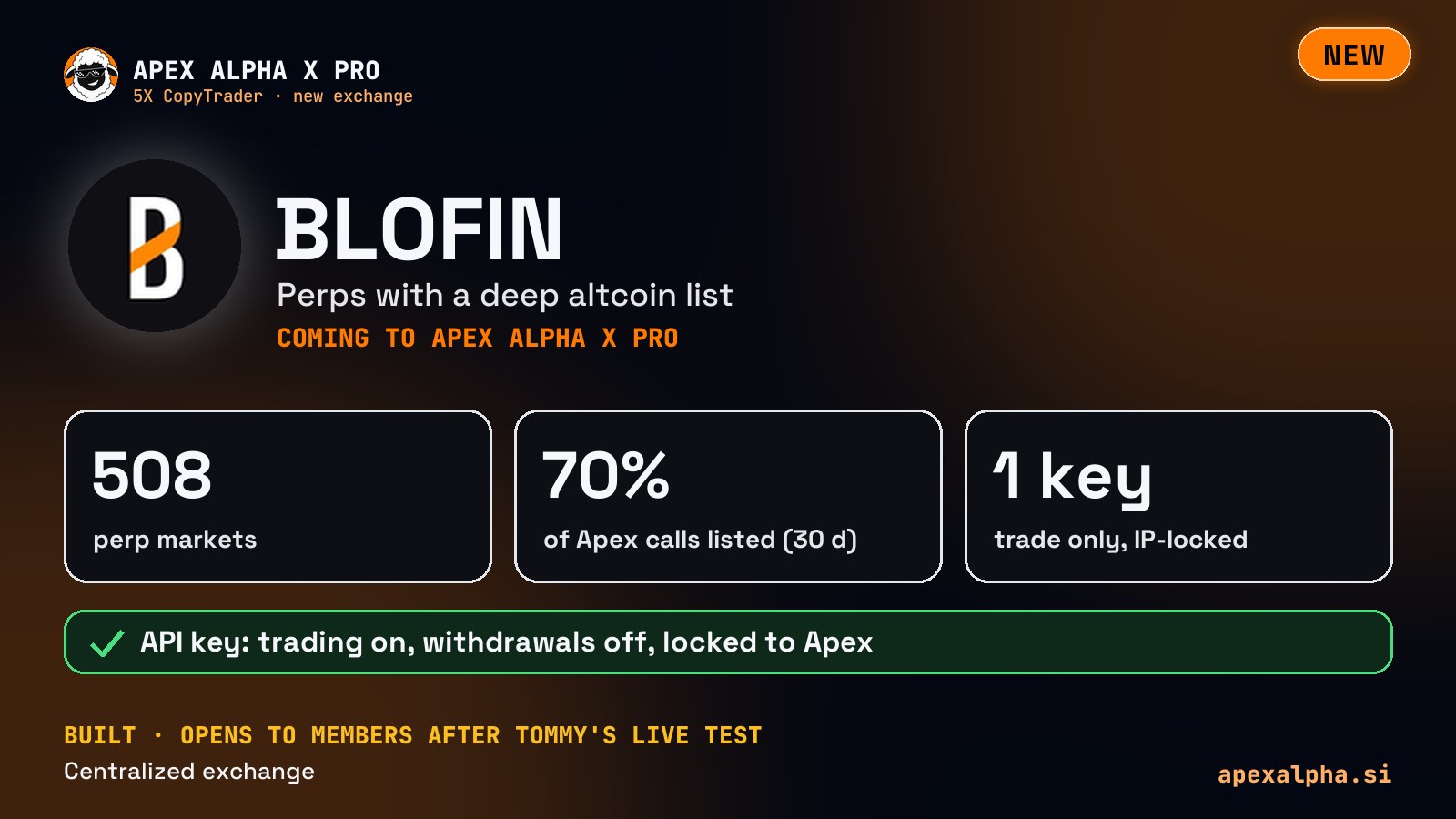
⚡️ Lists 70% of the calls Apex posted in the last 30 days
⚡️ One API key: trading on, withdrawals off, locked to the Apex server
🧠 Opening to members after Tommy's live test
WHAT YOU GET
The copier places every call you copy on your own BloFin account, cross margin, with the stop on the exchange. BloFin lists 508 perpetual markets: 70% of the calls Apex posted in the last 30 days are on it.
HOW TO CONNECT (once its card opens on your Copy page)
1. On BloFin, create an API key with trading on and withdrawals OFF
2. Lock it to the Apex server IP shown on the card
3. Paste the key, secret and passphrase on the Copy page's BloFin card. BloFin is asked for the account before Apex keeps them, encrypted
GOOD TO KNOW
⚡️ BloFin's terms don't accept US residents
STATUS
Built and ready. It opens to members on the Copy page once Tommy's own live test passes, and we'll post it here. Your copies there are trades on your own account: Apex never holds your money.
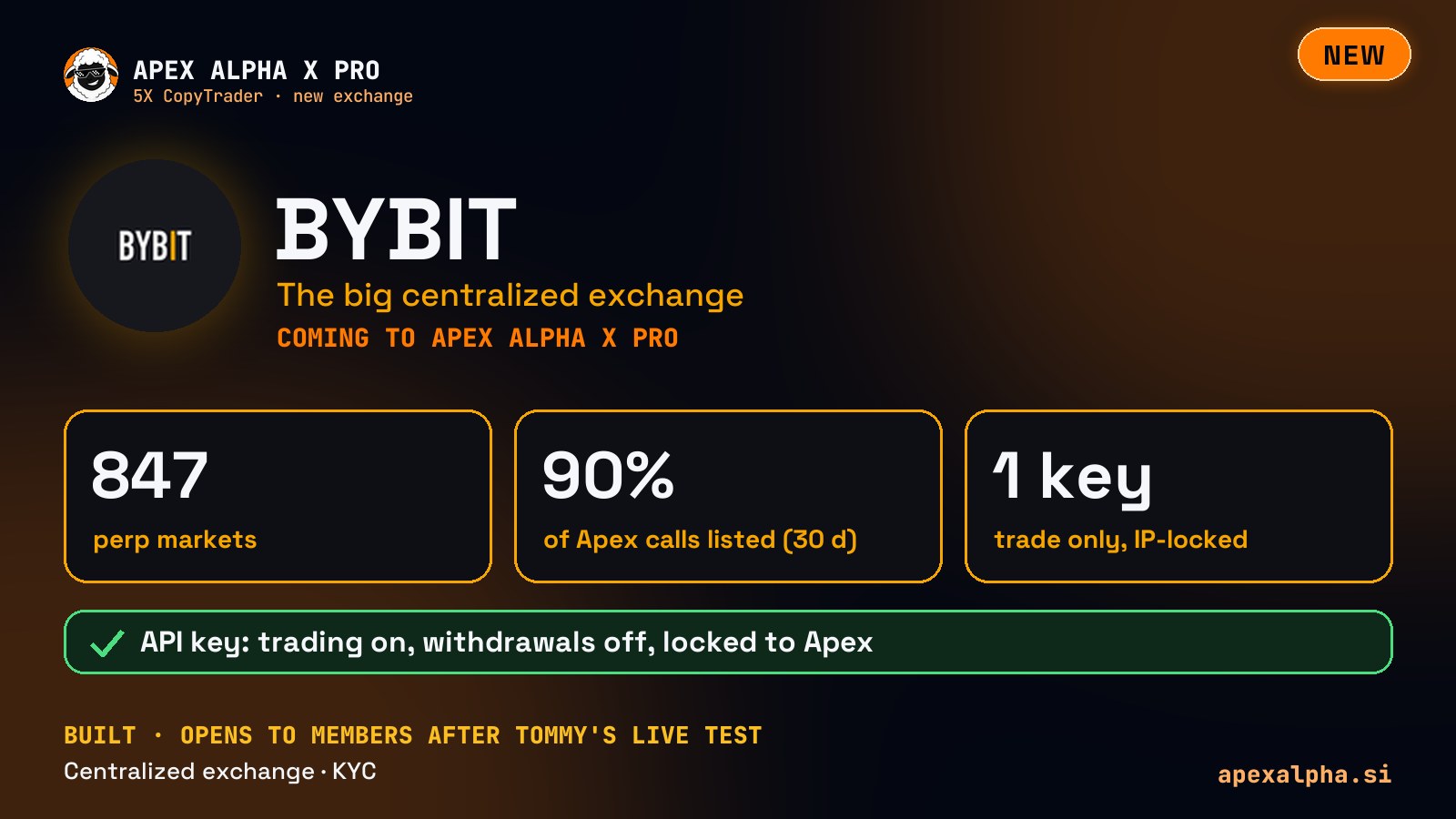
Bybit, one of the biggest centralized exchanges, is built into the 5X CopyTrader.
⚡️ 847 perpetual markets
⚡️ Lists 90% of the calls Apex posted in the last 30 days
⚡️ One API key: trading on, withdrawals off, locked to the Apex server
🧠 Opening to members after Tommy's live test
WHAT YOU GET
The copier places every call you copy on your own Bybit account, cross margin, with the stop on the exchange, the same way it does on Hyperliquid and Bitunix. Bybit lists 847 perpetual markets: 90% of the calls Apex posted in the last 30 days are on it.
HOW TO CONNECT (once its card opens on your Copy page)
1. On Bybit, create an API key with Contract trading on and withdrawals OFF
2. Lock it to the Apex server IP shown on the card
3. Paste the key and secret on the Copy page's Bybit card. Bybit itself is asked for the account before Apex keeps them, encrypted, never shown again
GOOD TO KNOW
⚡️ Bybit needs KYC. Its terms don't accept residents of the US, Canada, the UK, Singapore, Hong Kong, Malaysia, mainland China, North Korea, Cuba, Iran, Syria or Sudan
STATUS
Built and ready. It opens to members on the Copy page once Tommy's own live test passes, and we'll post it here. Your copies there are trades on your own account: Apex never holds your money.
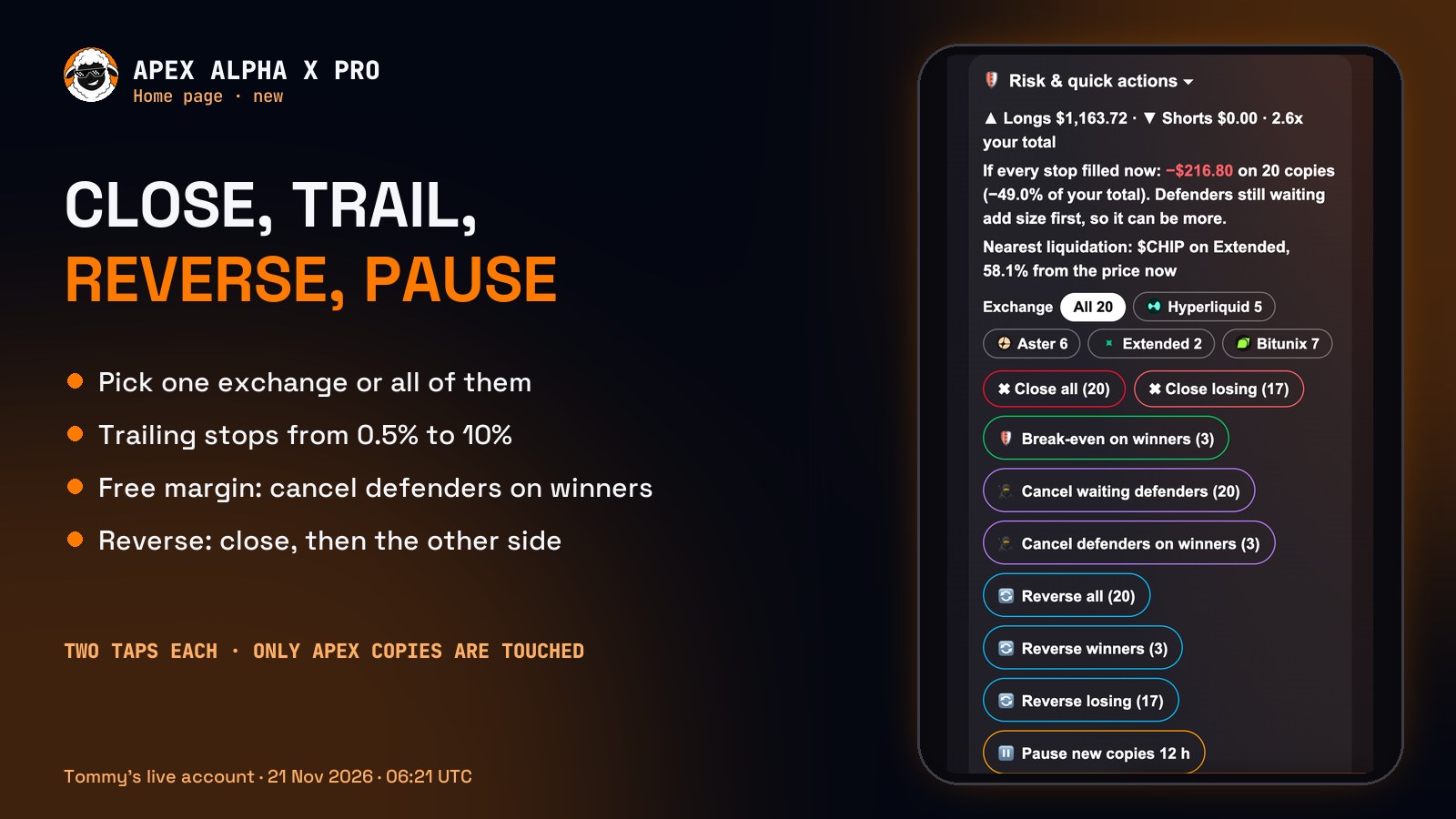
⚡️ Exchange chips: run any action on one exchange or all of them
⚡️ 📉 Trailing stops from 0.5% to 10% (and Off), on every trade at once
⚡️ 🥷 Cancel defenders on winners: frees margin without touching the losing trades' defenders
⚡️ 🔄 Reverse all, winners or losing: close, then the other side at the live price
🧠 Live now on the home page
WHAT'S NEW
⚡️ Exchange chips (All, Hyperliquid, Aster, Extended, Bitunix ...): every button, count and trailing stop follows the one you pick
⚡️ 📉 Trailing stops 0.5%, 1%, 2%, 3%, 5%, 10%, Off. The stop rests on the exchange and only ever tightens
⚡️ 🥷 Cancel defenders on winners: the waiting defenders of trades in profit are cancelled, so their margin is free for new copies
⚡️ 🔄 Reverse: for each trade, one after another, Apex closes it, waits until the copier recorded it closed, then opens the other side as a fresh call at the live price (new defenders, stop and targets) on the same exchange. Private: it's never posted. Before the second tap you see each reversed call's grade (A, B or REJECT), entry, stop and TP1, with A and B ticked: untick any you want to keep. If the engine can't build the other side, the trade isn't closed at all. If a trade doesn't close within 3 minutes, nothing new opens for it
⚡️ Each exchange row shows how much of its money is in use and its own nearest liquidation
HOW TO USE IT
1. Open the home page, tap 🛡 Risk & quick actions
2. Pick an exchange chip (or All)
3. Tap an action, then tap again within 5 seconds to confirm. The card shows progress
The picture is Tommy's own live account at 06:21 UTC on Nov 21.
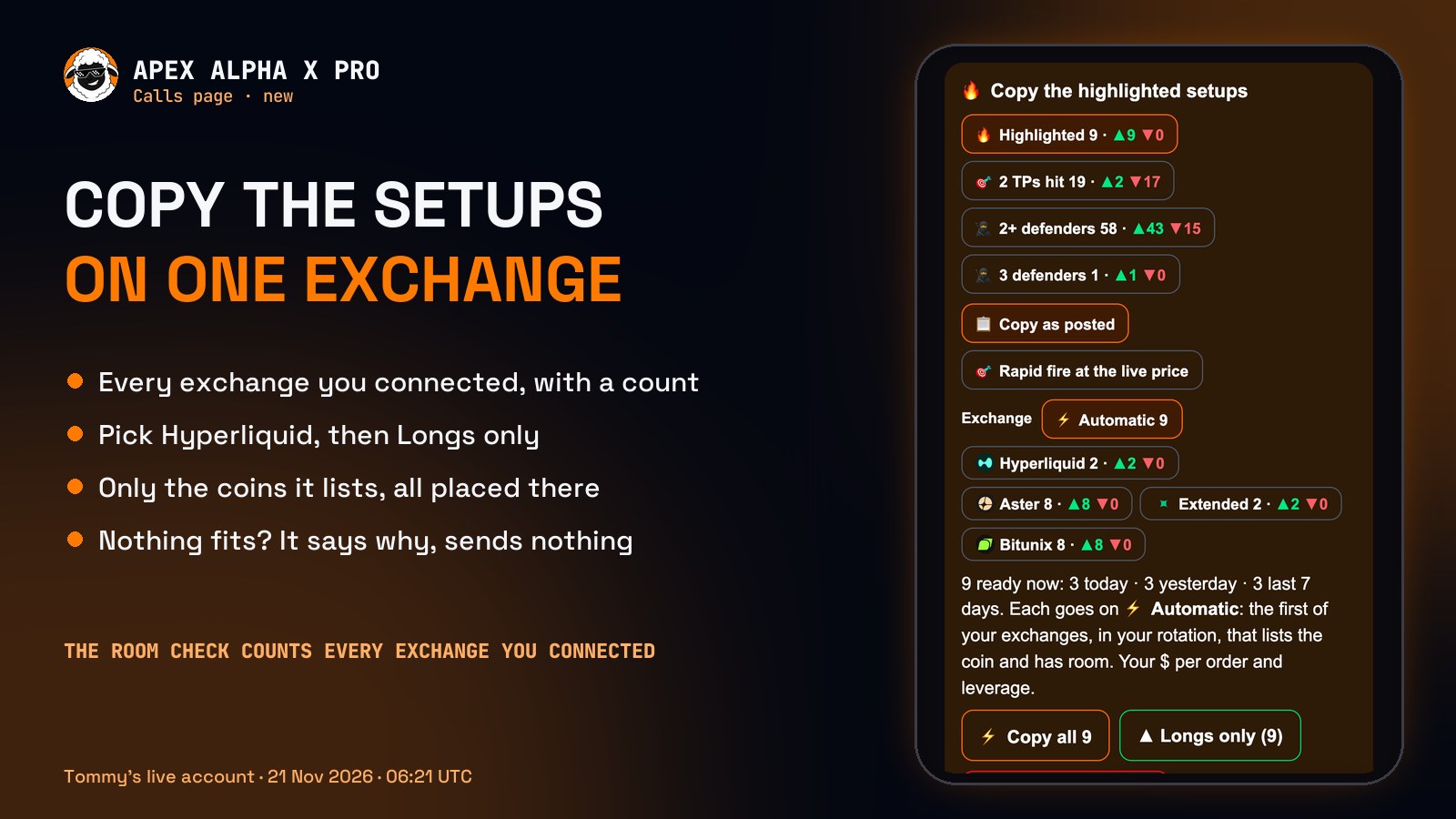
Copy the highlighted setups exactly where you want them.
⚡️ An Exchange row: ⚡️ Automatic plus each exchange you connected, with how many setups it lists
⚡️ Pick Hyperliquid, then Longs only: only the longs Hyperliquid lists, all placed on Hyperliquid
⚡️ The room check counts every exchange you connected, and if nothing fits it says why and sends nothing
🧠 Live now on the Calls page
HOW TO USE IT
1. On the Calls page, open 🔥 Copy the highlighted setups and pick a set (Highlighted, 2 TPs hit, 2+ defenders ...)
2. In the Exchange row, tap the exchange you want (each shows ▲ longs and ▼ shorts it lists), or keep ⚡️ Automatic
3. Tap Copy all, Longs only or Shorts only
4. The first tap checks room on that exchange and shows what fits. Tap again within 8 seconds to copy
IF NOTHING FITS
The button won't arm: it tells you how much margin the copies need and which coins have no room or aren't listed. Close a trade, cancel waiting defenders or add funds, then try again.
The picture is Tommy's own live Calls page at 06:21 UTC on Nov 21.
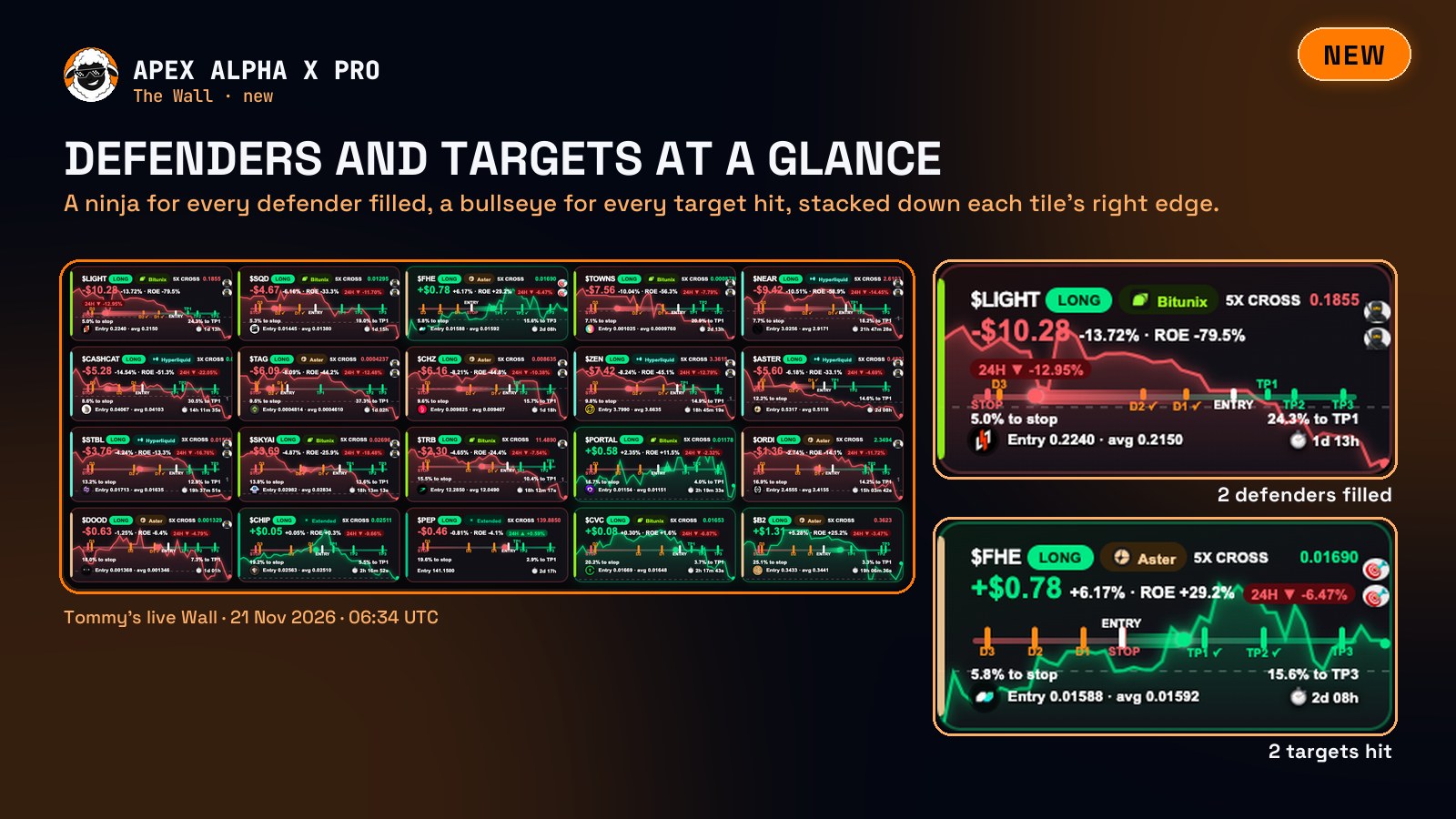
Look up at the Wall and see how far every trade has gone.
⚡️ A 🥷 for every defender that filled
⚡️ A 🎯 for every target hit
⚡️ Stacked down the right edge of each tile, on a light disc so they read from across the room
🧠 Live now on the Wall
HOW IT WORKS
Every open trade on the Wall is a tile. When a defender fills, a 🥷 appears on the tile's right edge, under the price; a second one stacks below it, then a third. When a target hits, a 🎯 stacks the same way. Everything else on the tile stays where it was.
HOW TO USE IT
1. Open the Wall on a TV, a second screen or your phone
2. Glance at the right edge of each tile: ninjas are defenders in, bullseyes are targets hit
The picture is Tommy's own live Wall at 06:34 UTC on Nov 21: $LIGHT with 2 defenders in, $FHE with 2 targets hit.
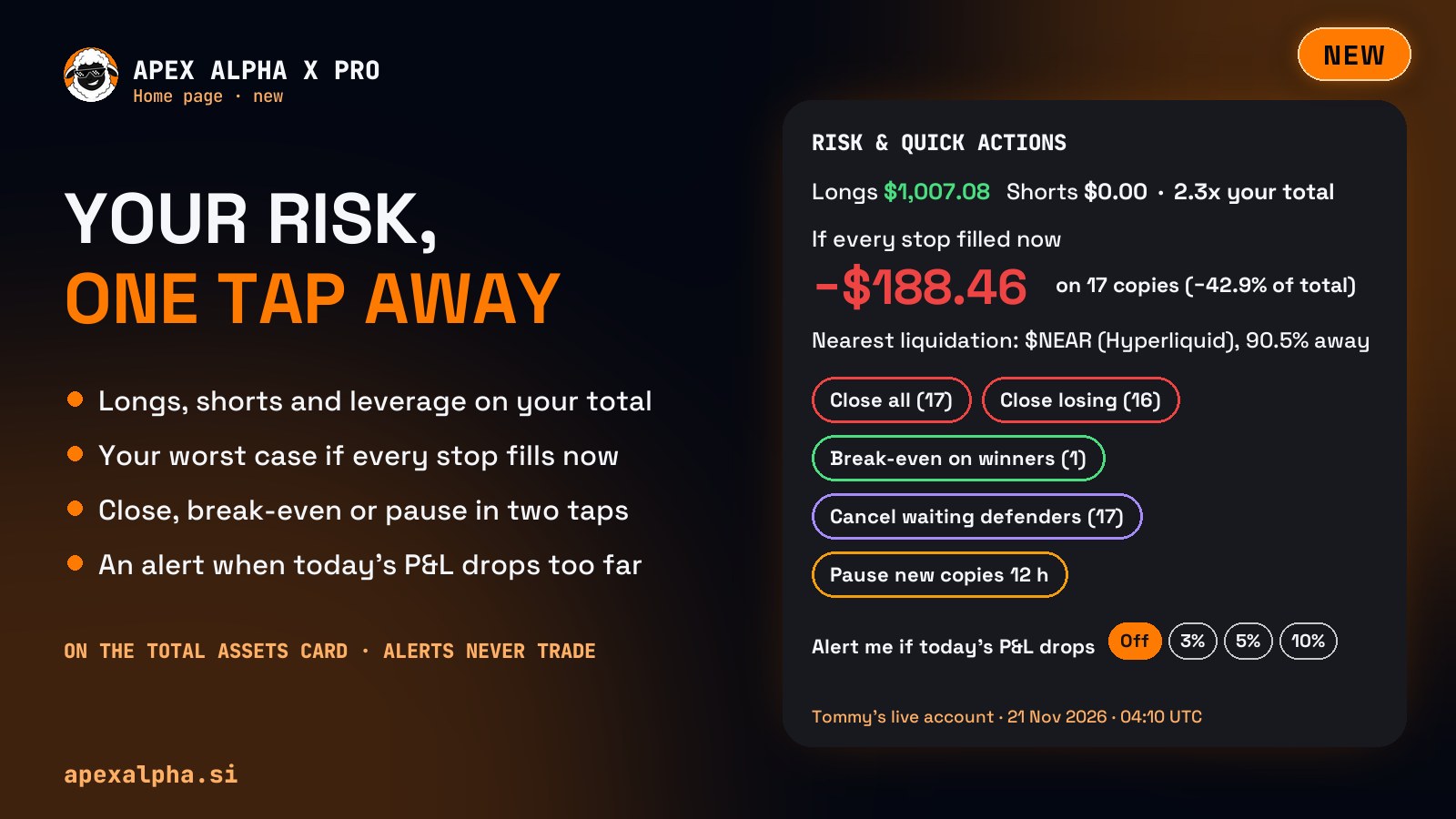
When the market turns, you shouldn't have to hunt for buttons. The Total assets card on the home page now has 🛡 Risk & quick actions.
⚡️ How much you hold in longs and shorts, and how many times your total that is
⚡️ Your worst case: what your open P&L becomes if every stop fills right now
⚡️ Close all, close longs, close shorts, close losing, break-even on winners, cancel waiting defenders, pause new copies: two taps each
⚡️ 🔔 An alert when today's P&L drops 3%, 5%, 10% or 15%
🧠 Live now on the home page
WHAT IT SHOWS
⚡️ Longs and Shorts: the size of your open positions, and that over your total (2.3x means your trades are 2.3 times the money on your exchanges)
⚡️ If every stop filled now: the open P&L you'd have if each Apex copy's current stop filled with the size open now. Defenders that haven't filled yet would add size first, so it can be more
⚡️ Nearest liquidation: the open trade whose liquidation price is closest, and how far away it is
THE QUICK ACTIONS
⚡️ ✖ Close all, ▲ Close longs, ▼ Close shorts, ✖ Close losing
⚡️ 🛡 Break-even on winners: only on trades in profit, because on a losing trade a break-even stop would fill at once (that's a close)
⚡️ 🥷 Cancel waiting defenders: stops adding to trades that are already open
⚡️ ⏸ Pause new copies for 12 hours: open trades keep their stops and targets
They only ever touch Apex copies, never a trade you opened yourself, and they send exactly what the Copy page's own buttons send.
HOW TO USE IT
1. Open the home page and tap 🛡 Risk & quick actions under your exchanges
2. Tap an action once: it turns solid and says Tap again to confirm
3. Tap it again within 5 seconds. The copier works through the trades one by one; watch them on the Wall
4. For the alert, tap 3%, 5%, 10% or 15% next to 🔔 (it's Off until you choose)
THE ALERT
It watches your trading P&L for the day (deposits and withdrawals never count) and sends one message on Telegram (if linked) and your phone when it crosses your level, and another only if it drops another full step. It never closes or changes a trade.
The numbers on the picture are Tommy's own live account at 04:10 UTC on Nov 21.
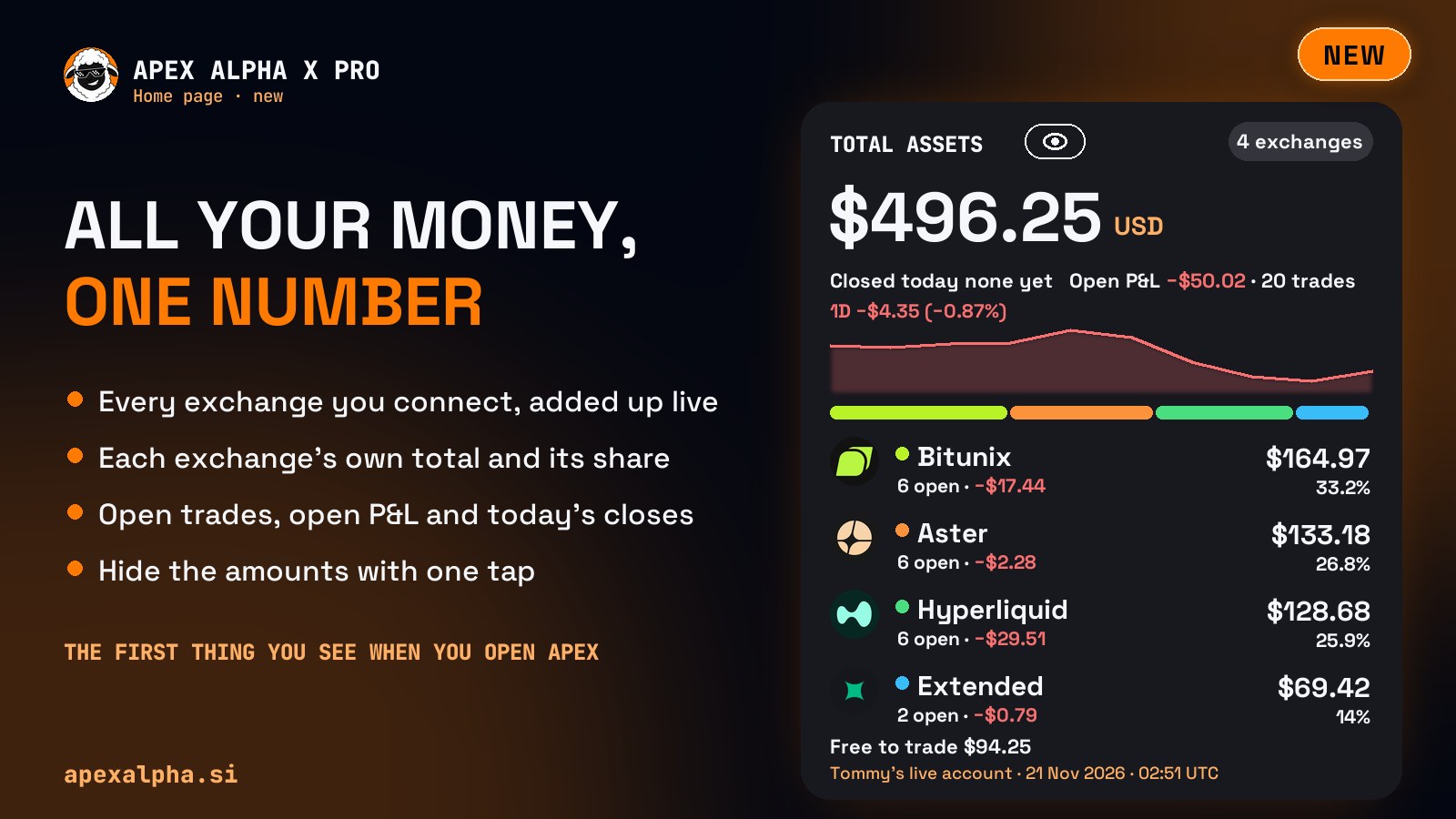
Open Apex Alpha X Pro and the first thing you see is now your TOTAL ASSETS: every exchange you connected, added up, live.
⚡️ Each exchange's own total, its logo and its share of your money
⚡️ Today's P&L right under the total, like your exchange app
⚡️ Open trades and open P&L on each one, plus each exchange's own mini line
⚡️ A line of your combined total over 1 day, 7 days and 30 days
⚡️ One tap on the eye hides every amount
🧠 Live now on the home page
WHAT IT SHOWS
⚡️ TOTAL ASSETS: every connected exchange's account value added together, in US dollars
⚡️ Closed today: the results of copies that closed since 00:00 UTC, from your own copier record
⚡️ Open P&L: what your open trades are up or down right now, straight from each exchange
⚡️ One row per exchange: its total, its share of your money (the colour bar), how many trades are open there and their P&L. A paused exchange wears a ⏸ tag
⚡️ Free to trade: the money not tied up in trades
⚡️ Today's P&L: what your trading made since 00:00 UTC: today's closed results plus how much your open trades moved. Deposits and withdrawals never count in it. On the first day it says "since" the time your card started recording
⚡️ A mini line on each exchange: its own value over the last day
HOW TO USE IT
1. Connect at least one exchange on the Copy page. Each one you add joins the total by itself
2. Open the home page: the card is on top and refreshes every 30 seconds
3. Tap the eye next to TOTAL ASSETS to hide or show the amounts (your phone remembers it)
4. Tap any exchange row to open My account with that exchange's trades
5. The 1D / 7D / 30D line starts from the day you open it and fills in as days pass
HONEST BY DESIGN
The line only records your total when every exchange you connected answered, so a slow exchange never draws a fake drop. Until there are real points, the chart stays hidden instead of guessing. Nobody else ever sees your numbers.
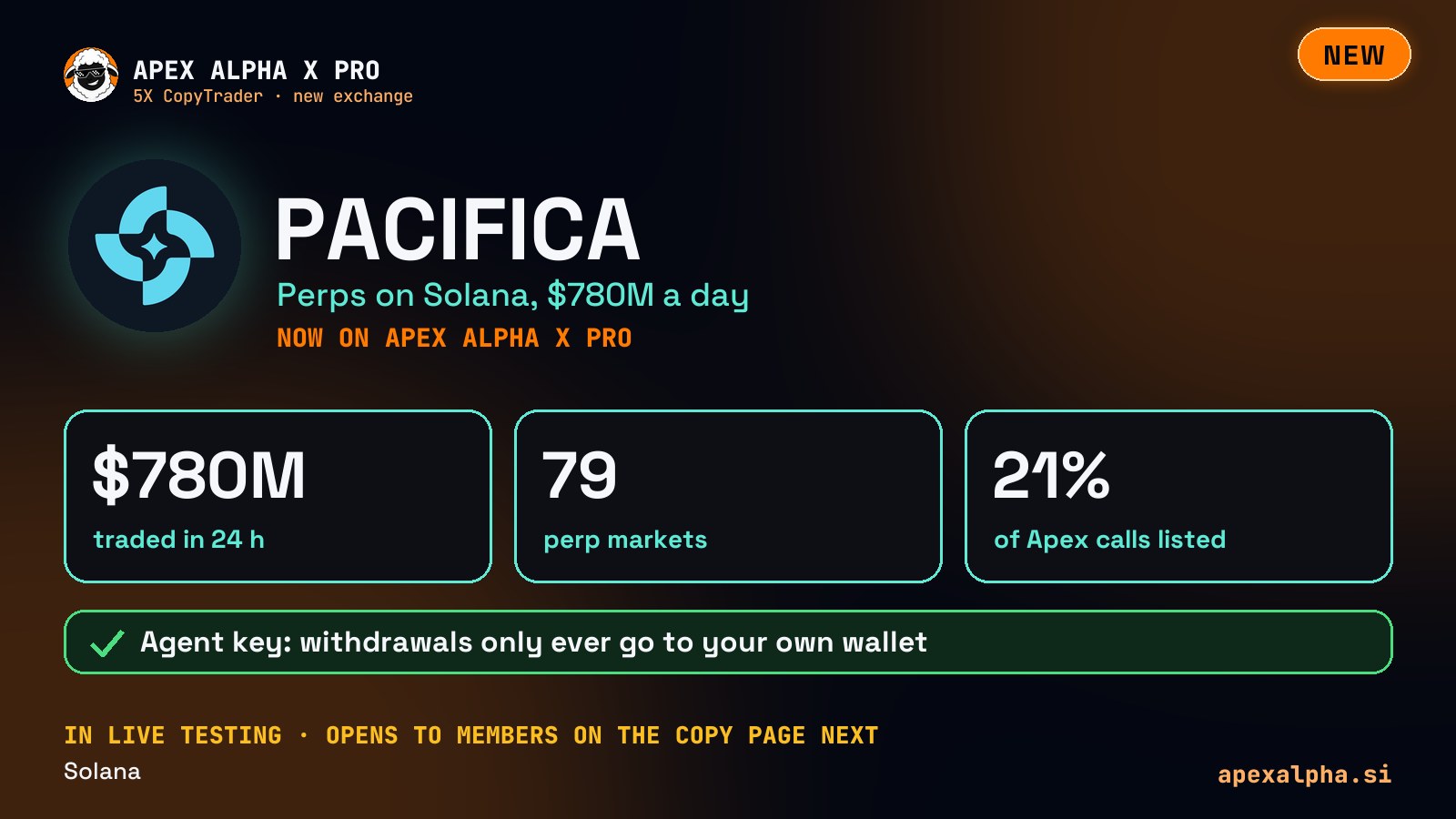
Pacifica is a perpetuals exchange on Solana with a fast order book, and it's coming to the 5X CopyTrader.
⚡️ About $780M traded a day, $85M in open positions
⚡️ 79 perpetual markets: BTC, ETH, SOL, HYPE, XRP, the big memecoins, plus stocks, gold and FX
⚡️ Connect with an agent key: withdrawals only ever go to your own wallet
🧠 In live testing now, opening to members next
WHAT PACIFICA IS
Pacifica runs perpetual futures on Solana: an order book matched off-chain, settled on-chain, with cross margin, stops and take-profits, and funding paid every hour. Next to the big coins and memecoins (BONK and PEPE trade in 1,000s) it lists stocks like NVDA, TSLA, GOOGL and HOOD, gold, silver, oil and currencies.
THE NUMBERS (2026-11-21, from Pacifica's own market data)
⚡️ About $780M traded in 24 hours
⚡️ About $85M in open positions
⚡️ 79 perpetual markets
⚡️ Lists 21% of the calls Apex posted in the last 30 days
HOW APEX CONNECTS, SAFELY
You make an API agent key in Pacifica's own app (app.pacifica.fi/apikey) with your wallet, then paste your account address and the agent's private key once on the Copy page. Before Apex keeps it, Pacifica itself must accept the key's signature for your account; it's stored encrypted and never shown again. By Pacifica's rules a withdrawal always goes to your own wallet and transfers only move between your own main account and subaccounts. Turn on Pacifica's two-factor and every withdrawal needs your code, even one an agent key signs. Apex's Pacifica connector has no transfer or withdrawal code at all: it places, cancels and sets leverage, always cross margin, with the stop on every copy.
GOOD TO KNOW
⚡️ Pacifica's terms don't accept residents of the US, Canada, the UK, China, Russia, Ukraine, Cuba, Iran, Venezuela, Syria, North Korea or the Philippines
HOW TO CONNECT (once its card opens on your Copy page)
1. Open app.pacifica.fi/apikey with your wallet and create an agent key
2. Copy the agent's private key (shown once) and your account address (your Solana wallet)
4. Tip: turn on Pacifica's two-factor so every withdrawal needs your code
STATUS
In live testing on Tommy's own account first. The moment its live test passes, the card opens to every member on the Copy page and we post it here. Your copies there are trades on your own account: Apex never holds your money.
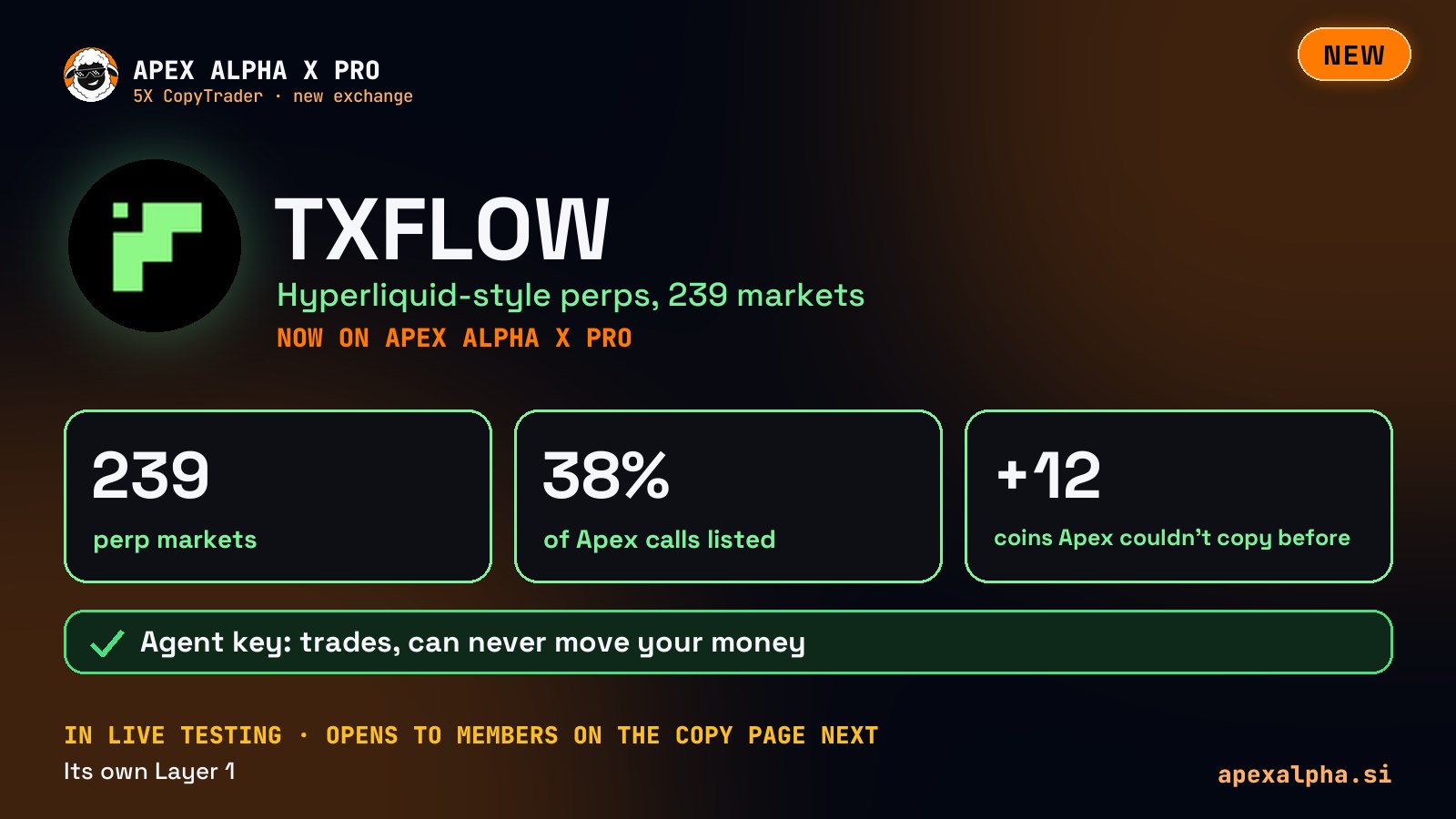
TxFlow is a Layer 1 built for perpetuals, with a Hyperliquid-style engine, and it's coming to the 5X CopyTrader.
⚡️ 239 perpetual markets
⚡️ Lists 38% of the coins Apex calls, including 12 our other exchanges don't
⚡️ One wallet signature to connect: the Apex key trades, it can never move your money
🧠 In live testing now, opening to members next
WHAT TXFLOW IS
TxFlow is a layer-1 exchange for perpetual futures (and prediction markets), built the way Hyperliquid is: an on-chain order book, cross margin, take-profit and stop-loss orders, and agent keys for trading.
THE NUMBERS (2026-11-20)
⚡️ 239 tradable perpetual markets: the majors and a long list of altcoins, plus stocks and commodities
⚡️ About $27M traded in 24 hours and $1.2B in 30 days (DefiLlama)
⚡️ Lists 38% of the coins Apex called in the last 30 days, and 12 that Hyperliquid, Aster and Extended don't: 1INCH, ANKR, CETUS, CYPH, GRT, HNT, HOT, HUT, NG, OURA, RAY, TLT
HOW APEX CONNECTS, SAFELY
Exactly like Hyperliquid: on the Copy page you press Connect wallet and sign ONE message that approves the Apex trading key on your TxFlow account. By TxFlow's own rules an agent key cannot move funds: withdrawals and transfers need your wallet itself. Apex checks the signature is from your wallet before anything is sent, and every copy is cross margin with its stop on the exchange.
GOOD TO KNOW
⚡️ TxFlow's terms don't accept residents of the US, China, Singapore, Canada or the UK
HOW TO CONNECT (once its card opens on your Copy page)
1. Have a TxFlow account with USDC on it
2. On the Copy page, TxFlow card, tap Connect wallet
3. Sign ONE message: it approves the Apex trading key, which can trade and can never move your money
STATUS
In live testing on Tommy's own account first. The moment its live test passes, the card opens to every member on the Copy page and we post it here. Your copies there are trades on your own account: Apex never holds your money.
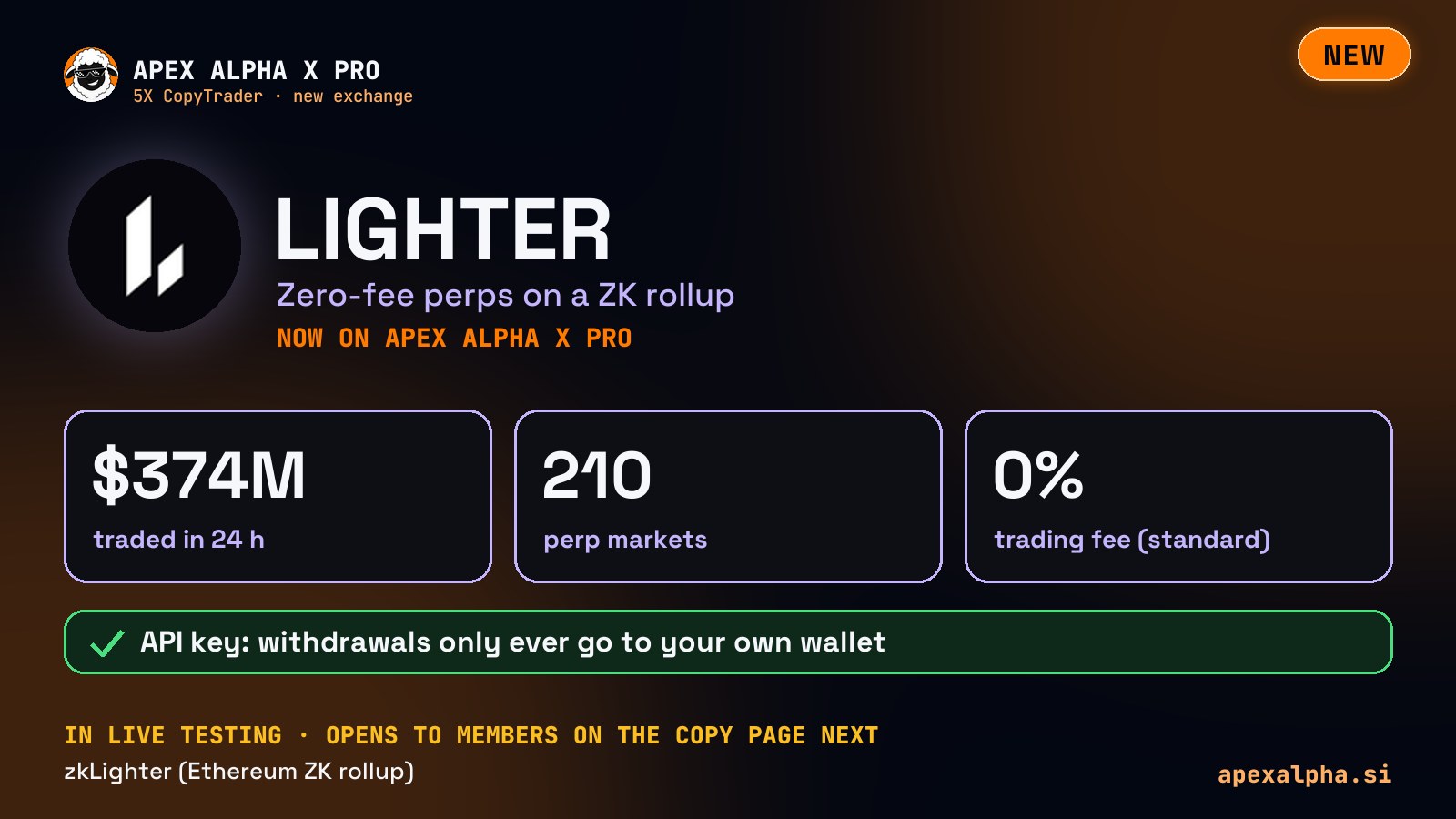
Lighter is one of the biggest decentralized perpetuals exchanges: zero trading fees on standard accounts, on its own ZK rollup, and it's coming to the 5X CopyTrader.
⚡️ About $374M traded a day and $15B in 30 days
⚡️ 210 perpetual markets, 0% maker and taker fees on standard accounts
⚡️ LIT token live, points season running
🧠 In live testing now, opening to members next
WHAT LIGHTER IS
Lighter is a perpetuals exchange on zkLighter, a zero-knowledge rollup on Ethereum: an order book matched off-chain with every trade proven on-chain. Standard accounts pay no maker or taker fee. Its LIT token is live and a points season is running.
THE NUMBERS (2026-11-20)
⚡️ About $374M traded in 24 hours and $15B in 30 days (DefiLlama)
⚡️ 210 perpetual markets
⚡️ Lists 36% of the coins Apex called in the last 30 days, including DIA, NMR, OURA, RAY and WEN that Apex couldn't copy before
HOW APEX CONNECTS, SAFELY
You make an API key in Lighter's app (Settings, API Keys, Create) and paste your account index, the key index and the key once on the Copy page. Lighter itself confirms the key belongs to your account before Apex keeps it, encrypted, never shown again. Lighter only ever sends a withdrawal to your own wallet and asks your wallet's own signature to move money anywhere else. Apex signs with Lighter's official open-source signer, built from source on our server, and its connector only signs orders, cancels and leverage: never a withdrawal or transfer.
GOOD TO KNOW
⚡️ Lighter's terms don't accept residents of the US, Canada, the UK, China, North Korea or Russia
HOW TO CONNECT (once its card opens on your Copy page)
1. Open Lighter, sign in, then Settings, API Keys, Create (any key index from 4 to 254)
2. Copy your account index, the API key index and the API private key (shown once)
3. Paste all three on the Copy page's Lighter card
STATUS
In live testing on Tommy's own account first. The moment its live test passes, the card opens to every member on the Copy page and we post it here. Your copies there are trades on your own account: Apex never holds your money.
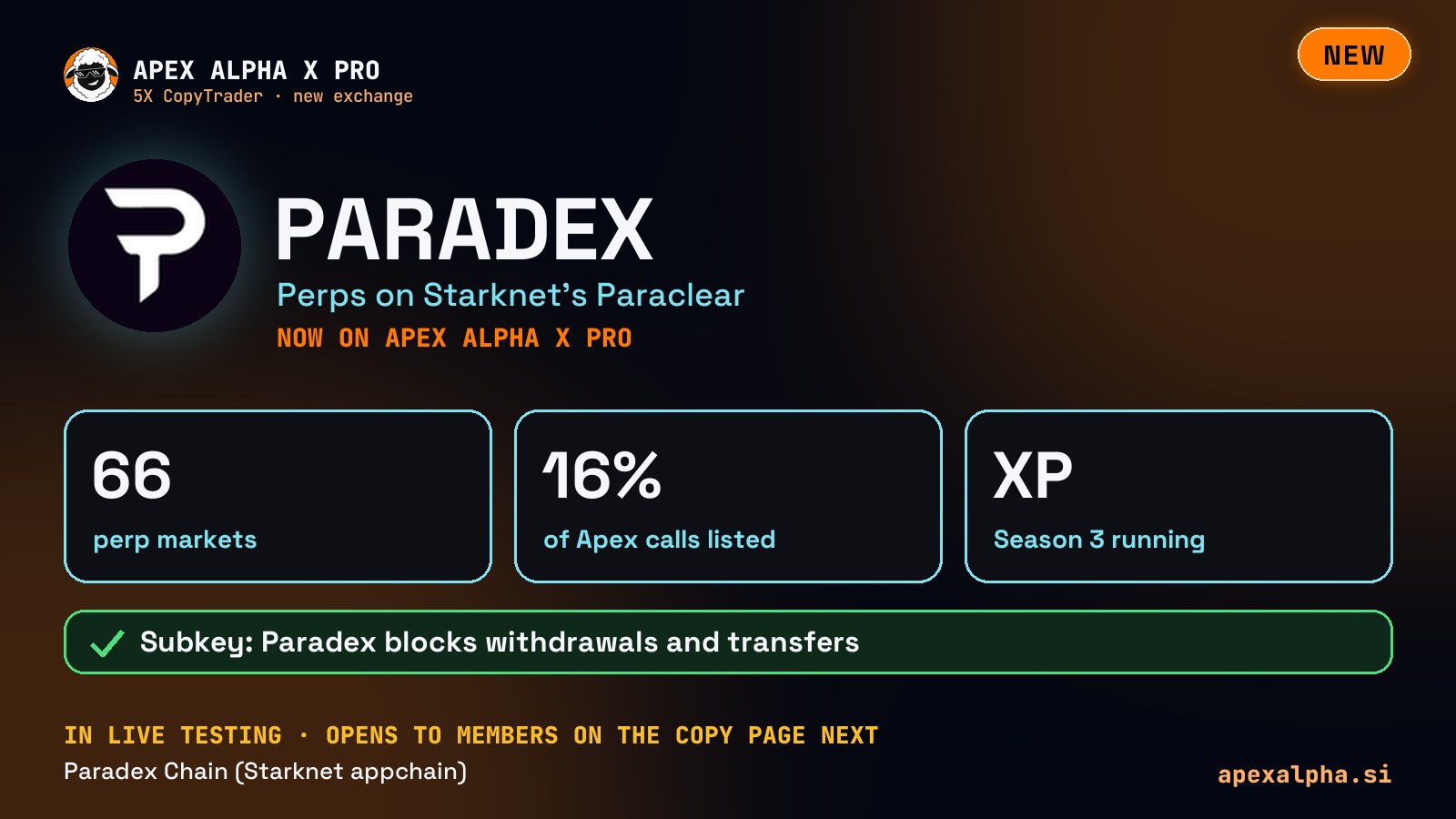
Paradex is a perpetuals and options exchange on its own Starknet appchain, and it's coming to the 5X CopyTrader.
⚡️ 66 perpetual markets, plus options
⚡️ XP Season 3 running, DIME token live
⚡️ Connect with a subkey: Paradex itself blocks it from withdrawing or transferring
🧠 In live testing now, opening to members next
WHAT PARADEX IS
Paradex runs perpetual futures and options on Paradex Chain, an appchain built on Starknet (Paraclear), with an order book and cross margin across your account. Its DIME token is live and XP Season 3 is running.
THE NUMBERS (2026-11-20)
⚡️ 66 perpetual markets
⚡️ About $10M of perps and $138M of options traded in 24 hours (DefiLlama)
⚡️ Lists 16% of the coins Apex called in the last 30 days
HOW APEX CONNECTS, SAFELY
Paradex has SUBKEYS: keys that can place and cancel orders but, by Paradex's own rules, cannot withdraw funds, transfer to other accounts, change account settings or manage keys. You make one (Key Management, Subkeys, Add New Key) and paste it with your account address once on the Copy page. Apex signs in to Paradex with it before keeping it, encrypted, never shown again. Every copy is cross margin with its stop on the exchange.
HOW TO CONNECT (once its card opens on your Copy page)
1. Open Paradex, then account security, Key Management, Subkeys, Add New Key
2. Copy the subkey private key (shown once) and your account address (Wallet tab)
In live testing on Tommy's own account first. The moment its live test passes, the card opens to every member on the Copy page and we post it here. Your copies there are trades on your own account: Apex never holds your money.
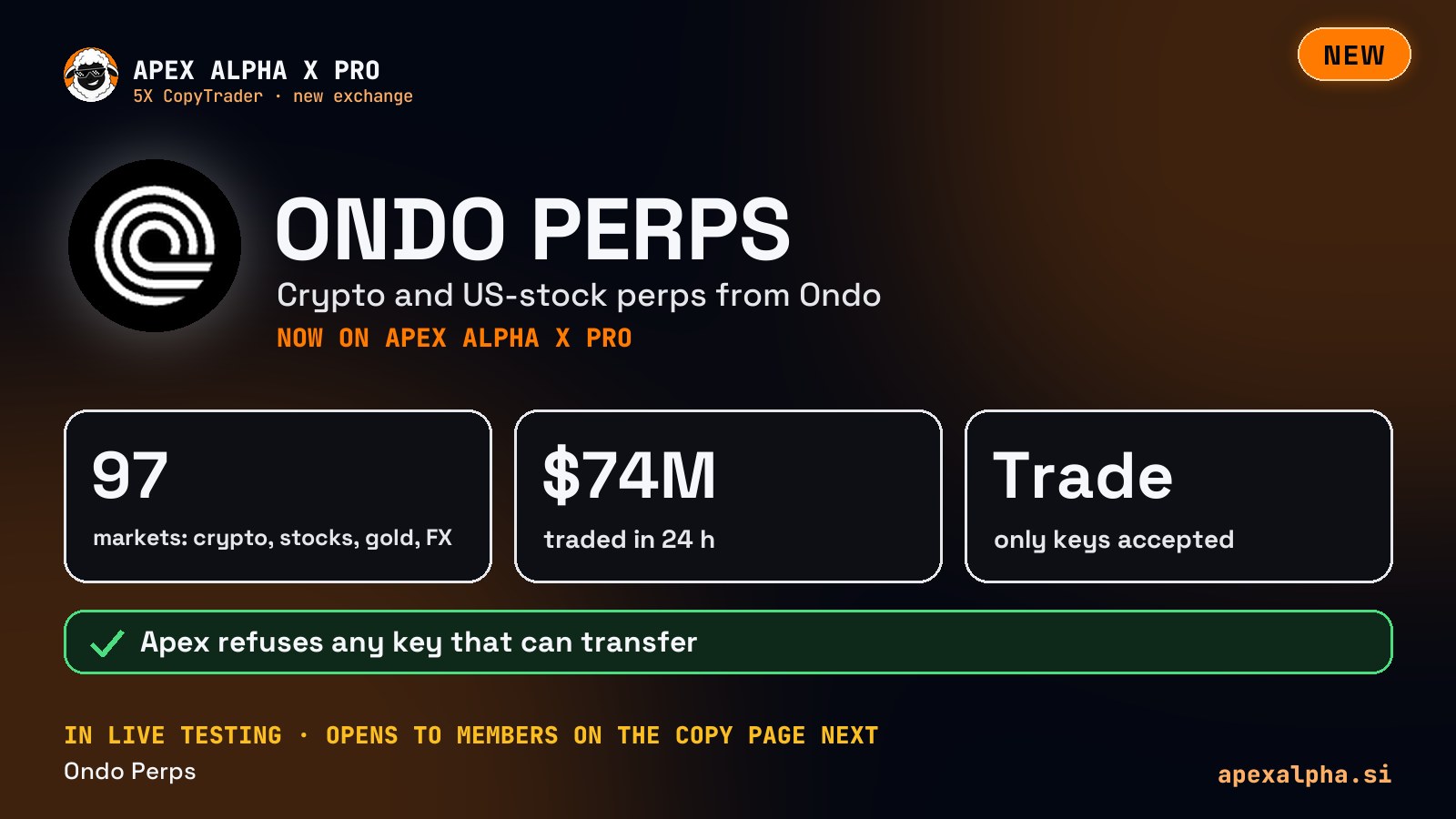
Ondo Perps comes from Ondo, the tokenized-assets company: crypto and US-stock perpetuals from one account, and it's coming to the 5X CopyTrader.
⚡️ 97 markets: BTC, ETH, SOL, HYPE, XRP, ZEC and more, plus AAPL, NVDA, TSLA, SPY, QQQ, gold, oil and FX
⚡️ About $74M traded a day and $2.8B in 30 days
⚡️ Apex only accepts a Trade-only key: one that can transfer is refused
🧠 In live testing now, opening to members next
WHAT ONDO PERPS IS
A perpetual futures exchange from Ondo (ondo.finance), built to trade crypto next to US stocks, ETFs, indices, commodities like gold, silver, oil and copper, and currencies, all from one margin account.
THE NUMBERS (2026-11-20)
⚡️ 97 perpetual markets
⚡️ About $74M traded in 24 hours and $2.8B in 30 days (DefiLlama)
HOW APEX CONNECTS, SAFELY
Ondo's API keys come with permissions: Trade and Transfer. You make a key with ONLY Trade (and can whitelist the Apex server IP on it), then paste the key id and secret once on the Copy page. Before keeping it, Apex asks Ondo itself which permissions the key has, and refuses any key that can transfer. Your key is stored encrypted and never shown again. The stop goes on every copy as Ondo's own position stop.
GOOD TO KNOW
⚡️ The 5X CopyTrader copies Apex's crypto calls. Ondo's stock markets are there for your own trading (Apex's Stocks page shows them)
HOW TO CONNECT (once its card opens on your Copy page)
1. Open Ondo Perps, tap your address, API Keys, Add New API Key
2. Tick Trade ONLY (not Transfer); whitelist the Apex server IP shown on the card if you like
3. Paste the key id and secret on the Copy page's Ondo card
STATUS
In live testing on Tommy's own account first. The moment its live test passes, the card opens to every member on the Copy page and we post it here. Your copies there are trades on your own account: Apex never holds your money.
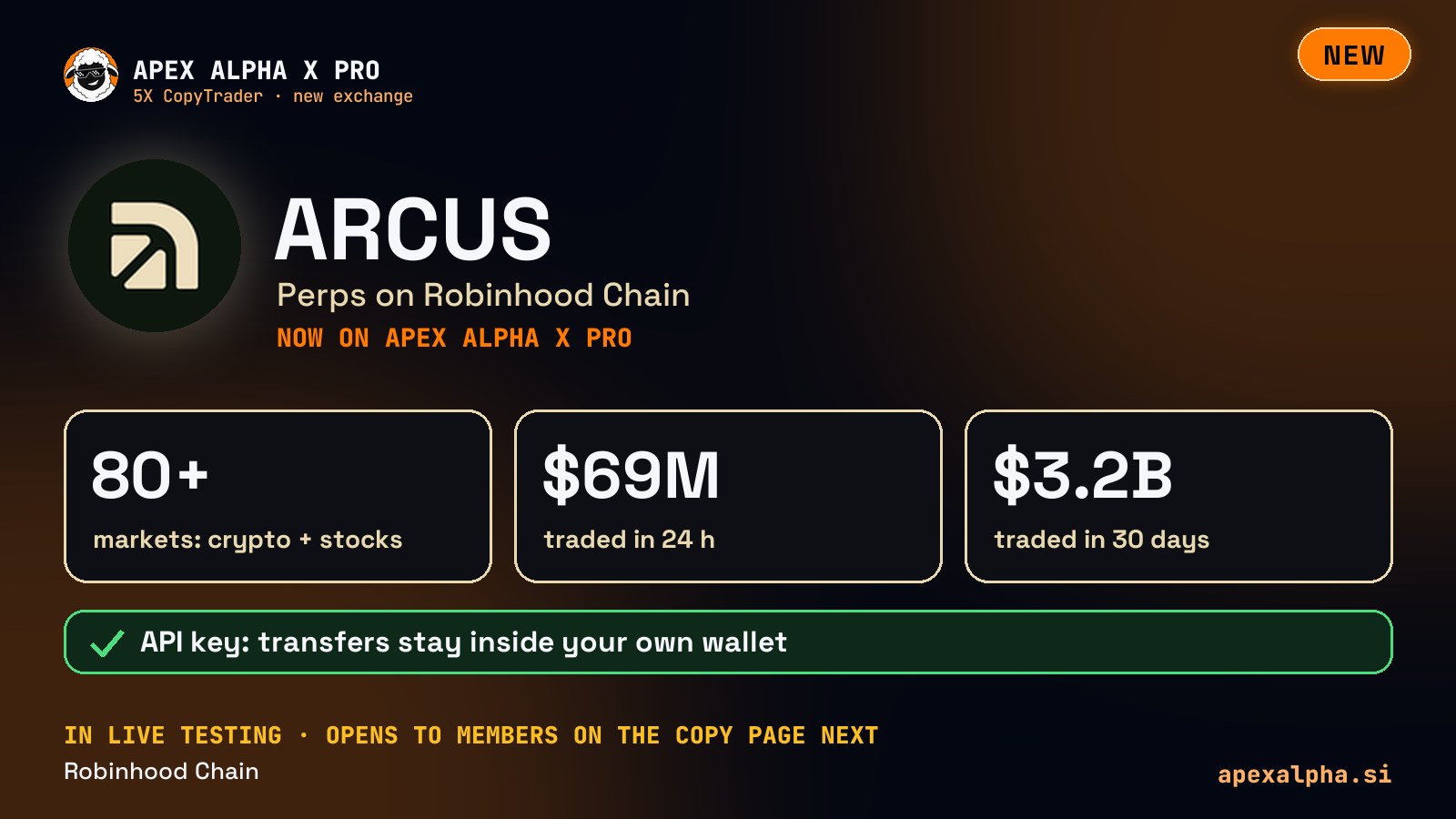
Arcus is a perpetuals exchange on Robinhood Chain, trading crypto and US stocks side by side, and it's coming to the 5X CopyTrader.
⚡️ 80+ live markets: BTC, ETH, SOL, HYPE, LINK and more, plus stocks like AAPL, NVDA, TSLA, SPY and QQQ
⚡️ About $69M traded a day and $3.2B in 30 days
⚡️ Connect with an API key whose transfers stay inside your own wallet
🧠 In live testing now, opening to members next
WHAT ARCUS IS
Arcus runs perpetual futures on Robinhood Chain with a fast off-chain matching engine and on-chain settlement. Crypto and real-world markets (stocks, ETFs, gold, silver, oil) trade from the same account, 24/7 for crypto. You can split your money into up to 10 subaccounts on one wallet.
THE NUMBERS (2026-11-20)
⚡️ 80+ active markets, about half of them crypto
⚡️ About $69M traded in 24 hours and $3.2B in 30 days (DefiLlama)
HOW APEX CONNECTS, SAFELY
You create an API key in Arcus's own app with your wallet (leave the withdraw permission off) and paste it once on the Copy page. Apex reads your account with it before keeping it, encrypted, never shown again. By Arcus's own rules a key can only move money between subaccounts of YOUR wallet, and Apex's Arcus connector has no transfer or withdrawal code at all: it places, cancels and sets leverage, always cross margin, with the stop placed on every copy.
WHAT IT ADDS
⚡️ Another deep venue for the big coins Apex calls
⚡️ One more account to spread copies across, or to fall back on when another exchange is full or paused
HOW TO CONNECT (once its card opens on your Copy page)
1. Open Arcus's API keys page with your wallet and create a key, withdraw OFF
2. Copy the key's private key (shown once), your wallet address and the account index (0 unless you use subaccounts)
In live testing on Tommy's own account first. The moment its live test passes, the card opens to every member on the Copy page and we post it here. Your copies there are trades on your own account: Apex never holds your money.
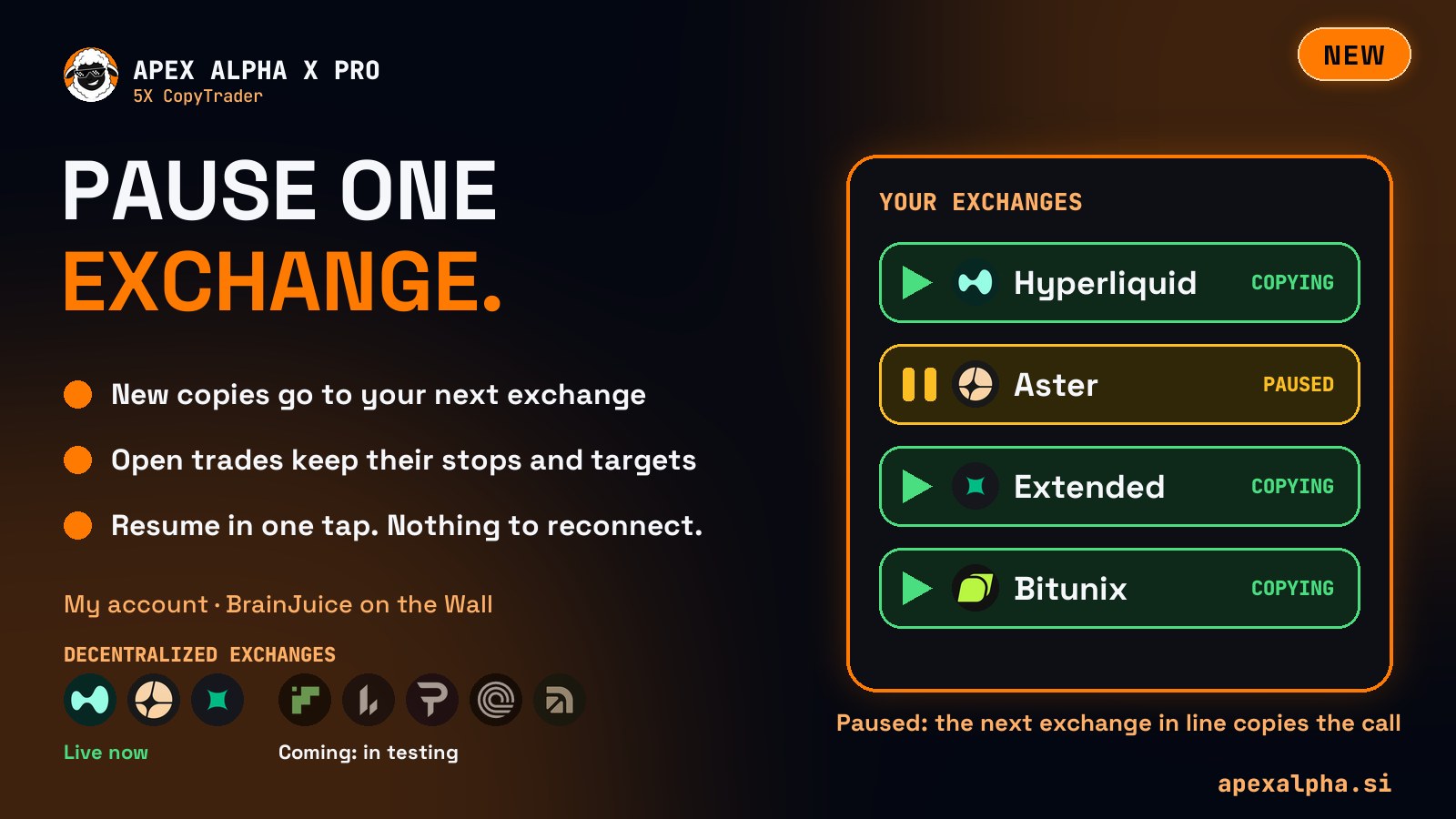
You can now pause any exchange you connected to the 5X CopyTrader, without disconnecting it.
⚡️ Paused: new copies go to the next exchange in your rotation
⚡️ Trades already open there keep their stops and targets, managed to the end
⚡️ Resume in one tap, nothing to set up again
🧠 My account on the Copy page, or BrainJuice on the Wall
HOW IT WORKS
On the Copy page, My account shows ⏸ Pause new copies on every exchange you connected. On the Wall, BrainJuice has one chip per exchange. Tap it and that exchange takes no new copy: the next exchange in your rotation that lists the coin takes the call instead. Tap ▶ Resume and it takes new copies again within a minute.
WHY IT HELPS
⚡️ An exchange is busy, slow or you want to move money around: pause it, the copies keep flowing elsewhere
⚡️ You want one exchange for a while: pause the others
⚡️ Nothing is disconnected, so no keys or signatures to redo
ALSO NEW
⚡️ Copied volume on My account: an estimate of the volume your copies made on each exchange over 7 days, 30 days and all time (margin × leverage, open and close), handy for exchange points programs and referral tiers
⚡️ Every call card shows which of your exchanges would copy it: Copies on Aster, or Not on your exchanges in amber
MORE EXCHANGES COMING
TxFlow, Lighter, Paradex, Ondo Perps and Arcus are built and being tested live on Tommy's own account first. Each one opens to members as soon as its test passes, and it's announced here.
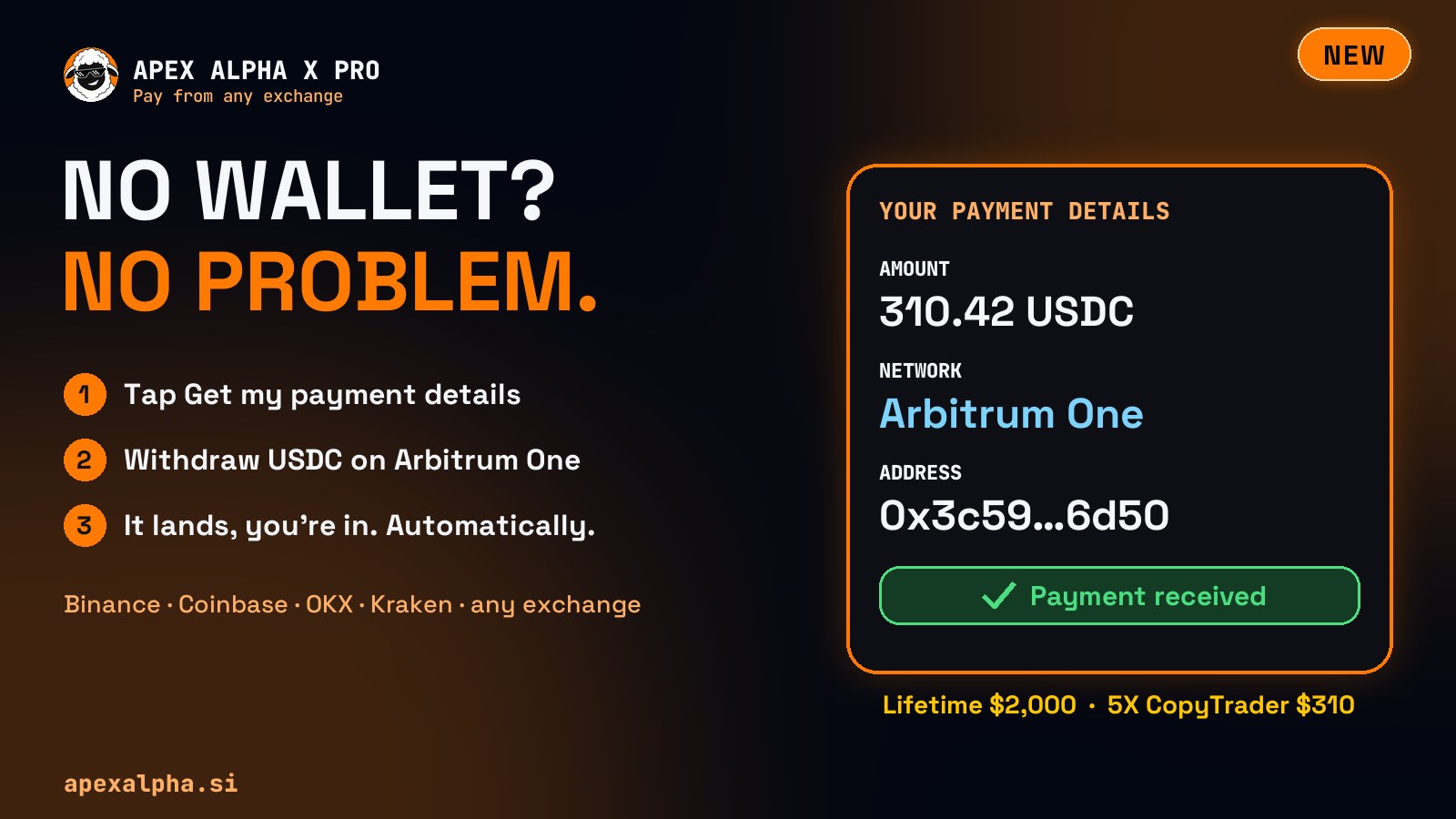
You get your own amount, for example 310.42 or 2,000.37 USDC. The cents are your personal code: they tell Apex the payment is yours. Withdraw so that exactly that amount arrives (exchanges show 'you will receive': add their fee on top).
Apex checks the wallet every minute. When your payment lands, usually within 1 to 15 minutes:
⚡️ Lifetime: your page turns green, then tap Open in Telegram to claim your account
⚡️ 5X CopyTrader: your copies unlock for life and you get a Telegram message
In a hurry? Paste the TxID from your exchange's withdrawal history and it's checked on the spot.
IF A DIFFERENT AMOUNT ARRIVES
Nothing is lost. If your exchange takes its fee out of the amount, or you send a round number, the payment is held and Tommy is told straight away. He checks it by hand and approves it, usually within a few hours, and your page unlocks by itself.
PICK THE RIGHT NETWORK
Only USDC on Arbitrum One (sometimes shown as ARB or Arbitrum) counts. USDC on another network, or another coin, may be lost for good and can't be recovered or refunded.
STILL HAVE A WALLET?
Nothing changes: pay from your wallet in one tap, as before.
THE FINE PRINT
Lifetime is a one-time payment, all sales final: no refunds, no exceptions. Read the full terms on apexalpha.si/lifetime before paying. The 5X CopyTrader copies on exchange accounts opened with Tommy's referral links.
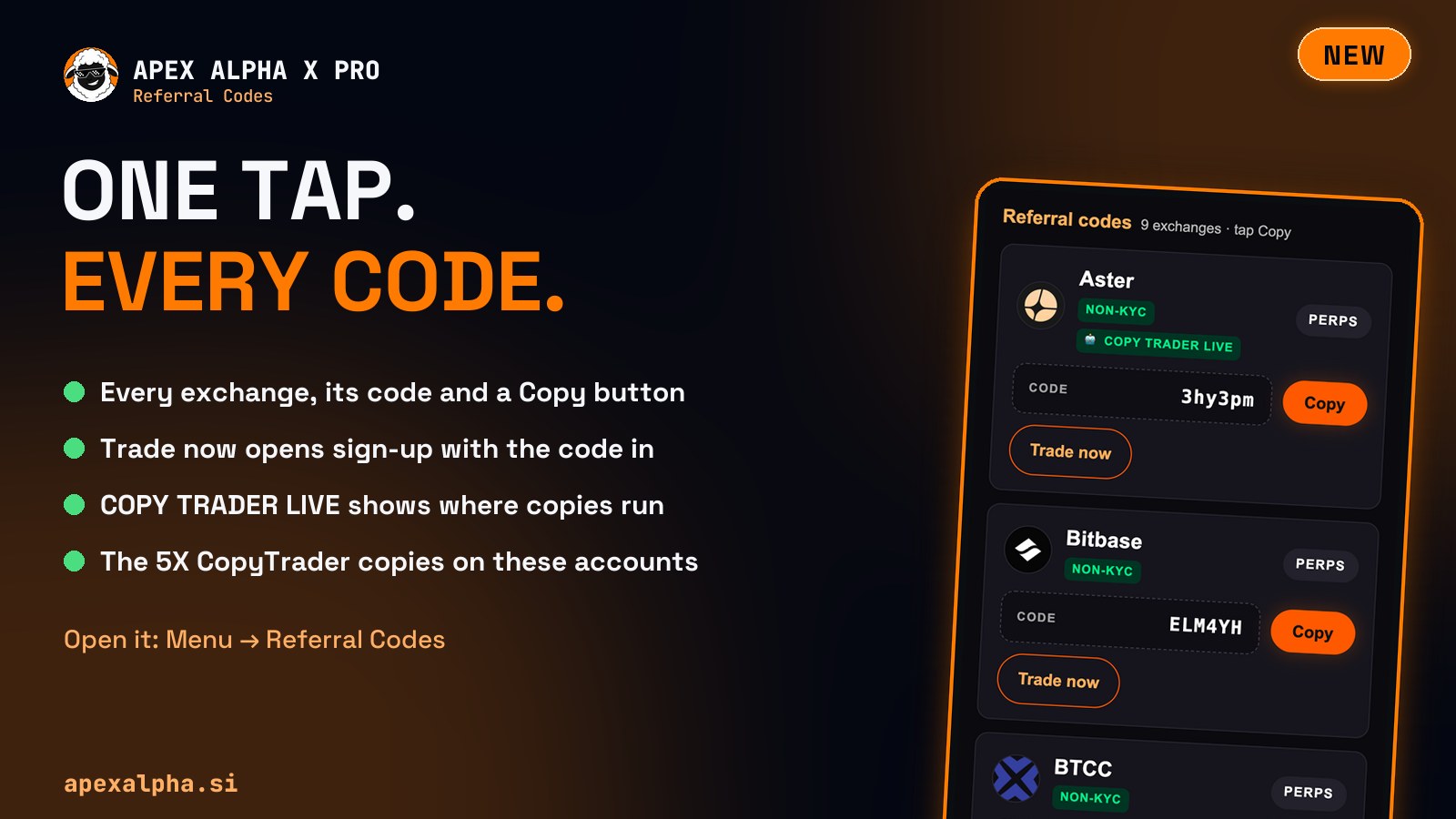
Every exchange Tommy works with, its code, a Copy button and a link to sign up.
⚡️ Tap Copy and paste the code when you create your account
⚡️ Or tap Trade now and sign up with the code already filled in
⚡️ COPY TRADER LIVE shows where the 5X CopyTrader copies today
🧠 Open it from the Menu → Referral Codes
WHY THE CODES MATTER
The 5X CopyTrader copies only on exchange accounts opened with Tommy's referral links. Open your account with the code, connect it on the Copy page and send its UID there. Tommy confirms it and your copies start.
ALREADY HAVE AN ACCOUNT ON THAT EXCHANGE?
Usually a referral code only counts when the account is created. Open a new account with Tommy's link (on non-KYC exchanges a new email is enough) and connect that one. Not sure? Message Tommy before you deposit.
WHAT THE LABELS MEAN
⚡️ COPY TRADER LIVE: the 5X CopyTrader copies calls onto that exchange today
⚡️ COPY TRADER SOON: the connection is built and being tested; open your account now so it's ready
⚡️ No label: an exchange for trading by hand
ON YOUR PHONE
Every code shows in full with its Copy button beside it, and Trade now sits on its own row underneath. Some exchanges aren't offered in every country, so the list you see can be shorter than someone else's.
MORE EXCHANGES ARE COMING
Every new exchange lands on this page with its code the day it opens, and gets its own announcement here.
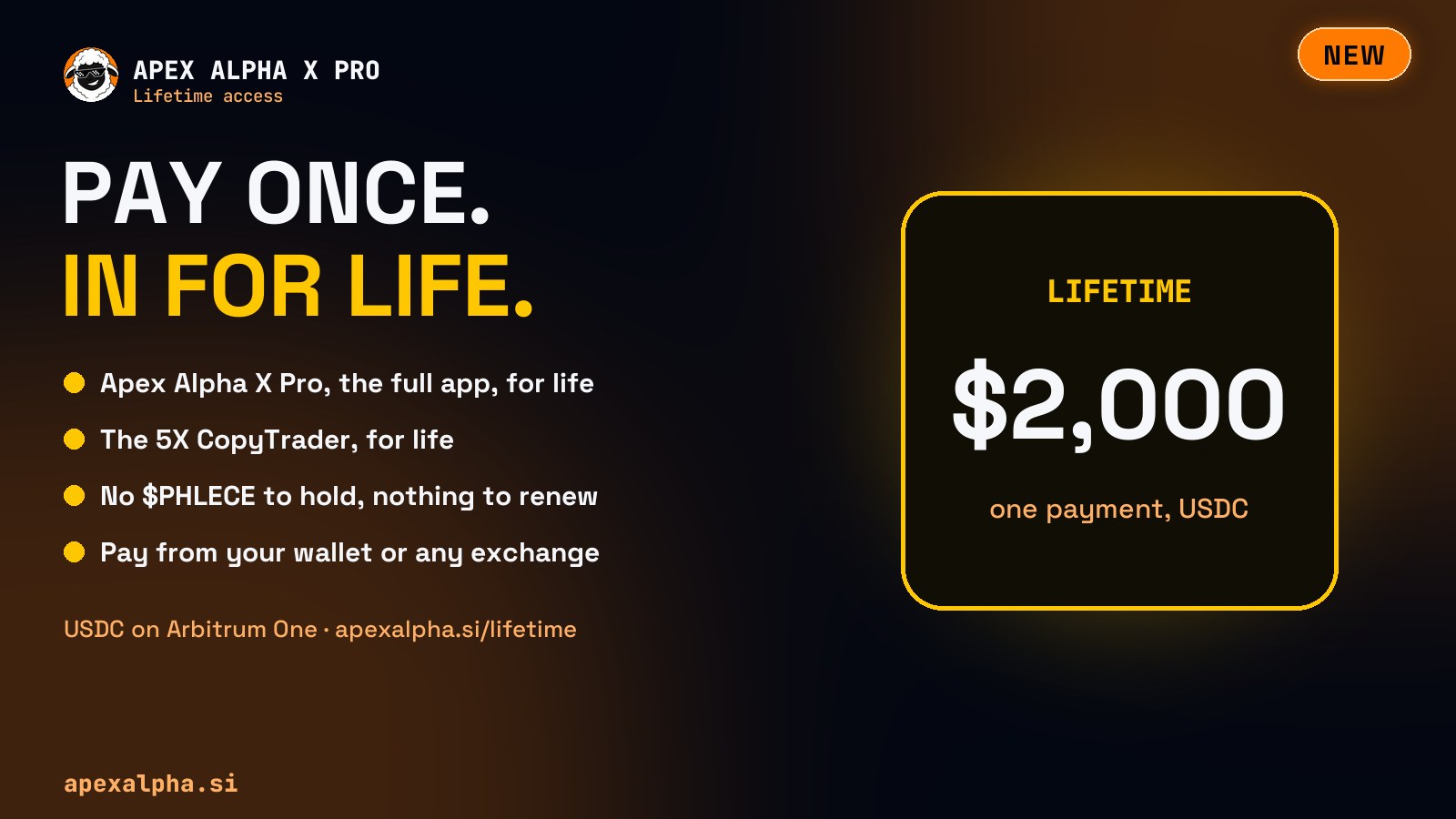
⚡️ You get your own amount (for example 2,000.37 USDC), the address and the network: Arbitrum One
⚡️ Withdraw from Binance, Coinbase, OKX or any exchange so that exactly that amount arrives (add the exchange's fee on top)
⚡️ The page turns green when it lands (or paste the TxID from your withdrawal history), then tap Open in Telegram to claim your lifetime account
THE FINE PRINT
A one-time payment, all sales final: no refunds, no partial refunds, no exceptions. Blockchain payments can't be reversed, so send only USDC on Arbitrum One. Access is personal and can't be shared or resold. The 5X CopyTrader copies only on exchange accounts opened with Tommy's referral links. Leveraged trading can lose money. Read every term on the page before you pay.
WHAT YOU GET
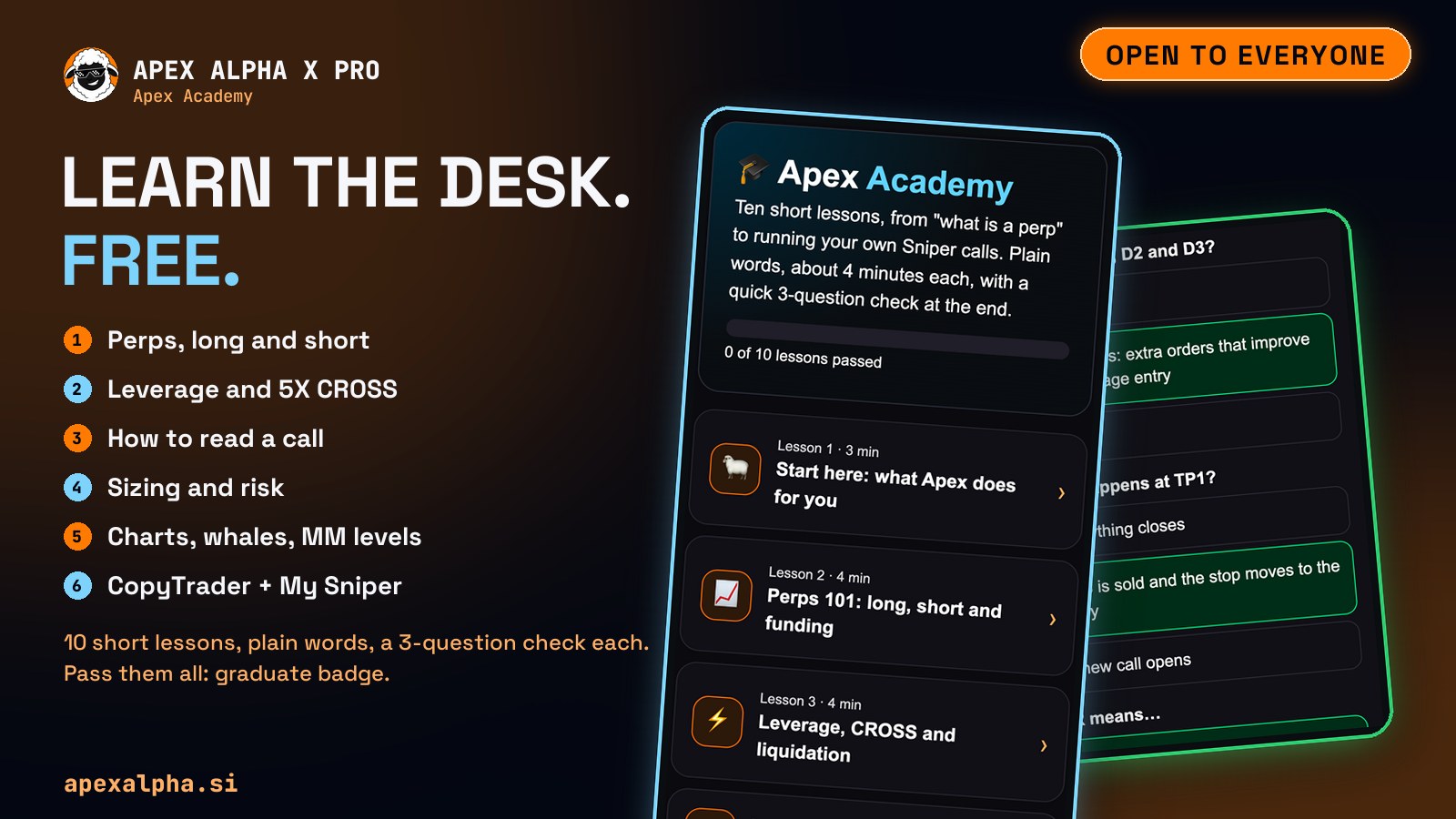
Everything in Apex Alpha X Pro, for life: the calls, the charts, Markets, Stocks, the Wall, the Academy and live sessions. And the 5X CopyTrader for life, copying on exchange accounts opened with Tommy's referral links (Referral Codes).
TWO WAYS IN
⚡️ Cheapest: hold $690 of $PHLECE (you keep the tokens) plus the one-time $310 for the 5X CopyTrader: $1,000 in total, more than half off. How to buy $PHLECE
⚡️ Easiest: $2,000 once, from your wallet or any exchange, nothing to hold, Apex and the 5X CopyTrader for life.
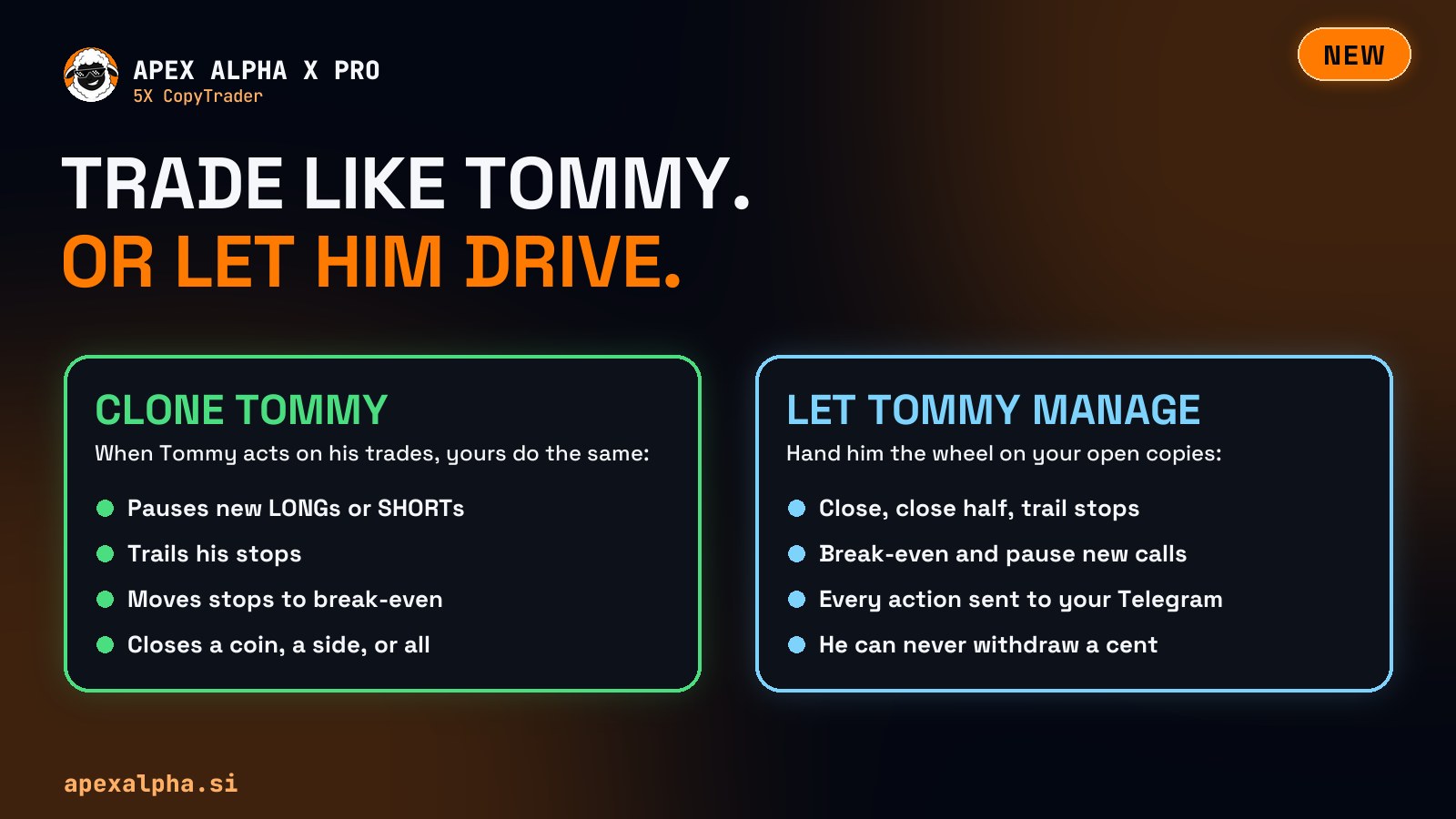
Pick the lanes you want on the Copy page, set your size and leverage, and manage every trade yourself from your Wall: close, close half, break-even, trailing stops, pause new LONGs or SHORTs.
🐑 CLONE TOMMY
Tick Clone Tommy on the Copy page and your copier follows what Tommy does with his own trades:
⚡️ Tommy pauses new LONGs or SHORTs: yours pause for the same time
⚡️ Tommy trails his stops or moves them to break-even on a side or on everything: the same happens on your open trades on that side
⚡️ Tommy closes a coin: your copy of that coin closes too, on whichever exchange you hold it
You get a Telegram message every time something is cloned onto your account.
🤝 LET TOMMY MANAGE
Tick Let Tommy manage my trades and Tommy can act on your open copies from his back end: close, close half, trailing stops, break-even, and pausing new calls. Every action is sent to your Telegram the moment he takes it. Untick it any time and his access ends at once.
YOUR MONEY STAYS YOURS
Whichever you pick, Apex only ever has a trade-only key or signature: it can open and close trades, never withdraw or move funds.
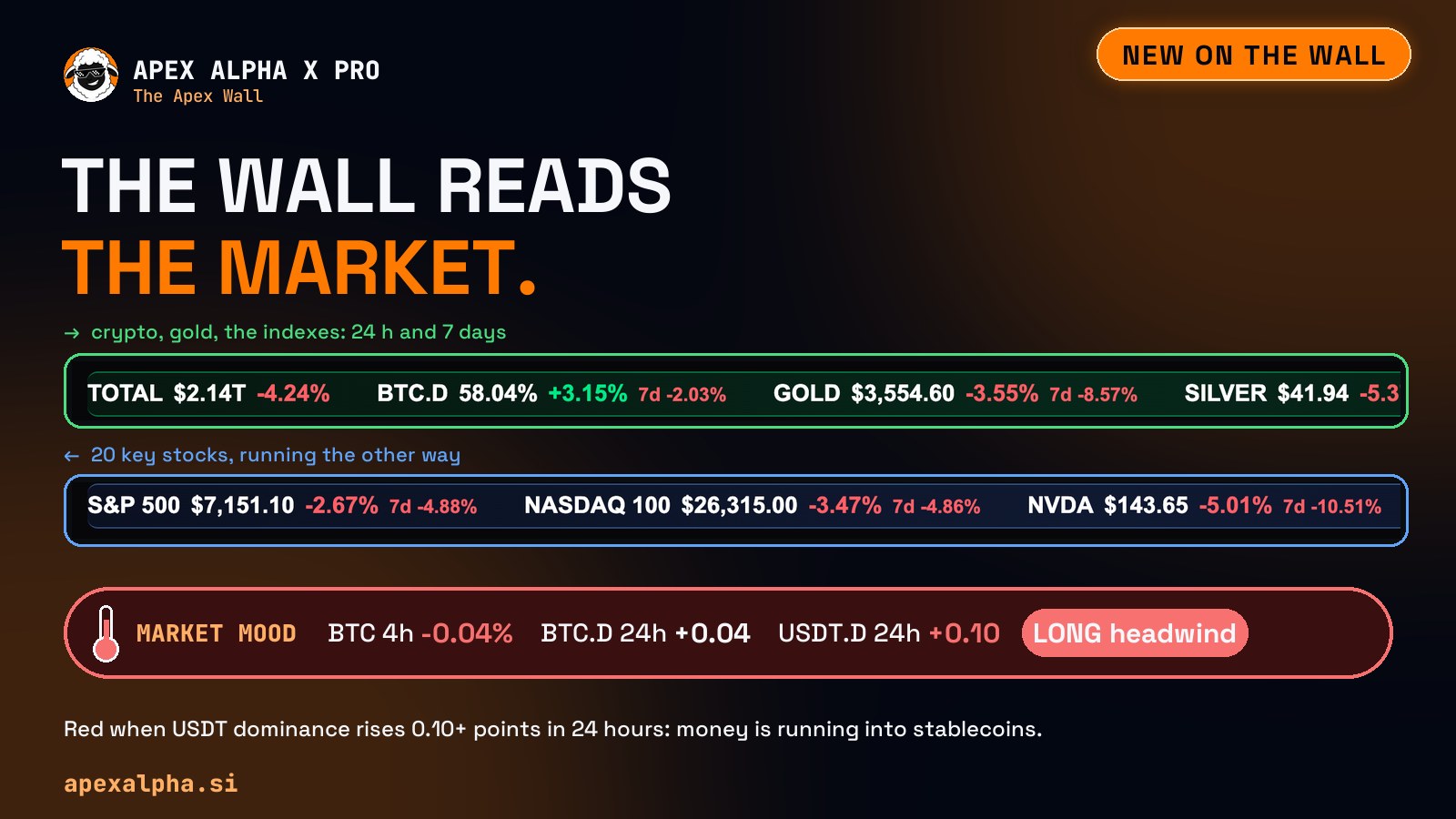
⚡️ Top tape: total crypto market cap, BTC dominance, gold, silver, BTC, ETH, BNB, SOL, SUI, the NASDAQ 100, the Dow, the S&P 500, the dollar and USDT dominance, each with its price, its 24 hour move and its 7 day move
⚡️ Stock tape, right under it in blue, running the opposite way at the same speed: the S&P 500, the NASDAQ 100, NVDA, AAPL, MSFT, GOOGL, AMZN, META, TSLA, AVGO, TSM, AMD, MU, PLTR, NFLX, ORCL, MSTR, COIN, HOOD and JPM
⚡️ Tap any name to open it: a coin opens its chart, a stock opens it on the Stocks page
⚡️ Both tapes run 25% faster than before, and they pause when you hover over them
🌡 MARKET MOOD
The first chip on the exchange row shows three numbers: how far BTC moved in the last 4 hours, and how much BTC dominance and USDT dominance changed in 24 hours.
When USDT dominance rises more than 0.10 points in 24 hours, money is running into stablecoins and the chip turns red with LONG headwind. We checked every call posted since Nov 1: LONGs posted at those moments lost the most.
It's a reading to help you manage your trades from the Wall: nothing is held or closed by it. We're tracking it from Nov 20 on to see if it should become an automatic switch.
TRADES YOU OPENED BY HAND
A trade you opened yourself on the exchange shows on the Wall marked manual. Tap it for ✖ Close (one market close for the whole position) or, when it has no stop, 🛡 Stop 3%, 5% or 10% away. Apex never touches it unless you tap.
A TIGHTER HEADER
Your 30 day record sits beside LIVE, and the BrainJuice row starts at the left, so more of your trades fit on the screen.
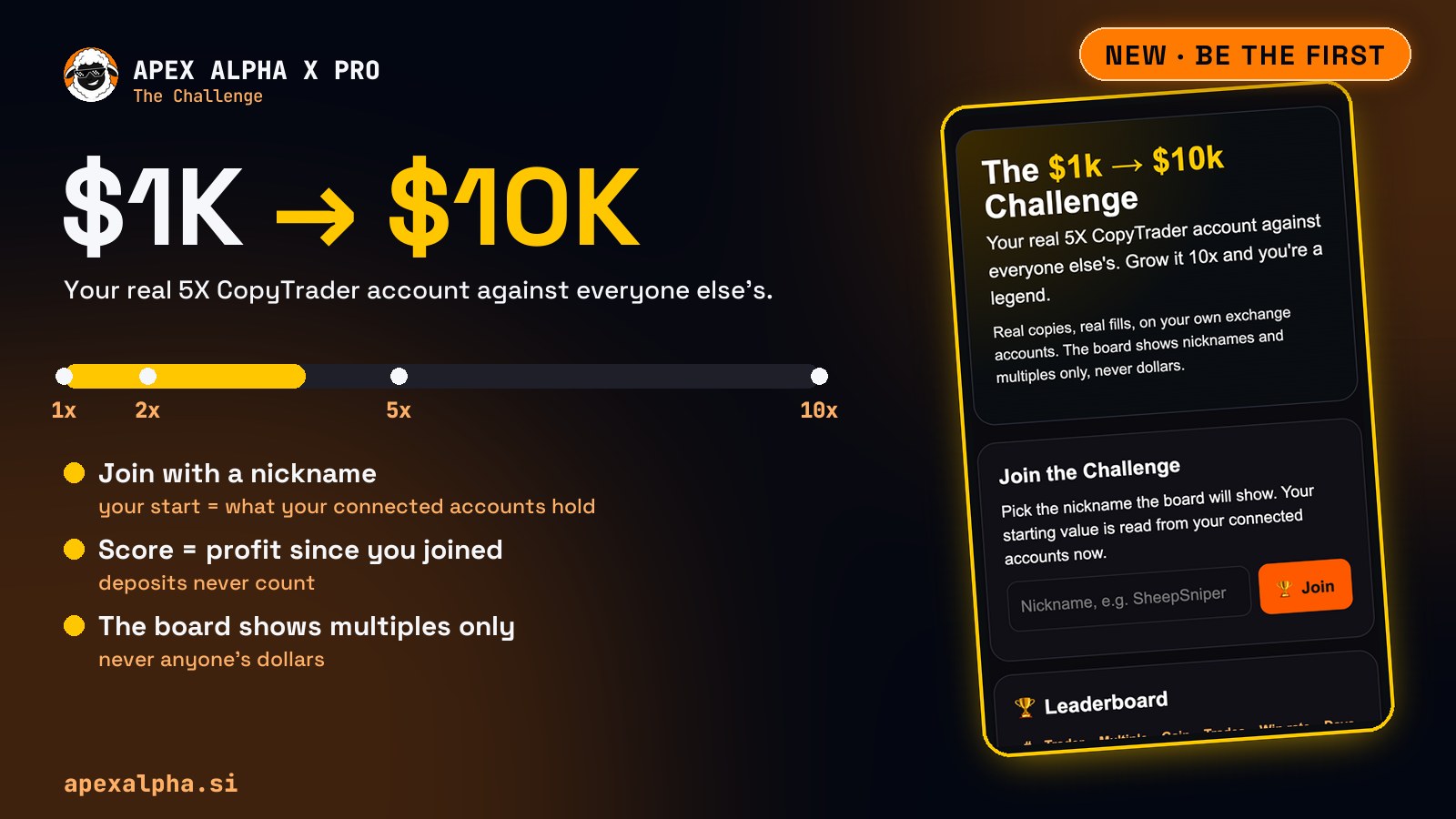
⚡️ Set up the 5X CopyTrader first: open an exchange account with one of Tommy's referral links and connect it on the Copy page
⚡️ Open the Challenge, pick the nickname the board will show, and tap Join
⚡️ Your connected accounts need at least $100 between them to start
HOW THE SCORE WORKS
Start + profit since you joined, divided by start. Start with $1,000, make $1,000 of profit, and you're at 2.00x. The goal is 10x.
Only closed copies count, after fees, so an open trade can't push you up for a moment and fall back. Your own Sniper calls count too.
WHAT OTHERS SEE
Your nickname, your multiple, your gain in percent, your number of trades, your win rate and how many days you've been in. Never your dollars, never your name. Only you see your own dollars on your Challenge card.
LEAVING
Leave any time from your card. Joining again starts fresh.
Size small and let the stops work: high leverage can wipe an account fast. Learn the basics free in the Academy.
⚡️ Apex reads funding on every coin around the clock
⚡️ When shorts are paying an extreme rate (more than 0.05% every 8 hours), the coin is crowded on the short side
⚡️ Apex builds a LONG call there with the same engine as every other lane, and posts it to the Official channel
WHY ONLY LONGS
We tracked both sides before switching it on. Fading crowded shorts won big. Fading crowded longs did not, so those stay off.
COPYING IT
It's a new lane, so it starts off for everyone. On the Copy page, tick Funding Fade in your lanes to copy it. See every lane's record on the Copy page and learn the lanes in the Academy.
Each lesson takes about 4 minutes. At the end, answer 3 quick questions: 2 right passes it. Logged in, your progress saves and the Academy shows how far you've come. Pass all ten and you're an Apex Academy graduate.
Not a member yet? Every lesson is open to read. Start with lesson 1.
⚡️ Open any coin: from Markets, the Calls page (every card has a 🎯 Snipe button) or the Charts tab
⚡️ Tap 🎯 Snipe. The My Sniper box opens on the chart
⚡️ Tap the chart at your entry price, or tap a line (Monthly, Weekly, Daily, 4H, a trendline or a whale liquidation shelf) and your entry locks onto it
⚡️ Pick the timeframe: 30M, 1H, 2H or 4H. The plan's distances follow it
⚡️ Pick where it goes: Automatic, or one exchange you've connected
⚡️ Pick LONG or SHORT, check the plan, and Confirm
WHAT APEX BUILDS FOR YOU
The entry, 3 defenders, the stop and 3 targets from live levels, the reward-to-risk, and how much each order uses at your leverage. Your copier places all of it on your account, the stop first.
🔒 LOCK & LOAD
Don't want to wait for the price? Set your line and tap Lock & Load. When the market touches it, the call is built at that moment and placed on your account by itself. Up to 5 armed lines.
🔥 RAPID FIRE
On the Calls page, select several coins and fire them all at the live price, all long or all short, each with a fresh plan.
WHERE YOUR CALLS SHOW
On the coin's chart (only you see them), on your Wall as 🎯 own snipes, and in your results. They're never posted to the channel.
WHAT YOU NEED
The 5X CopyTrader with at least one exchange connected through Tommy's referral links (Referral Codes, then the Copy page).
⚡️ Crypto markets: every coin's line starts with its top leverage and the exchange that offers it
⚡️ Stocks: a ⚡ chip on every row, and every exchange's cap when you tap a market
⚡️ Copy page: set your own leverage from 1X to 200X, and switch on ⚡ Highest leverage first
HOW THE GUARD WORKS
5X CROSS stays the default. Above 5X, before every copy, Apex checks that the call's stop, with every defender filled, fits in your account. When it would not, it lowers the leverage on that copy to the highest that fits, and tells you why.
Crypto markets: the ⚡ cap on every coinStocks: every exchange's cap on NVDA
⚡️ Every row: the market's logo, live price, 24h move and volume across every exchange that lists it
⚡️ vs real: while Wall Street is open, how far the perp trades from the real stock price
⚡️ gap: while it's shut (nights, weekends, holidays), the move since the last US close
⚡️ OI: open interest change in 24 hours on Hyperliquid
⚡️ ⚡ chip: the highest leverage that market allows on the 5X CopyTrader's exchanges
⚡️ 🤖 badge: how many of the CopyTrader's exchanges list it
TAP ANY MARKET
A live candle chart (15m, 1h, 4h, 1d), every exchange's price and funding, the cheapest exchange to hold a long or a short, the funding gap between them, ☆ favorites and a price alert that pings your phone.
TABS
All, ★ Favorites, On the CopyTrader, 🇺🇸 Since US open (🌙 Gap since US close when the market shuts), 💸 Funding gaps, Stocks, Indexes, ETFs, Commodities, FX & rates, Pre-IPO. Plus the 🔥 trending stocks line up top.
The Stocks board: logos, ⚡ max leverage, 🤖 CopyTrader badges, open interestTap NVDA: live chart, vs real price, open interest, max leverage per exchangeOn a phone
Prediction markets are where people put money on what happens next. When the odds of a Fed cut jump, or the odds of Bitcoin closing the year above a level swing hard, the crowd is telling you what it expects before the charts show it.
HOW TO READ IT
⚡️ The percentage is the market's live chance, for example 70% means the crowd gives it 7 in 10
⚡️ ▲ / ▼ pts is how many points those odds moved in the last 24 hours
⚡️ "traded today" is how much money changed hands on that question today
⚡️ Tap a group at the top: Crypto, Economy & Fed, Tech & AI, Politics, World
GOOD TO KNOW
It's view only, from Polymarket's public data, refreshed every few minutes. Apex never places a bet, and sports are left out.
⚡️ ★ Favorites: your own stock list, apart from your crypto favorites
⚡️ 🇺🇸 Since US open: every stock ranked by how much it moved since 9:30 New York
⚡️ 🌙 Gap since US close: when Wall Street is shut, the biggest overnight and weekend moves (see Monday's gap coming)
⚡️ 💸 Funding gaps: markets where the exchanges charge very different funding, so you can hold where it's cheapest
⚡️ 🔥 Trending stocks: today's five biggest stock gainers, up top
ON EVERY ROW
The logo, live price, 24h move, volume, a ⚡ chip with the highest leverage, the 🤖 badge for how many 5X CopyTrader exchanges list it, and small chips for vs real, gap and open interest when they're worth a look.
PRICE ALERTS
Tap a stock, pick above or below, type a price, tap Add alert. The push opens that stock when it fires. Switch on "My price alerts" on your devices first.
⚡️ The coin, side, exchange and 5X CROSS, with the live P&L and ROE
⚡️ The whole ladder on a live line: defenders, entry, average entry, targets and the stop
⚡️ How far it is to the stop and to the next target, and how long the trade has been open
⚡️ A gold flash and a banner the moment a defender or a target fills
THE COMMAND MENU
Pick all, longs, shorts, winners, losers or one exchange, then trail every stop, move stops to break-even, close half, close everything, or pause new longs or shorts.
Watch a real Apex account live on the public Wall. Members open their own on the Copy page.
NEW ON THE WALL (Nov 20)
⚡️ Every market on the top tape now shows its 7 day move beside the 24 hour one
⚡️ A blue STOCK TAPE under it runs the other way: the S&P 500, the NASDAQ 100 and 18 key stocks, each with its 24 hour and 7 day move
⚡️ The tapes run 25% faster, and the header is tighter so more of your trades fit on the screen
🌡 MARKET MOOD
⚡️ A chip at the start of the exchange row reads the market: BTC's move over 4 hours, BTC dominance and USDT dominance over 24 hours
⚡️ When USDT dominance rises more than 0.10 points in 24 hours (money running into stablecoins), it turns red and says LONG headwind. Since Nov 1, LONGs posted at those moments lost the most
⚡️ It's a reading to help you manage your trades from the Wall: nothing is held or closed by it
How a Tommy Sniper call is made, start to finish. Real screens, $PIEVERSE, 11:19 AM today.
⚡️ STEP 1: THE COIN TELLS ON ITSELF
I opened $PIEVERSE on the Apex chart page. Before I even looked at a candle, Apex flagged it: MM MANIPULATOR.
On-chain volume is 12x its liquidity. That's farming and wash volume.
Futures open interest is 15x the on-chain pool. The price is set on the perp, and a thin spot pool is easy to move.
$3.1M in the on-chain pool against $46.5M of open interest.
Only 36.8% of Binance accounts are long. That's a crowded short: squeeze fuel.
The top 10 wallets hold 93.4% of the supply. Apex shows the holders and links you straight to BscScan.
It even catches the same wallets showing up across other flagged coins: one of them is a top-10 holder of $ARIA, $BLESS, $IDOL, $ON, $TA, $UAI and $XPIN.
Up 61% in 24 hours, 2.6% from its all-time high, funding 0.05%. All on one screen, before you place a thing.
⚡️ STEP 2: TAP THE CHART
I hit Tommy Sniper and tapped the chart at my entry.
Or tap any line on it, Monthly, Weekly, Daily, 4H, a trendline or a whale liquidation shelf, and the entry locks onto that line.
⚡️ STEP 3: PICK THE TRADE
Timeframe: 30M, 1H, 2H or 4H.
Where my copy goes: Auto, or pick the exchange. Auto goes Aster first, then Extended, then Bitunix, whenever the one before is out of free margin.
Then LONG or SHORT. I picked SHORT.
⚡️ STEP 4: APEX BUILDS THE WHOLE PLAN IN SECONDS
Entry 3.29402
3 defenders above it: D1 +4%, D2 +9%, D3 +14%
Stop 3.80467
3 targets: TP1 -7.3%, TP2 -9.0%, TP3 -12.5%
R:R 2.8 at 5X CROSS
Take 25% / 25% / 50% at TP1 / TP2 / TP3, and after TP1 the stop moves to entry.
Nothing is sent until I confirm.
⚡️ STEP 5: ONE TAP
Confirm posts the call to Telegram and copies it to my own account at the same moment.
Or Lock & Load: set the price and it fires by itself when the market touches it.
⚡️ STEP 6: EVERYONE GETS THE FULL CHART
24H move, funding and who pays it, open interest change, every level drawn on, the whale liquidation lines, and the track record right on it: Tommy Sniper since Nov 1, 79% won across 39 closed calls.
⚡️ WHAT YOU GET WITH ACCESS
Every Tommy Sniper call is copied to your own exchange account automatically by the 5X CopyTrader: same entry, same defenders, same stop, same targets, 5X CROSS.
And you get your own Sniper. The same chart page, the same tap-to-enter, the same engine building your levels. Your calls go only to your own connected accounts, and only you see them.
⚡️ HOW IT WORKS ONCE YOU'RE IN
Connect Hyperliquid, Aster, Extended or Bitunix. Trade-only keys, withdrawals off. Apex never holds your money.
Turn on copying and pick your lanes.
Watch every trade live on the Wall, and take control any time: trail every stop, move stops to break-even, pause longs or shorts, or close it all in one tap.
Open any chart and look for the ⚠️ MM MANIPULATOR flag, the MM levels, the whale liquidation lines and the wallet trail. Members with the CopyTrader get the Sniper button on every chart.
The full record of every Tommy Sniper call is in the Book.
⚡️ ⚠️ MM MANIPULATOR banner: on-chain volume far above its liquidity (farming or wash volume), futures open interest many times the on-chain pool (the price is set on the perp), and how many accounts are long (a crowded side is fuel)
⚡️ Wallet trail: how much of the supply the top 10 wallets hold, what the biggest ones moved in 24 hours, a link to the holders, and the same wallets showing up as top holders of other flagged coins
⚡️ 📍 MM LEVELS: the magnets above (resting short liquidations, magenta) and below (resting long liquidations, red), what got liquidated in the last 24 hours, and a sweep-and-reclaim watch
⚡️ 🗺 Liquidation map: the resting liquidation bands within 5%, 10% or 15% of the price, added up from the price outward
⚡️ Order-book depth: the bids and asks within 0.5% to 5% across the big exchanges
A coin flagged ⚠️ opens on the MM view by itself. Try it on any chart, or see the flagged coins on Markets.
The public CopyTrader record shows the 🎯 Fill quality card, updated every hour from each exchange's own fills: how far entries land from the call's price, and how far stops fill past their trigger.
 Apex Alpha X Pro™