 Apex Alpha X Pro™
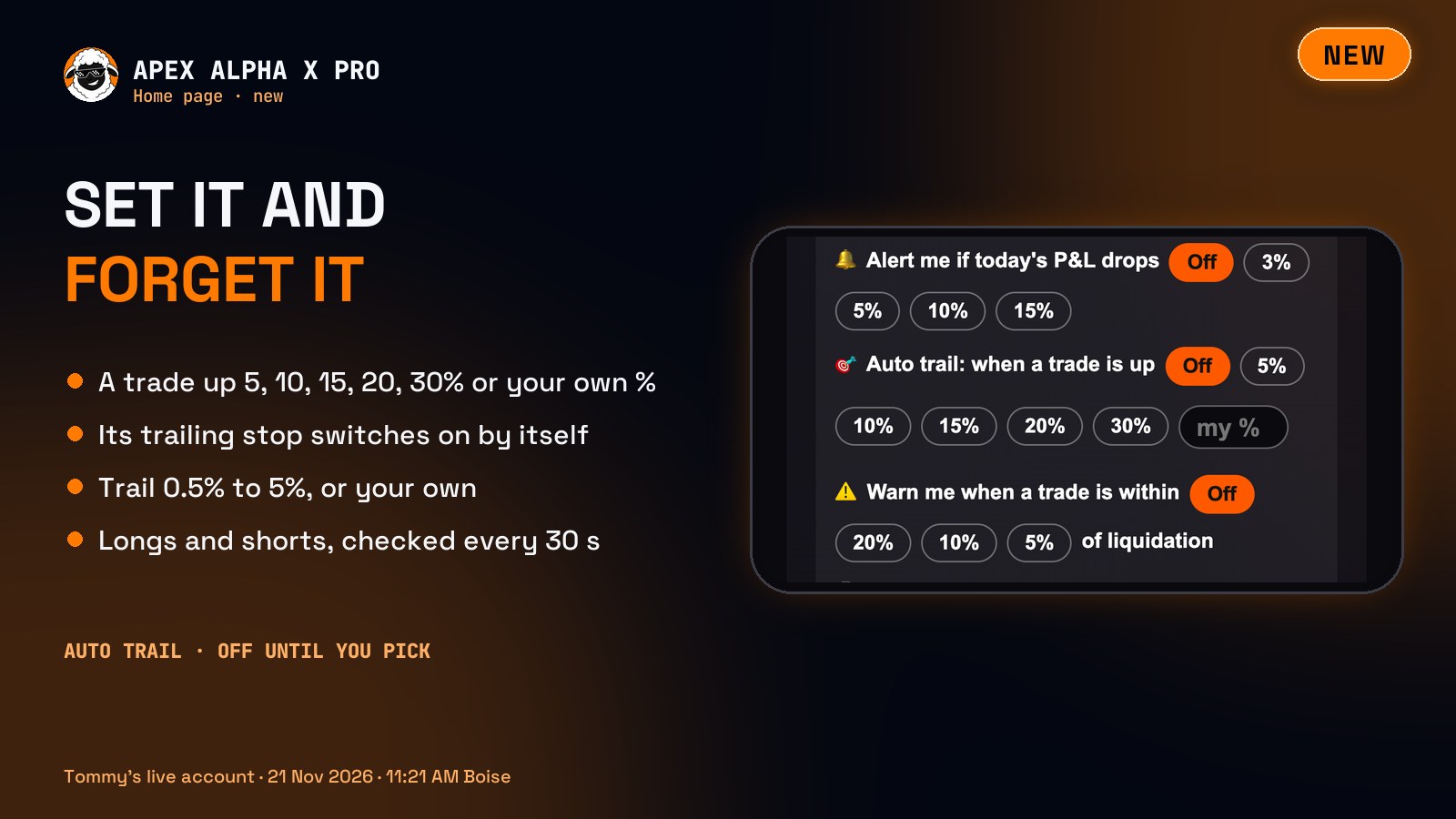
🎯 Auto trail: set it and forget it
Lock in a move without watching the screen.
🧠 On the home card now
HOW IT WORKS
Every 30 seconds Apex checks how far each of your open Apex copies has moved your way from its average entry. The first time one passes your start %, it gets a trailing stop: the stop follows the best price by your trail %, only ever tightens, and rests on the exchange, so it protects the trade even between checks. A long that's up 10% with a 0.5% trail closes on the first 0.5% pullback from its best price; a short works the same way as price falls. Each trade gets it once. Trades you opened by hand, and trades you already trailed yourself, are left alone. You get a Telegram message when it switches on.
A tight trail (0.5%) works like taking the profit right there; 1% to 3% leaves room for a bigger move.
ON YOUR OWN TRADES
Every night Apex replays your own closed copies from the last 21 days on real 15-minute candles under every Auto trail setting. The Auto trail row on your home card then says what your chosen setting would have changed on YOUR trades (or the best setting while it's Off). On Tommy's own 210 copies (Nov 21), starting at 10% and trailing 0.5% would have changed his result by +$177.50 (fired on 53 trades); the best setting, 3% / 0.5%, by +$308.52 (83 trades better, 50 worse).
MEMBERS WHO FOLLOW TOMMY
With 🐑 Clone Tommy or 🤝 Let Tommy manage my trades on, your copies follow Tommy's Auto trail unless you pick your own setting (Off included).
HOW TO USE IT
1. Open the home page, tap 🛡 Risk & quick actions
2. Next to 🎯 Auto trail, tap when it starts (5%, 10%, 15%, 20%, 30%) or type your own % in the box
3. Pick the trail: 0.5%, 1%, 2%, 3%, 5%, or type your own
4. Done. Tap Off to stop it
The picture is Tommy's own live account at 11:21 AM Boise on Nov 21, with Auto trail still Off.